
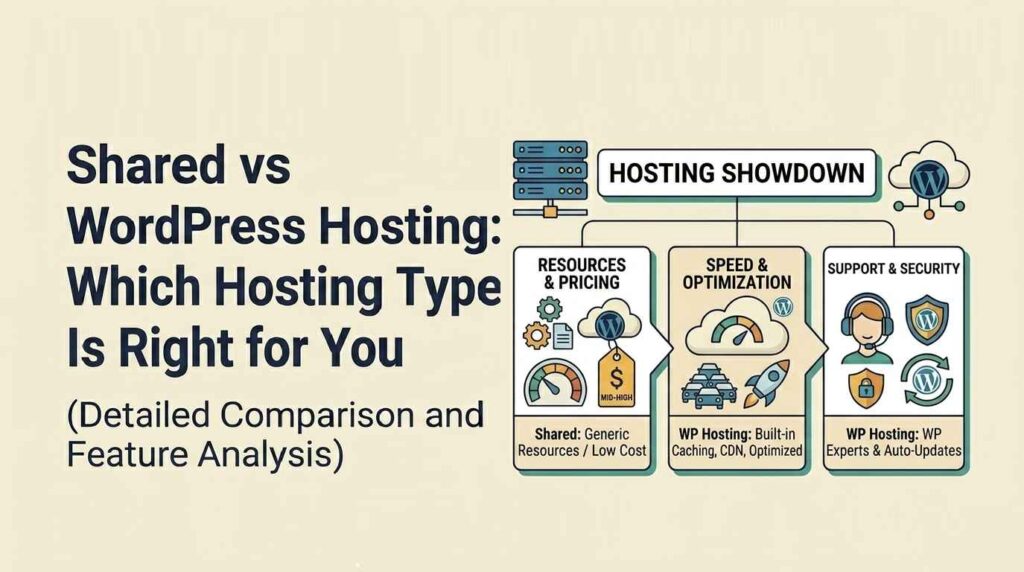
Choosing between shared vs WordPress hosting isn’t a small decision it directly affects how fast your website loads, how secure it is, and how well it performs as you grow.
Most beginners jump into shared hosting because it’s cheap and easy to get started. But as soon as traffic increases or performance starts dropping, they realize the limitations. On the other hand, WordPress hosting is built specifically for WordPress sites, offering better speed, security, and management.
In this guide, we break down shared vs WordPress hosting so you can clearly understand which option fits your website now and later.
Shared vs WordPress Hosting Overview
Before comparing performance and features, you need a clear understanding of what shared vs WordPress hosting actually means.
What is Shared Hosting
Shared hosting is exactly what it sounds like you’re sharing a single server with multiple websites. All sites on that server use the same CPU, RAM, and storage.
- Low-cost hosting solution ideal for beginners
- Easy to set up with basic hosting tools
- Limited resources because multiple sites run on the same server
It works fine for small websites, but performance can become an issue as your traffic grows.
What is WordPress Hosting
WordPress hosting is specifically designed and optimized for WordPress websites. Everything from server configuration to caching is tuned for better WordPress performance.
- Optimized environment for WordPress speed
- Built-in features like automatic updates and backups
- Enhanced security tailored for WordPress sites
- Often includes managed support
It’s built for performance, which makes a noticeable difference compared to standard shared hosting.
Shared vs WordPress Hosting Performance
Performance is where the gap between shared vs WordPress hosting becomes obvious.
Shared Hosting Performance
With shared hosting, your website’s speed depends on other websites on the same server.
- Resources are shared across multiple users
- Performance can fluctuate depending on server load
- Slower loading times during traffic spikes
If another site on your server consumes more resources, your site slows down too. That’s the downside of sharing.
WordPress Hosting Performance
WordPress hosting is optimized specifically to handle WordPress sites efficiently.
- Faster loading speeds due to optimized servers
- Built-in caching and performance enhancements
- Stable performance even during higher traffic
This setup ensures your website runs smoothly without being affected by other users.
Verdict: WordPress hosting clearly performs better, especially if your site is growing or relies on consistent speed.
Shared vs WordPress Hosting Ease of Use
Ease of use matters, especially if you don’t want to deal with technical setups.
Shared Hosting Usability
Shared hosting gives you basic tools, but you’ll need to handle most of the setup yourself.
- Manual WordPress installation (in many cases)
- Standard control panels like cPanel
- More steps required to configure your site
It’s manageable, but not the most beginner-friendly if you’re new.
WordPress Hosting Usability
WordPress hosting simplifies everything by handling most technical tasks for you.
- WordPress comes pre-installed
- Automatic updates and backups included
- Clean, beginner-friendly dashboard
You can focus on building your website instead of managing technical details.
Verdict: WordPress hosting is much easier to manage, especially for beginners and non-technical users.
Shared vs WordPress Hosting Security
Security is often ignored until something breaks. In shared vs WordPress hosting, this is a major difference.
Shared Hosting Security
Shared hosting offers only basic security features.
- Limited protection against threats
- Risk from other websites on the same server
- Requires manual security setup
If one website on the server is compromised, others can be affected too.
WordPress Hosting Security
WordPress hosting is built with security in mind.
- WordPress-specific protection mechanisms
- Malware scanning and firewall integration
- Automatic updates to prevent vulnerabilities
This significantly reduces the risk of attacks and keeps your site protected.
Verdict: WordPress hosting offers stronger and more reliable security compared to shared hosting.
Shared vs WordPress Hosting Pricing
Cost is often the first thing people look at in the shared vs WordPress hosting comparison but cheap doesn’t always mean better.
Shared Hosting Cost
Shared hosting is the go-to option for beginners mainly because of its low price.
- Very affordable entry-level plans
- Ideal for personal or small websites
- Low upfront investment
It’s a good starting point, but the limitations show up as your website grows.
WordPress Hosting Cost
WordPress hosting costs more, but you’re paying for performance and built-in features.
- Higher pricing compared to shared hosting
- Includes advanced features like caching, backups, and security
- Saves money long-term by reducing the need for extra tools
Verdict: Shared hosting is cheaper upfront, but WordPress hosting delivers better long-term value.
Shared vs WordPress Hosting SEO Impact
Most people underestimate how much hosting affects SEO. In reality, your hosting directly impacts rankings.
Shared Hosting SEO
- Slower loading speeds can hurt rankings
- Higher chances of downtime
- Limited control over performance optimization
Search engines prioritize fast and stable websites shared hosting often struggles here.
WordPress Hosting SEO
- Faster page load times improve rankings
- Better uptime ensures consistent indexing
- Optimized for Core Web Vitals and performance
Verdict: WordPress hosting is the better choice if SEO is a priority.
Shared vs WordPress Hosting Pros and Cons
Shared Hosting Pros
- Low cost and budget-friendly
- Quick and easy to get started
- Suitable for small or personal websites
Shared Hosting Cons
- Limited speed and performance
- Security risks due to shared environment
- Not ideal for scaling
WordPress Hosting Pros
- Optimized for speed and performance
- Stronger security features
- Scalable as your website grows
WordPress Hosting Cons
- Higher pricing compared to shared hosting
- Designed mainly for WordPress websites
Shared vs WordPress Hosting Comparison Table
| Feature | Shared Hosting | WordPress Hosting |
|---|---|---|
| Performance | Basic | Optimized |
| Ease of Use | Moderate | Easy |
| Security | Basic | Advanced |
| Pricing | Low | Medium |
| SEO | Limited | Strong |
| Best For | Beginners | Growing websites |
How to Choose Between Shared vs WordPress Hosting
Picking between shared vs WordPress hosting comes down to your current needs and future plans.
Selection Tips
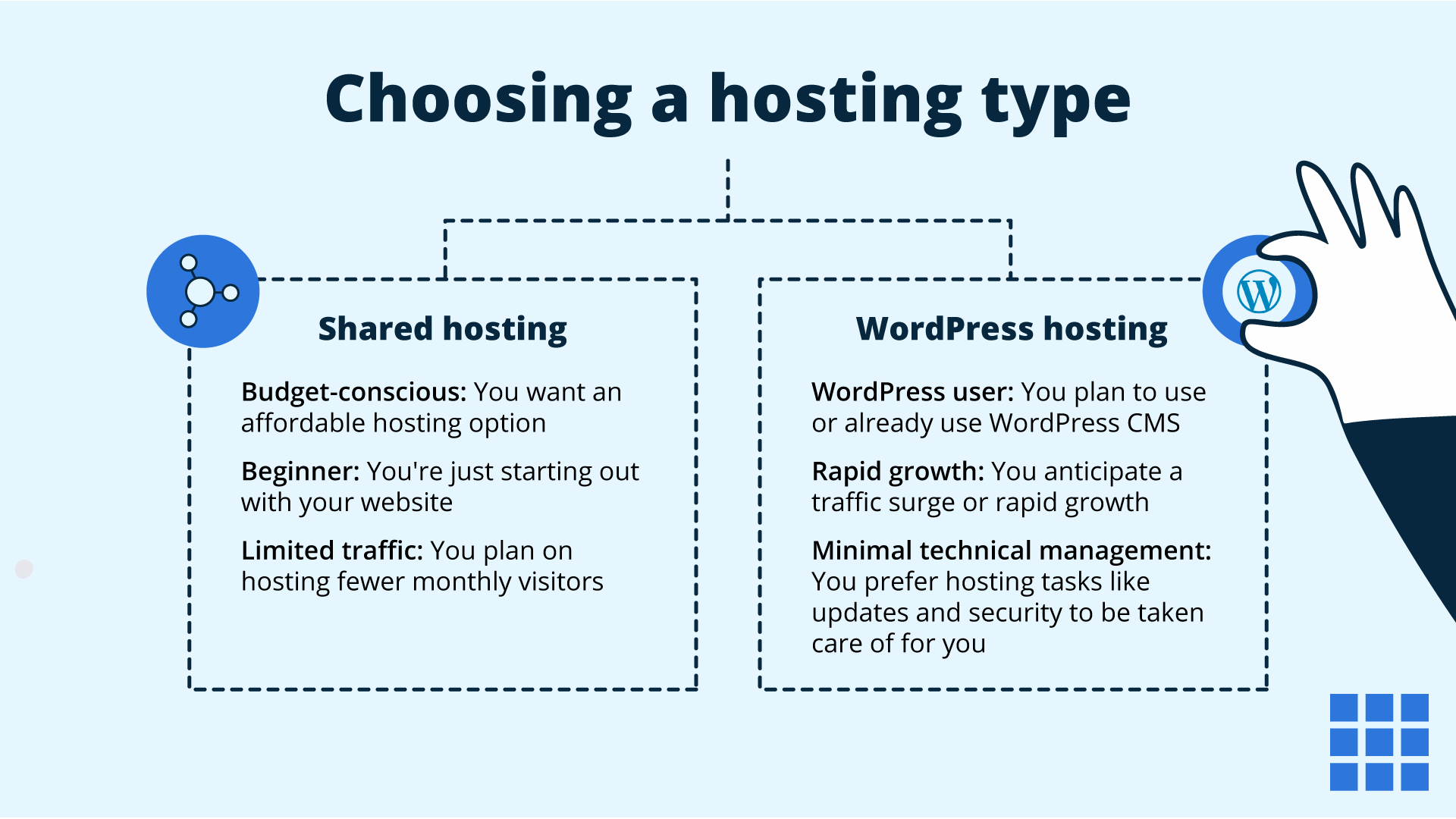
- Choose shared hosting if you’re starting a small website with low traffic
- Choose WordPress hosting if you want better speed and scalability
- Think about future growth, not just current needs
- Prioritize performance and security from day one
For a fast and reliable website, Techippo Website Development and Optimization helps you choose and configure the best hosting setup for maximum performance and conversions.
Common Mistakes to Avoid
- Choosing the cheapest hosting without thinking about performance
- Ignoring website speed and its impact on SEO rankings
- Not planning ahead for traffic growth
- Staying on shared hosting longer than you should
These mistakes usually cost more in the long run either in lost traffic, poor user experience, or expensive migrations later.
Frequently Asked Questions
What is the difference between shared vs WordPress hosting?
The main difference in shared vs WordPress hosting is how resources and optimization work. Shared hosting places multiple websites on the same server, while WordPress hosting is specifically optimized for WordPress performance, security, and speed.
Is WordPress hosting better than shared hosting?
Yes, in most cases WordPress hosting is better. It offers faster loading times, stronger security, and better scalability compared to shared hosting.
Can I start with shared hosting and upgrade later?
Yes, you can start with shared hosting and upgrade as your website grows. However, if you expect traffic or want better performance from the start, switching earlier to WordPress hosting is the smarter move.
Which hosting is better for SEO?
WordPress hosting is better for SEO because it provides faster speeds, improved uptime, and better optimization for performance metrics like Core Web Vitals.
Final Verdict: Shared vs WordPress Hosting
- Best for beginners: Shared hosting
- Best for performance: WordPress hosting
- Best for SEO: WordPress hosting
- Best for budget: Shared hosting
👉 Choose based on your website goals and long-term growth, not just the lowest price.
You May Also Want to Read
- WordPress Website Slow to Load: Causes, Fixes, and Proven Speed Optimization Steps
- Best WordPress Website Builder Plugins
- WooCommerce vs Shopify: Which is Better
These guides will help you go beyond hosting and build a faster, more optimized, and scalable website.

 Reach us on WhatsApp