
WooCommerce gives WordPress websites the foundation needed to build and manage an online store. However, as your business grows, you may need additional features for SEO, marketing, security, performance, analytics, customer management, and conversions.
This is where WooCommerce plugins for WordPress become valuable. The right plugins can add functionality without requiring you to develop every feature from scratch. They can help automate tasks, improve the shopping experience, and make your store easier to manage.
At the same time, installing too many plugins can create unnecessary complexity and may affect website performance. The best approach is to choose reliable plugins that solve specific problems and support your store’s long-term goals.
Why WooCommerce Plugins Matter for Your Online Store
Every online store has different requirements. A small store may need basic SEO, security, backups, and analytics, while a growing ecommerce business may require subscriptions, email marketing, advanced checkout features, and conversion optimization.
WooCommerce plugins can help you:
- Add new store functionality
- Improve your website’s search visibility
- Optimize website performance
- Strengthen security
- Automate marketing tasks
- Track customer and sales data
- Improve the checkout experience
- Create additional revenue opportunities
Instead of adding features randomly, identify the areas where your store needs improvement and select plugins accordingly.
What to Look for in a WooCommerce Plugin
Not every plugin is suitable for every store. Before installing one, consider its compatibility, performance, security, support, and long-term usefulness.
Compatibility With WooCommerce and WordPress
A plugin should work properly with your current WordPress and WooCommerce setup. Check compatibility information and plugin documentation before installing it on a live store.
Compatibility is especially important when several plugins interact with your products, checkout, payments, shipping, or customer accounts.
Performance and Website Speed
Your ecommerce website needs to remain fast as you add functionality.
A poorly optimized plugin can add unnecessary scripts, database queries, or other resources. Before choosing a plugin, consider its reputation for performance and monitor your website after installation.
Security and Reliability
Security is particularly important for ecommerce websites because stores handle customer accounts, orders, and other sensitive business information.
Choose plugins from reputable developers that receive regular updates and have a strong maintenance history.
Regular Updates and Support
WordPress and WooCommerce continue to evolve. Plugins need regular maintenance to remain compatible with newer versions.
Look for plugins that are actively maintained and provide documentation or support when problems occur.
Ease of Use
A powerful plugin is not very useful if it is unnecessarily complicated to configure.
Choose tools that provide settings you can understand and features that match your technical experience.
Scalability
Think beyond your current needs. A plugin that works for a small store may not be the best choice once your product catalog, traffic, orders, or marketing requirements increase.
Choose solutions that can grow alongside your business.
Best WooCommerce Plugins for WordPress
There is no single plugin combination that works for every WooCommerce store. The best setup depends on your products, customers, marketing strategy, and business goals.
Here are several popular options worth considering.
WooCommerce Subscriptions
WooCommerce Subscriptions is designed for businesses that sell recurring products or services.
It can be useful for subscription boxes, memberships, recurring services, digital products, and other business models where customers are charged on a recurring schedule.
For stores built around recurring revenue, subscription functionality can make customer management considerably easier.
Rank Math SEO
SEO is important for ecommerce stores because potential customers often discover products through search engines.
Rank Math can help store owners manage important SEO elements, including titles, descriptions, structured data, sitemaps, and other optimization settings.
For WooCommerce websites with many products and categories, having a structured SEO workflow can make optimization easier to manage.
WP Rocket
Website speed can have a significant effect on the shopping experience. WP Rocket is a caching and performance optimization plugin designed to improve WordPress website performance.
Depending on your hosting environment and configuration, caching and other optimization features can help reduce loading times and improve the overall browsing experience.
Wordfence Security
Security should be a priority for every ecommerce website.
Wordfence provides security features such as firewall protection, malware scanning, login security, and monitoring tools. These features can help store owners identify and protect against common WordPress security threats.
A security plugin should complement other practices such as strong passwords, updates, backups, and secure hosting.
Mailchimp for WooCommerce
Email marketing can help ecommerce businesses stay connected with customers after they leave the website.
Mailchimp for WooCommerce can connect store data with email marketing workflows, allowing businesses to create campaigns around products and customer activity.
Email marketing can be particularly useful for product announcements, promotions, abandoned-cart strategies, and customer retention.
Google Analytics and Site Kit
Understanding how visitors interact with your store is essential for making informed decisions.
Google’s Site Kit can connect WordPress websites with services such as Analytics and Search Console. These tools can provide valuable information about traffic, search performance, and visitor behavior.
Analytics data can help you identify which pages attract visitors and where potential customers may be leaving the purchasing journey.
FunnelKit
FunnelKit focuses on ecommerce funnels and checkout optimization.
It can help store owners create customized checkout experiences, order bumps, upsells, and other conversion-focused features.
These types of tools can be useful when a store already receives traffic but wants to improve the percentage of visitors who complete purchases.
YITH WooCommerce Plugins
YITH offers a range of WooCommerce extensions covering different ecommerce requirements.
Depending on the specific plugin, store owners can add functionality related to wishlists, product comparisons, bookings, subscriptions, filters, and other store features.
Because YITH provides multiple WooCommerce extensions, choose individual plugins based on an actual business requirement rather than installing unnecessary functionality.
WooCommerce PDF Invoices & Packing Slips
Stores often need professional invoices and packing slips for customers and order management.
A PDF invoice and packing slip plugin can automate document generation and make order fulfillment more organized.
This can be particularly helpful for stores processing a large number of orders.
UpdraftPlus
Regular backups are essential for ecommerce websites.
UpdraftPlus can help automate WordPress backups and provide options for storing backup copies remotely. Having reliable backups gives store owners a recovery option if an update, technical issue, or other problem affects the website.
However, backups should be tested periodically rather than simply assuming they will work when needed.
WooCommerce Plugin Comparison
| Plugin | Primary Purpose | Best For |
|---|---|---|
| WooCommerce Subscriptions | Recurring payments | Subscription businesses |
| Rank Math SEO | SEO optimization | Search visibility |
| WP Rocket | Performance | Faster websites |
| Wordfence | Security | WordPress security |
| Mailchimp for WooCommerce | Email marketing | Customer retention |
| Google Site Kit | Analytics | Website insights |
| FunnelKit | Conversion optimization | Sales funnels |
| YITH plugins | Store extensions | Additional WooCommerce features |
| PDF Invoices & Packing Slips | Order documents | Store administration |
| UpdraftPlus | Backups | Website recovery |
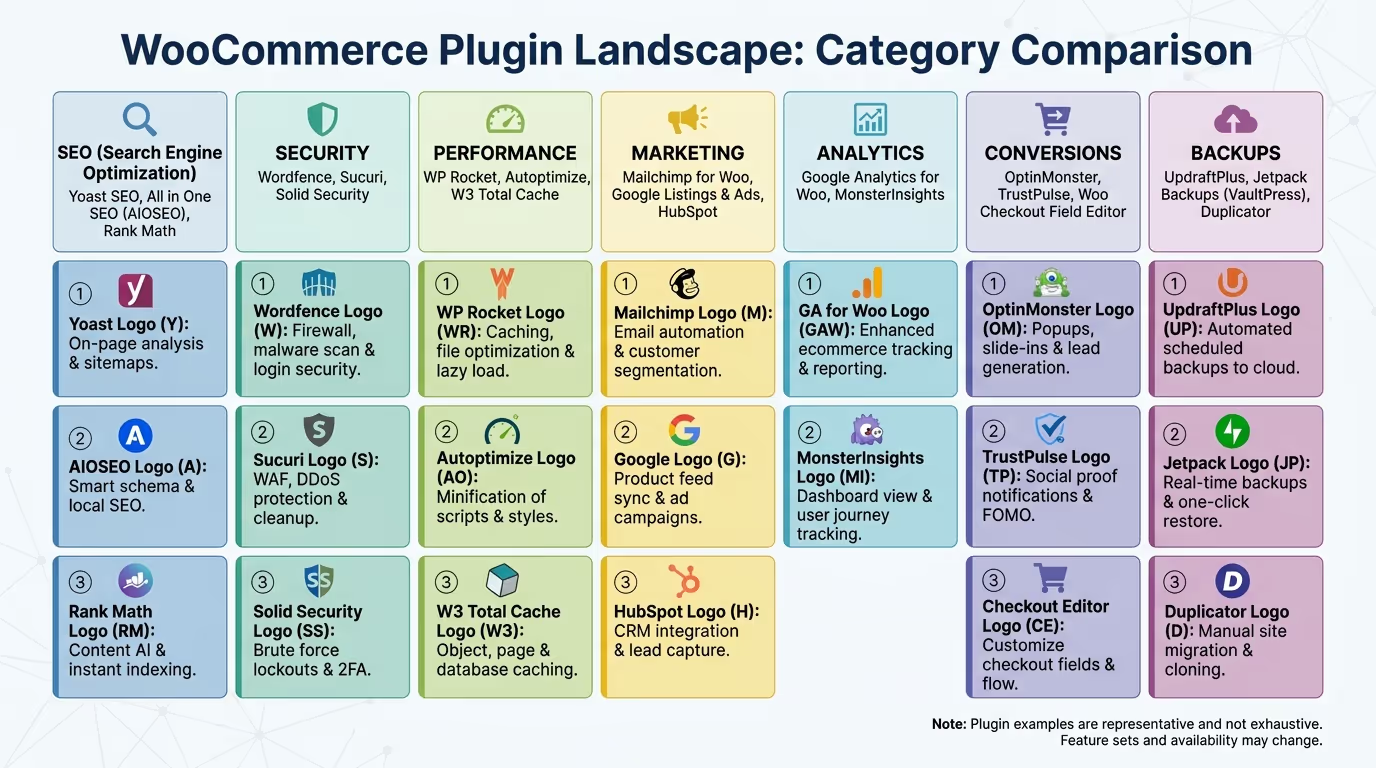
Essential WooCommerce Plugins by Store Need
Rather than installing every plugin available, choose tools based on the specific areas of your store that need improvement.
Best Plugins for WooCommerce SEO
SEO plugins can help optimize product pages, categories, metadata, structured data, sitemaps, and other search-related elements.
Rank Math and other established WordPress SEO solutions can provide useful tools for managing ecommerce SEO.
Best Plugins for Store Performance
Performance plugins can provide caching and optimization features designed to improve loading times.
However, a performance plugin should be configured according to your hosting environment. Combining several plugins that perform similar optimization tasks can sometimes cause conflicts.
Best Plugins for Security
Security plugins can provide additional protection through firewalls, malware scanning, login protection, and security monitoring.
Tools such as Wordfence can form part of a broader security strategy that also includes secure hosting, updates, strong authentication, and regular backups.
Best Plugins for Email Marketing
Email marketing plugins and integrations can help you communicate with customers after they interact with your store.
You can use email campaigns for promotions, product announcements, customer retention, and other marketing activities.
Best Plugins for Sales and Conversions
Conversion-focused plugins can improve elements such as checkout pages, product offers, upsells, cross-sells, and sales funnels.
These tools are most useful when they support a clear conversion strategy rather than simply adding more elements to your website.
Best Plugins for Backups
Backup plugins can automate the process of creating copies of your WordPress website and database.
For ecommerce stores, reliable backups are especially important because losing orders, customer information, or product data can create serious business problems.
Your WooCommerce store needs more than attractive products to succeed. Performance, usability, SEO, security, and conversion-focused functionality all contribute to the customer experience.
TecHippo’s WooCommerce & eCommerce Store Development services can help you build a professional online store with the right functionality, optimized performance, and a user-friendly shopping experience.
Get in touch with TecHippo today for a free consultation and let’s build a WooCommerce store designed to support your business growth.
How to Choose the Right WooCommerce Plugins
Identify Your Store’s Needs
Start by identifying the problem you want to solve.
Do you need better SEO? Faster loading times? Improved checkout functionality? Email marketing? Security? Backups?
Once you know the problem, it becomes easier to select an appropriate solution.
Check Plugin Reviews and Updates
Before installing a plugin, look at its reviews, update history, documentation, and overall reputation.
A plugin that is regularly maintained is generally preferable to one that has not received meaningful updates for a long time.
Test Compatibility
Test new plugins carefully, particularly on stores that already use multiple extensions.
Ideally, test changes on a staging website before applying them to your live store.
Avoid Unnecessary Plugins
Every plugin adds another component to your website.
If a feature is not necessary for your customers or business operations, you probably do not need a plugin for it.
Consider Long-Term Costs
Free plugins can be useful, but some businesses eventually require premium features, support, or additional extensions.
Consider the total cost of ownership before building your store around a particular plugin.
Common WooCommerce Plugin Mistakes to Avoid
Installing Too Many Plugins
More plugins do not automatically mean a better store.
Installing unnecessary extensions can increase maintenance requirements and potentially introduce performance or compatibility issues.
Using Outdated Plugins
Outdated plugins can become incompatible with newer versions of WordPress or WooCommerce and may introduce security risks.
Keep your plugins updated and remove extensions that are no longer maintained.
Choosing Plugins Without Checking Compatibility
Two plugins may work perfectly on their own but create problems when used together.
Always check compatibility before adding important functionality to your store.
Ignoring Performance
A plugin may provide useful features while still adding unnecessary resources to your website.
Monitor page speed and performance after installing major plugins.
Using Poorly Supported Plugins
If a plugin has little documentation, poor support, or a history of unresolved issues, it may not be a good long-term choice for your store.
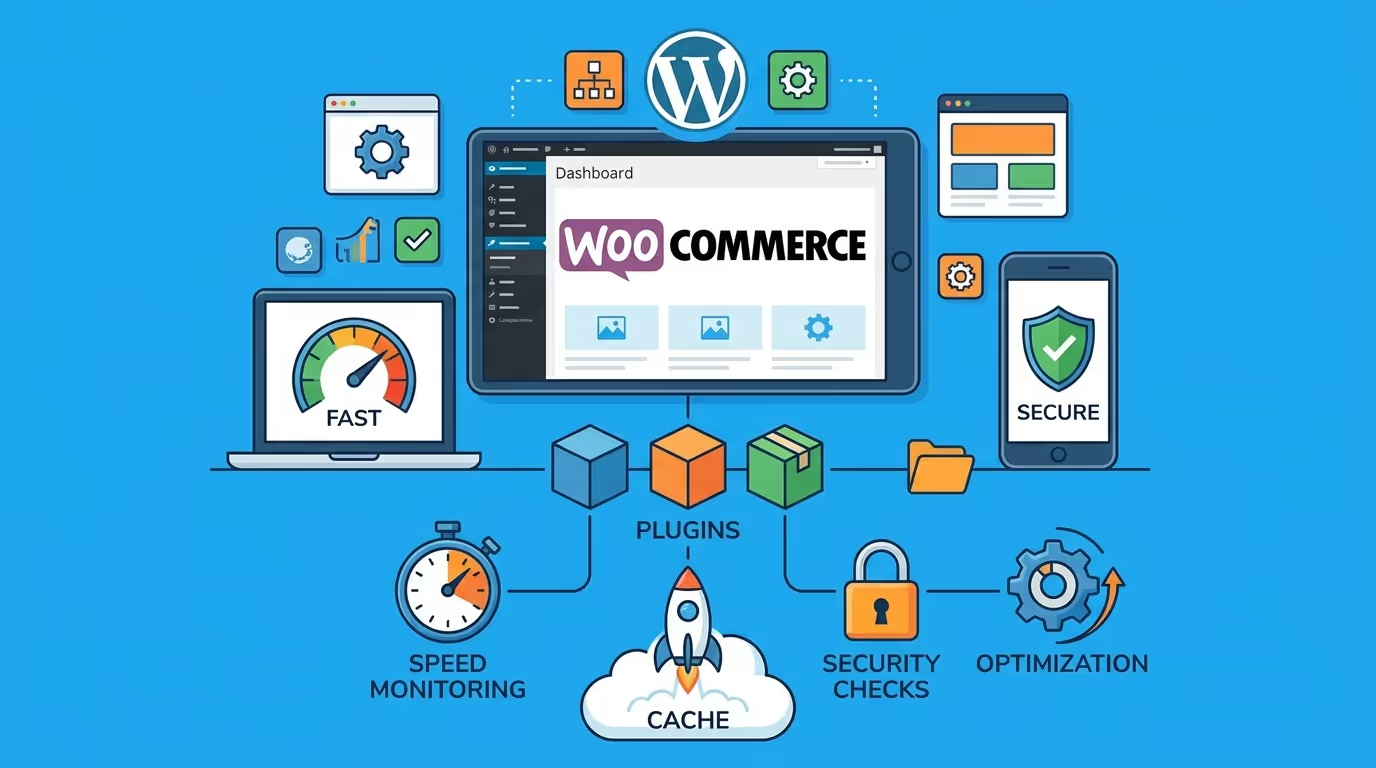
How WooCommerce Plugins Can Help Grow Your Store
The right plugins can support different stages of your ecommerce growth.
Improve Customer Experience
Useful plugins can make it easier for customers to search for products, compare options, complete checkout, save products, and manage their accounts.
A smoother shopping experience can reduce unnecessary friction throughout the buying process.
Increase Sales and Conversions
Conversion-focused extensions can introduce features such as optimized checkout experiences, product recommendations, upsells, and other purchasing opportunities.
The key is to use these features strategically rather than overwhelming customers.
Improve Search Visibility
SEO plugins can simplify optimization across product pages, categories, images, metadata, and other website elements.
Better search visibility can help qualified users discover your products.
Automate Marketing
Marketing integrations can automate certain customer communications and promotional workflows.
Automation can save time while allowing businesses to maintain consistent communication with their audience.
Strengthen Store Security
Security plugins can provide additional layers of protection for WordPress and WooCommerce websites.
Combined with secure hosting, regular updates, strong passwords, backups, and appropriate access controls, they can help create a stronger security strategy.
Improve Website Performance
Performance-focused plugins can help optimize caching and other website resources.
A faster store can provide a better browsing experience and reduce friction during the purchasing process.
WooCommerce Plugin Best Practices
Keep Plugins Updated
Install updates regularly, but test important changes before applying them to a production store whenever possible.
Remove Unused Plugins
Deactivated plugins that you no longer need should generally be removed. Keeping unnecessary extensions can increase maintenance requirements.
Back Up Your Website
Create reliable backups before major plugin or WooCommerce updates. Make sure your backup system can actually restore your website.
Test Updates Before Applying Them
Use a staging environment when possible. Test important functions such as product pages, shopping carts, checkout, payments, account pages, and forms after significant updates.
Monitor Website Performance
Check your store’s speed and functionality regularly. If performance drops after installing a plugin, investigate the cause rather than simply adding another optimization plugin.
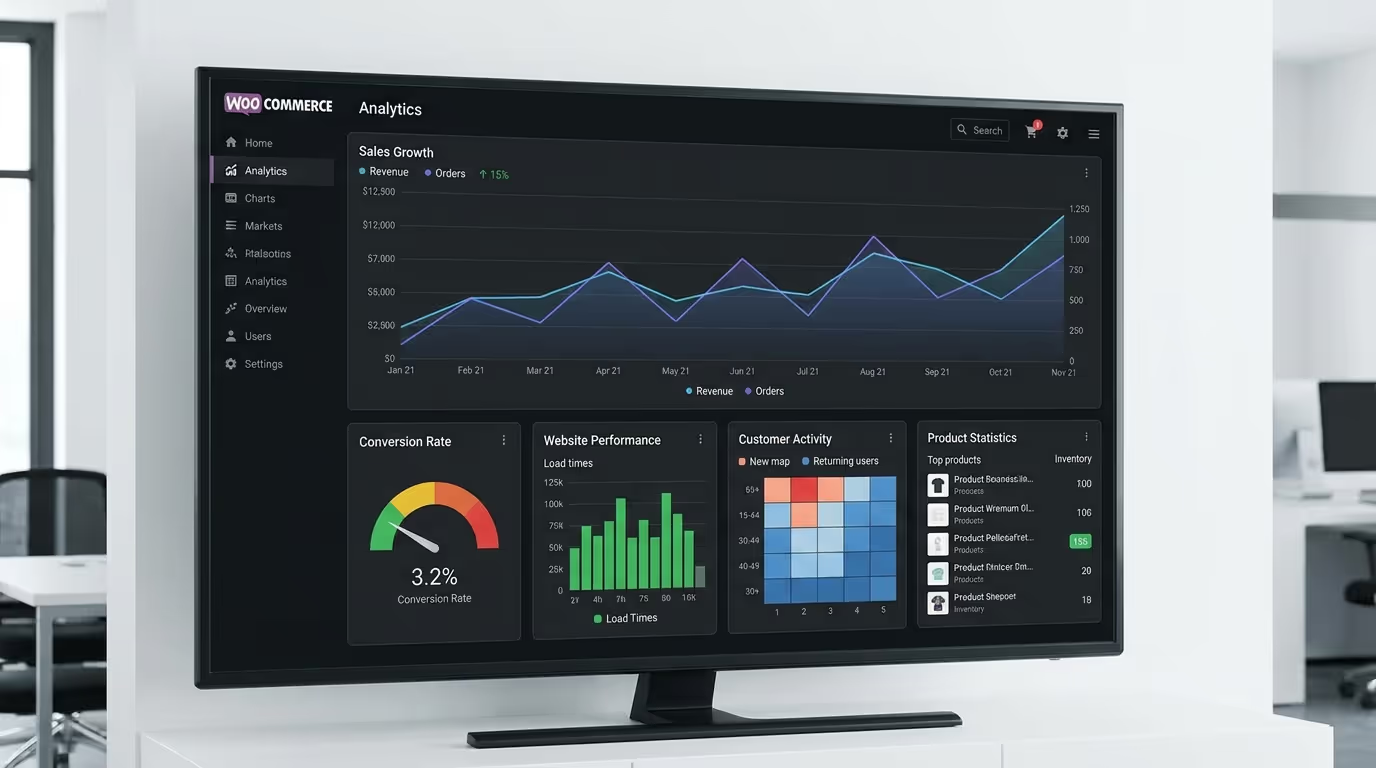
Adding plugins is only one part of building a successful ecommerce website. Your store also needs a strong foundation, responsive design, optimized performance, secure functionality, and a checkout experience that makes purchasing simple.
TecHippo’s Custom WordPress Website Development and eCommerce Store Development services can help create a WooCommerce website tailored to your products, customers, and business objectives.
Contact TecHippo today for a free consultation and let’s create a WooCommerce store built for performance and long-term growth.
Free vs Premium WooCommerce Plugins
Many WooCommerce plugins offer free versions with basic functionality and premium plans with additional features.
Free plugins can be perfectly suitable for small stores or businesses that only need basic functionality. Premium plugins may provide advanced features, integrations, automation, dedicated support, or more extensive customization options.
Before paying for a plugin, determine whether the additional functionality provides enough value for your business.
How Many WooCommerce Plugins Should You Install?
There is no universal maximum number of plugins a WooCommerce website should have.
The quality and purpose of your plugins matter more than simply counting them. A well-maintained store with carefully selected plugins can have more functionality than a store with only a few poorly optimized extensions.
Focus on using plugins that are:
- Necessary
- Reliable
- Well-maintained
- Compatible with your setup
- Properly configured
- Worth their performance and maintenance cost
The right WooCommerce plugins can improve your store, but choosing and configuring them correctly is just as important as selecting them.
TecHippo’s WooCommerce development, WordPress website optimization, and ongoing website management services can help you maintain a fast, secure, scalable ecommerce website without unnecessary technical complexity.
Get in touch with TecHippo today and let’s build a WooCommerce store that is ready to grow with your business.
Conclusion
The best WooCommerce plugins for WordPress are the ones that solve real problems and contribute to your store’s goals. Whether you need better SEO, stronger security, faster performance, automated marketing, improved checkout functionality, or reliable backups, the right plugins can significantly expand what your WooCommerce store can do.
Avoid installing extensions simply because they are popular. Evaluate each plugin based on compatibility, reliability, performance, security, support, and long-term value.
With a carefully selected plugin stack and a well-optimized WordPress foundation, your WooCommerce store can provide a better customer experience while giving your business the tools it needs to grow.


 Reach us on WhatsApp