
Trying to decide between elementor vs divi to build your WordPress website?
Both Divi and Elementor are among the most popular drag-and-drop page builders available today. They allow you to design a fully custom website without writing code. In addition to page design, both tools support theme building and dynamic content features.
Even though elementor vs divi looks similar at first glance, there are key differences that can influence your decision depending on your needs.
In this comparison, we will break down elementor vs divi across important areas so you can decide which tool fits your workflow best. Instead of declaring one as the winner, this guide will help you understand how each builder performs in real scenarios.
Divi vs Elementor Performance
Performance is one of the most important factors when comparing elementor vs divi. A faster website improves user experience, SEO rankings, and overall conversions.
To compare performance fairly, identical layouts were created using both builders. The same modules and content were used to ensure accurate results.
The modules included:
- Paragraph text
- Button
- Number counter
- Contact form
- Pricing table
- Accordion
- Testimonial
For this comparison, the Divi Builder plugin and Elementor with its Pro version were tested using the same theme environment.
The Divi Test Page
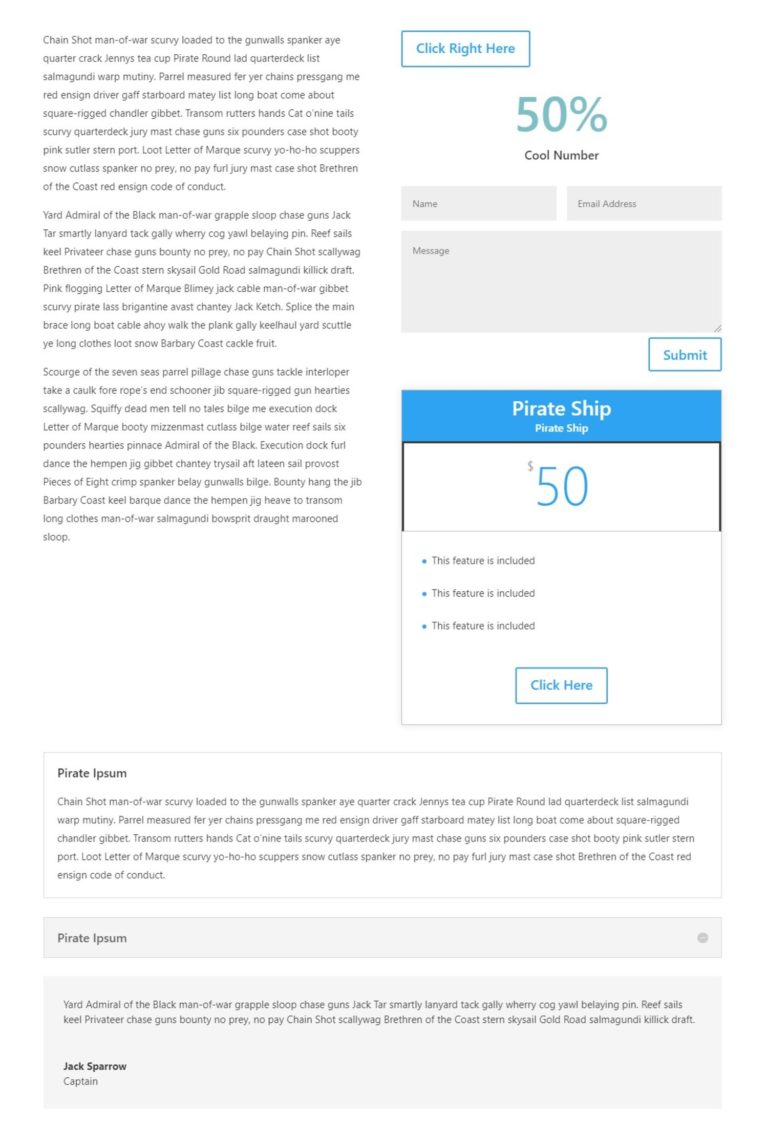
The Divi test setup included:
- Divi Builder plugin
- Astra theme
- A layout built using identical modules
This setup helped measure how Divi performs under consistent conditions in the elementor vs divi comparison.
The Elementor Test Page
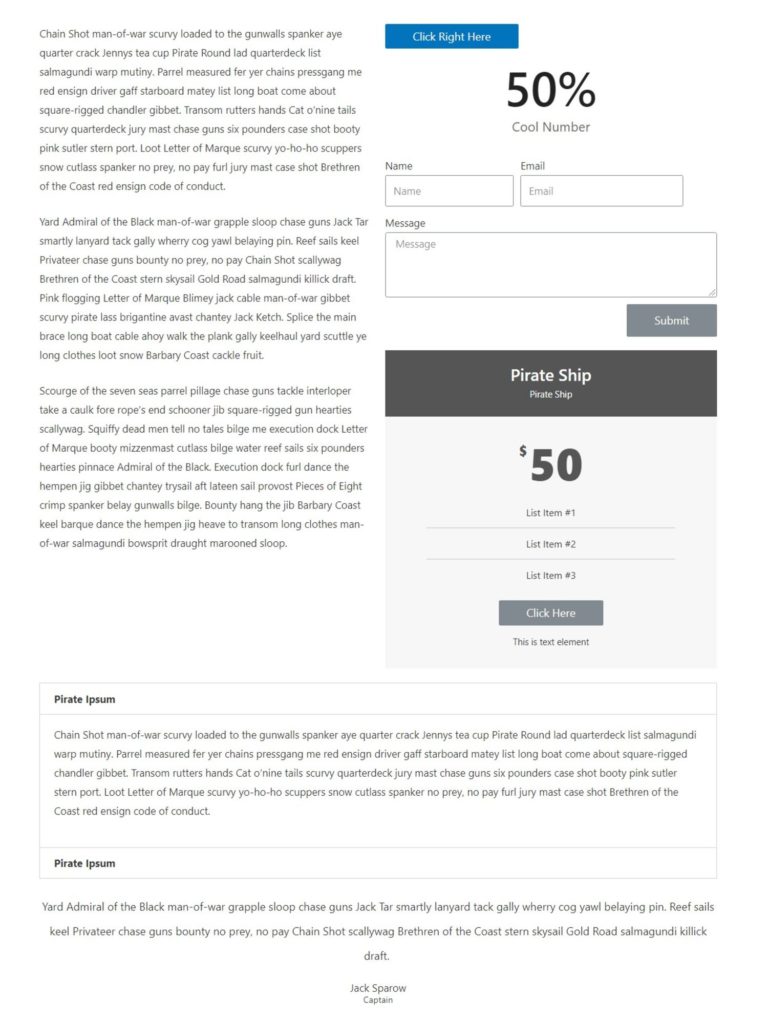
The Elementor test setup included:
- Elementor plugin
- Elementor Pro
- Astra theme
- Identical layout and modules
This ensured both builders were tested under equal conditions for the elementor vs divi performance comparison.
Performance Testing Setup
There are a few important differences to note when comparing elementor vs divi performance.
Divi includes built-in options for minifying and combining CSS and JavaScript files. Elementor does not include this feature by default, but it can easily be added using optimization plugins.
To make the comparison accurate, two testing scenarios were used:
- Without optimization
- With optimization using Autoptimize
Both setups were tested using tools such as Lighthouse and WebPageTest.
Divi Performance
Without optimization, Divi showed stable performance with moderate loading times and resource usage.
After enabling optimization tools, Divi improved significantly in terms of page load speed and reduced HTTP requests.
This shows that Divi can perform well in the elementor vs divi comparison when proper optimization is applied.
Elementor Performance
Elementor showed slightly better results even without optimization. It had smaller file sizes and faster loading times compared to Divi.
With optimization applied, Elementor further improved performance, delivering faster page load times and better overall scores.
In the elementor vs divi comparison, Elementor demonstrated slightly better efficiency in handling resources.
Performance Conclusions
Here is a simplified comparison of elementor vs divi performance results:
Without optimization:
| Metric | Divi | Elementor |
|---|---|---|
| Page Size | 339 KB | 327 KB |
| HTTP Requests | 18 | 32 |
| Performance Score | 74 | 77 |
| Largest Contentful Paint | 4.2 s | 3.6 s |
With optimization:
| Metric | Divi | Elementor |
|---|---|---|
| Page Size | 335 KB | 319 KB |
| HTTP Requests | 8 | 12 |
| Performance Score | 88 | 91 |
| Largest Contentful Paint | 3.2 s | 2.5 s |
From these results, Elementor has a slight edge in the elementor vs divi performance comparison. It delivers faster loading times and better optimization scores.
However, the difference is not massive. Divi has improved significantly and performs well when optimized correctly.
Overall, Elementor is slightly ahead in performance, but both tools can deliver fast websites when configured properly.
Divi vs Elementor UI
When comparing elementor vs divi, the user interface is one area where personal preference plays a big role. Both builders offer visual editing, but they approach it differently.
There is no single winner here. Instead, understanding how each interface works will help you decide which one fits your workflow.
One important factor in elementor vs divi is backend speed. In the past, Elementor felt faster with smoother drag-and-drop and quicker panel loading.
However, Divi introduced major performance improvements in its builder, significantly reducing delays in interactions. After these updates, both builders now offer fast and responsive editing experiences.
Divi UI
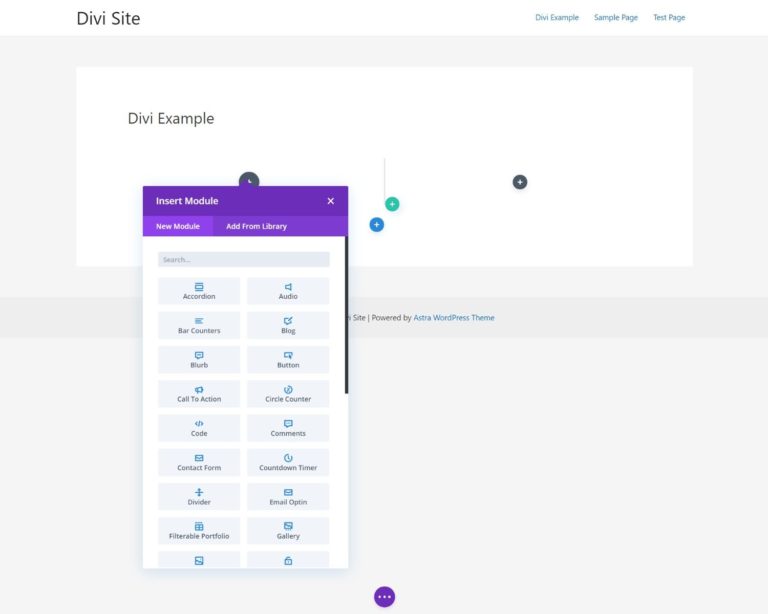
Divi provides a full-screen visual editing experience.
- Live preview of your website
- Floating toolbar and controls
- Hover-based editing icons
When you add elements, a settings panel appears that you can move and resize. This allows flexible customization of your workspace.
Divi also supports inline editing, so you can click directly on text and start typing.
Another useful feature in elementor vs divi comparison is Divi’s wireframe view. This lets you switch to a structured layout view, making it easier to manage complex pages.
It also includes a Layers tool to organize content and a right-click menu for quick actions like copying modules or locking elements.
While Divi offers many tools, the interface can feel slightly overwhelming at first.
Elementor UI
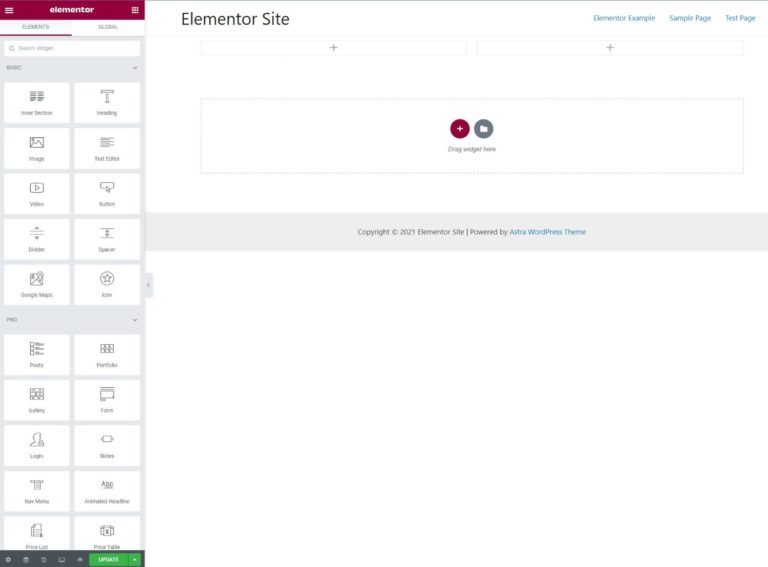
Elementor uses a cleaner and more structured interface.
- Live preview on the right
- Fixed sidebar on the left
- Drag-and-drop widgets
All settings are controlled through the sidebar, which makes the interface easier to understand, especially for beginners.
Like Divi, Elementor supports inline editing for most text elements.
Instead of a wireframe view, Elementor provides a Navigator tool. This shows the structure of your page and helps manage sections more easily.
Elementor also includes features like undo history, responsive previews, and right-click editing.
In the elementor vs divi comparison, Elementor feels more organized, while Divi offers more flexibility in interface customization.
Divi vs Elementor Unique Features
Both builders share many core features, but each has unique advantages.
Divi Unique Features
Divi includes built-in A/B testing, which allows you to test different designs and see which performs better.
This is especially useful for marketing-focused websites.
Another advantage in elementor vs divi is Divi’s built-in conditional logic in forms, allowing you to create more advanced forms without additional plugins.
Divi also offers a detailed role editor, which lets you control what different users can access. This is helpful when working with clients or teams.
Elementor Unique Features
Elementor stands out with its Popup Builder.
This feature allows you to create:
- Popups
- Notification bars
- Slide-ins
- Lead generation forms
You can also control when and where popups appear using advanced targeting rules.
In the elementor vs divi comparison, Elementor’s popup system is more flexible and built directly into the core plugin.
Divi vs Elementor Pricing
Pricing plays a big role when choosing between elementor vs divi.
Free Version
Elementor offers a free version with essential features.
Divi does not have a free version.
This makes Elementor a better starting point for beginners.
Premium Pricing
Elementor pricing depends on the number of websites.
- 1 site plan
- Multiple site plans
- Higher cost for larger usage
Divi offers a different approach.
- One yearly price for unlimited websites
- Access to additional tools
In the elementor vs divi comparison, Elementor is cheaper for single sites, while Divi is more cost-effective for multiple sites.
Lifetime License
Divi offers a lifetime license, which allows you to pay once and use the builder forever.
Elementor only offers yearly subscriptions.
For long-term use, Divi provides better value.
Divi vs Elementor Templates
Both builders provide pre-designed templates to speed up website creation.
Divi Templates
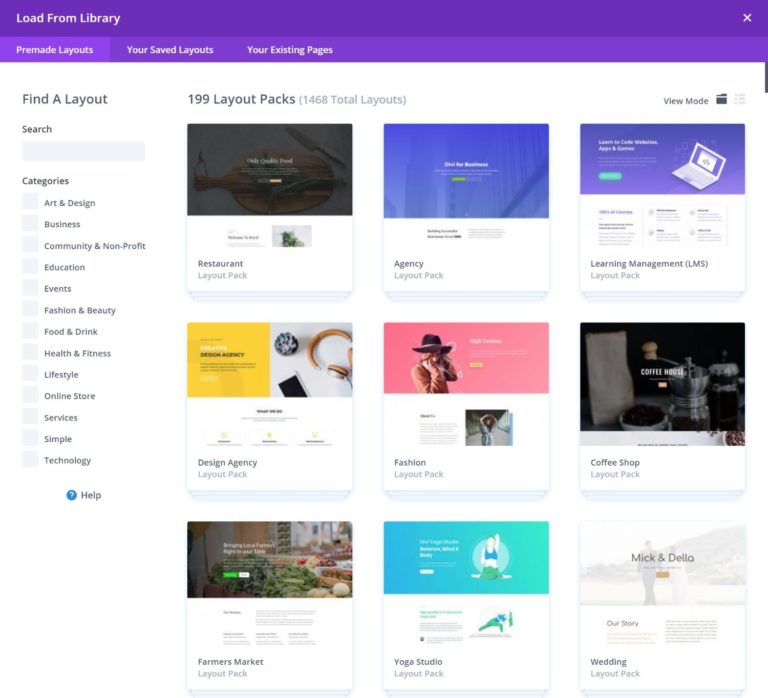
Divi offers a large collection of templates organized into layout packs.
- Hundreds of complete website layouts
- Organized by industry
- Easy to import and customize
Elementor Templates
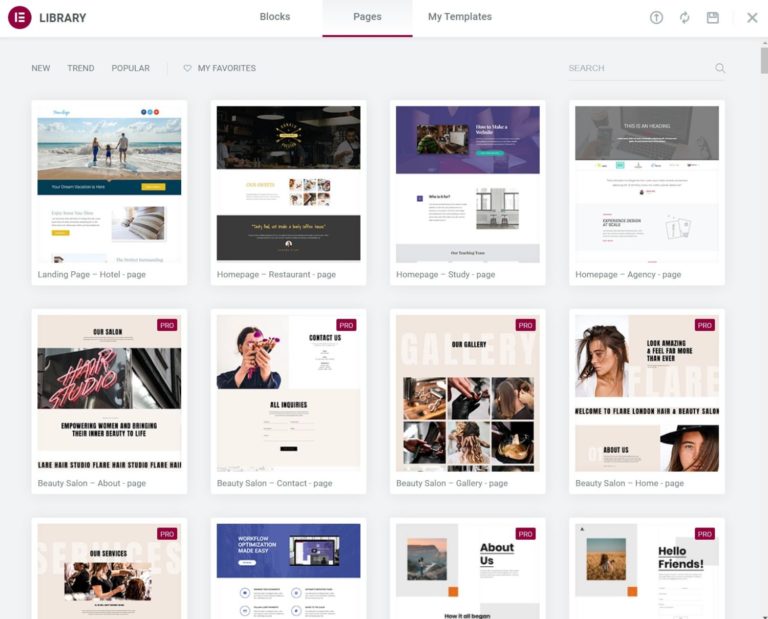
Elementor provides:
- Page templates
- Section blocks
- Template kits
These allow you to build pages step by step.
In the elementor vs divi comparison, Divi offers more complete layouts, while Elementor provides more modular flexibility.
Divi vs Elementor Support
Support is important when working with page builders.
Divi Support
Divi offers:
- 24/7 live chat support
- Knowledge base
- Community forums
Elementor Support
Elementor provides:
- Ticket-based support
- Documentation
- Tutorials
Both offer good support, but Divi’s live chat gives it a slight advantage.
Divi vs Elementor Final Decision
There is no clear winner in elementor vs divi. The right choice depends on your needs.
Choose Elementor if:
- You want a free starting option
- You prefer a clean interface
- Performance is your priority
Choose Divi if:
- You want built-in marketing features
- You manage multiple websites
- You prefer a lifetime deal
Can You Use Elementor and Divi Together
Technically, you can use both builders on the same website.
However, it is not recommended because:
- It slows down your website
- It creates complexity
- It can cause conflicts
It is better to choose one builder and stick with it.
Summary
Both tools are powerful and widely used.
The choice between elementor vs divi comes down to:
- Your budget
- Your workflow
- Your design preference
If you are just starting, Elementor is a safe option.
If you plan long-term and manage multiple sites, Divi offers better value.
Frequently Asked Questions
Which is better Elementor or Divi?
Elementor is better for beginners and performance, while Divi is better for advanced features and long-term value.
Is Elementor faster than Divi?
Yes, Elementor is slightly faster in most cases, especially when optimized properly.
Can beginners use Divi or Elementor?
Yes, both are beginner-friendly, but Elementor is easier to learn due to its simpler interface.
Is Divi worth it compared to Elementor?
Divi is worth it if you plan to use it on multiple websites or want lifetime access.
Which builder is better for SEO?
Both builders can perform well for SEO if your website is optimized properly.
You May Also Want to Read
- WordPress vs Shopify Which Is Best for Your eCommerce Business
- Best Pop Up Plugins for WordPress
- Payment Plugins for WordPress
- How to Speed Up Your WordPress Website
These guides will help you build, optimize, and grow your WordPress website more effectively.

 Reach us on WhatsApp