
Your WordPress database stores everything that powers your website, from posts and pages to comments, user data, and plugin settings. As your website grows, the database accumulates unnecessary data that can slow down performance and affect the user experience.
Fortunately, regular WordPress database optimization helps keep your website fast, efficient, and reliable. In this guide, you’ll learn what database optimization is, why it matters, common causes of database bloat, and the best tools and practices to keep your WordPress website running at peak performance.
What Is WordPress Database Optimization?
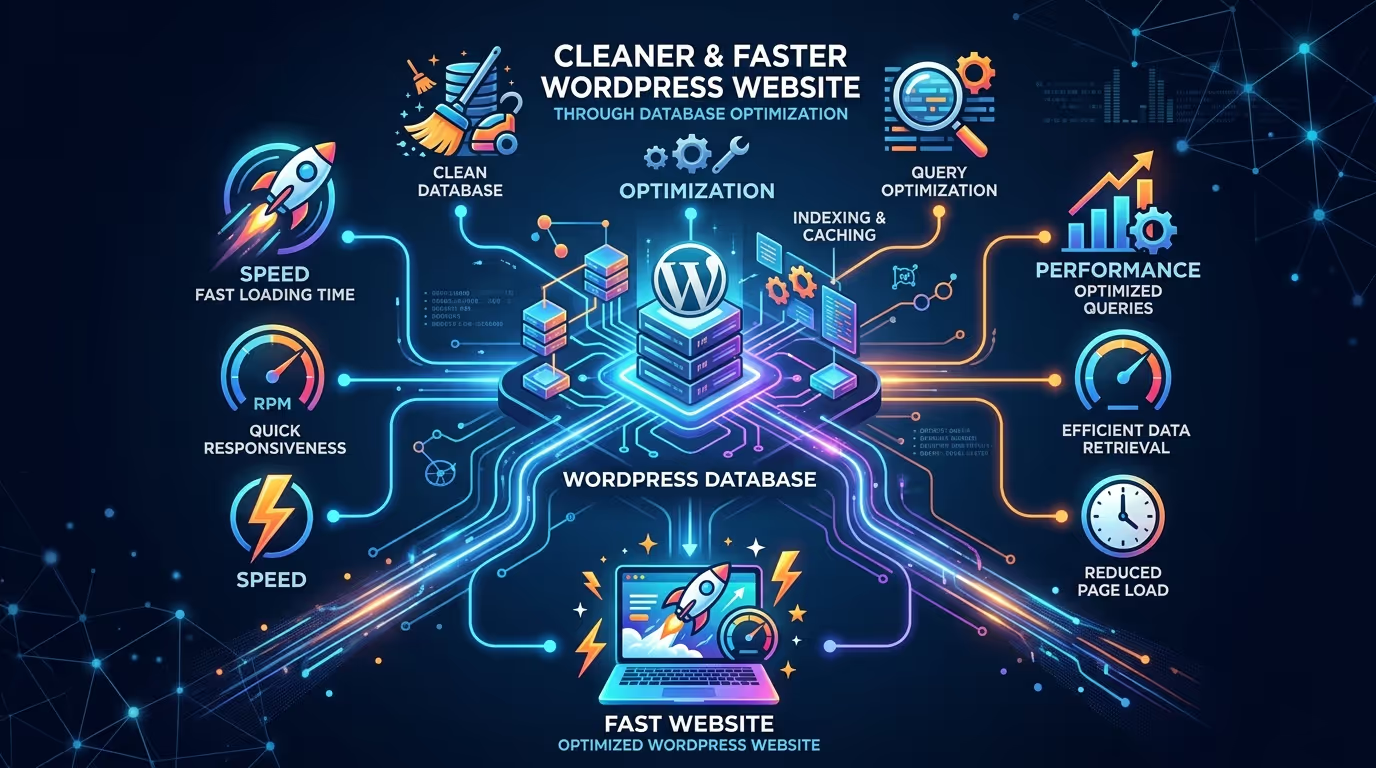
WordPress database optimization is the process of cleaning, organizing, and improving your website’s database to remove unnecessary data and enhance performance. Over time, your database collects post revisions, spam comments, expired transients, unused tables, and other clutter that increases its size.
By removing this unnecessary data and optimizing database tables, you can improve loading times, reduce server workload, and create a more responsive WordPress website.
A well-maintained database also reduces the risk of errors and ensures your website continues to perform efficiently as it grows.
Why Database Optimization Matters for Website Performance
Your database is responsible for retrieving content every time someone visits your website. If it becomes overloaded with unnecessary information, every request takes longer to process.
Optimizing your WordPress database helps:
- Improve website loading speed.
- Reduce server response times.
- Enhance Core Web Vitals.
- Lower database size.
- Improve website stability.
- Create a smoother user experience.
- Support better SEO performance.
Regular database maintenance ensures your website continues performing efficiently as traffic and content increase.
Signs Your WordPress Database Needs Optimization
A bloated database often causes noticeable performance issues.
Some common warning signs include:
- Slow page loading times.
- Delayed WordPress dashboard performance.
- Increased server resource usage.
- Larger than expected database size.
- Frequent timeout errors.
- Slow WooCommerce searches.
- Backup files becoming increasingly large.
If you notice several of these symptoms, it may be time to optimize your database.
Common Causes of a Bloated WordPress Database
Many WordPress websites collect unnecessary data over time without owners realizing it.
Post Revisions
Every time you save or update a post, WordPress creates another revision. Hundreds of revisions across your website can significantly increase database size.
Spam Comments
Spam comments—even when not published—remain stored until they’re deleted, taking up unnecessary space.
Expired Transients
Many plugins store temporary data called transients. Expired transients that are never removed contribute to database clutter.
Unused Plugins and Tables
Deleting a plugin doesn’t always remove the database tables it created. Old plugin tables often remain long after the plugin has been removed.
Orphaned Metadata
Unused metadata from deleted posts, products, users, or plugins continues occupying valuable database space.
Auto Drafts and Trash
Auto drafts and deleted content remain stored until permanently removed, gradually increasing database size over time.
Best WordPress Database Optimization Plugins
Several plugins simplify database maintenance by automating cleanup and optimization tasks.
WP-Optimize
WP-Optimize combines database cleanup, image compression, and caching into one plugin. It automatically removes unnecessary data while optimizing database tables for improved performance.
Advanced Database Cleaner
Advanced Database Cleaner helps identify and safely remove orphaned tables, unused metadata, scheduled tasks, and unnecessary database entries.
WP Rocket (Database Cleanup)
Although known primarily as a caching plugin, WP Rocket also includes database cleanup tools for removing revisions, drafts, transients, and spam comments.
Perfmatters
Perfmatters focuses on lightweight performance optimization while offering useful database cleanup features that help reduce unnecessary data.
LiteSpeed Cache
LiteSpeed Cache includes database optimization alongside advanced caching, image optimization, and server-level performance improvements for LiteSpeed-powered websites.
Quick Comparison Table
| Plugin | Best For | Database Cleanup | Scheduling | Free Version |
|---|---|---|---|---|
| WP-Optimize | All-in-one optimization | ✅ | ✅ | ✅ |
| Advanced Database Cleaner | Deep database cleaning | ✅ | ✅ | ✅ |
| WP Rocket | Premium performance optimization | ✅ | ✅ | ❌ |
| Perfmatters | Lightweight optimization | ✅ | ✅ | ❌ |
| LiteSpeed Cache | LiteSpeed servers | ✅ | ✅ | ✅ |
A clean database is the foundation of a fast website. Our Website Speed Optimization, WordPress Website Management Plans, and SEO & Growth Optimization services help keep your WordPress website optimized, secure, and performing at its best through regular maintenance and expert performance tuning.Get in touch with TecHippo today for a free consultation and let’s find the best WordPress theme for your SEO goals.
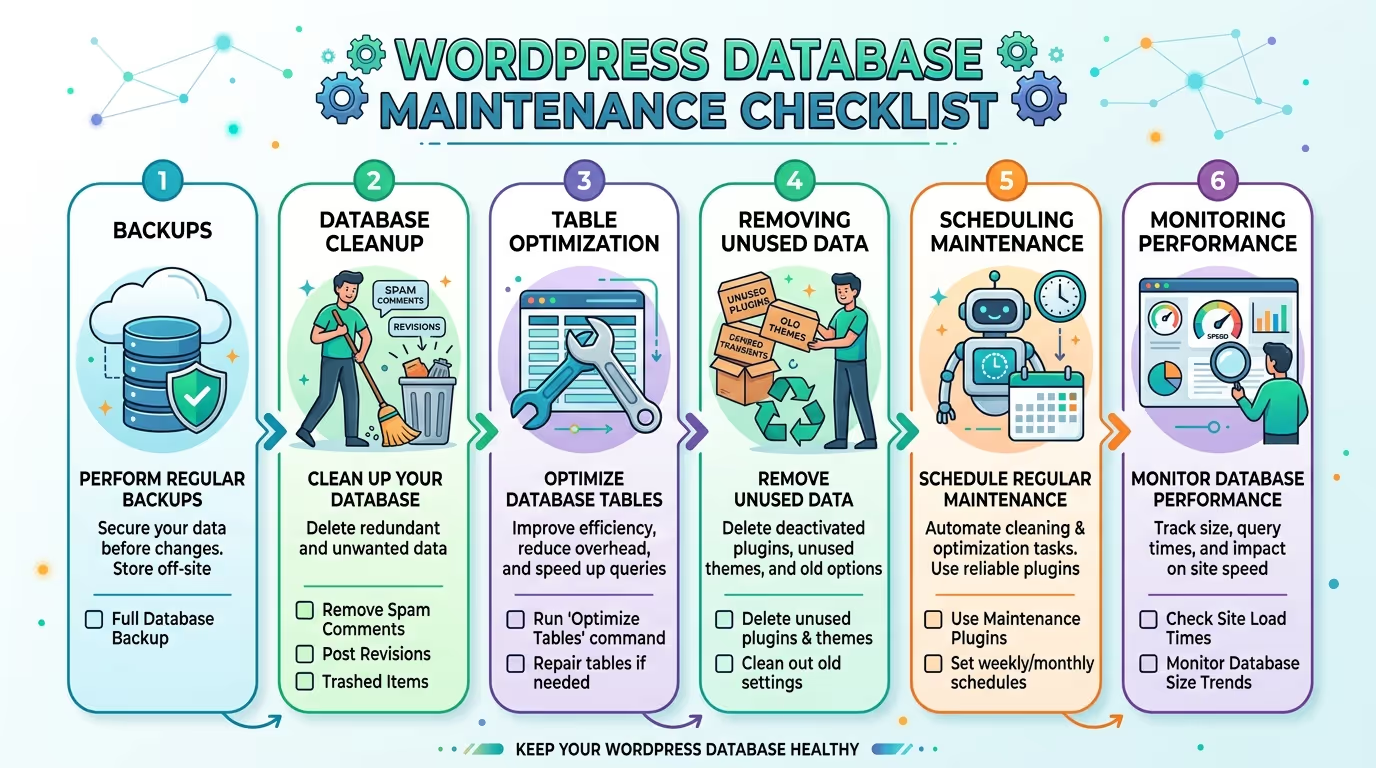
How to Optimize Your WordPress Database Safely
Optimizing your WordPress database is a straightforward process, but it’s important to follow the right steps to avoid data loss or website issues. Regular maintenance keeps your database clean, improves performance, and ensures your website continues running smoothly.
Back Up Your Website First
Before making any changes to your database, create a complete website backup.
A recent backup allows you to restore your website if something goes wrong during the optimization process. Most hosting providers and backup plugins make creating a full backup quick and easy.
Remove Unnecessary Data
Over time, your database collects unnecessary information that serves no purpose.
Clean up items such as:
- Post revisions
- Spam comments
- Trashed posts and pages
- Auto drafts
- Expired transients
- Orphaned metadata
Removing this clutter reduces database size and improves overall performance.
Optimize Database Tables
Database tables become fragmented after frequent updates and deletions.
Optimizing these tables reorganizes stored data, making database queries more efficient and helping your website load faster.
Many optimization plugins can perform this task automatically with just a few clicks.
Delete Unused Plugins and Themes
Inactive plugins and themes often leave behind unnecessary database tables and settings.
Delete plugins and themes you no longer use to reduce database clutter and minimize potential security risks.
Schedule Regular Database Cleanups
Database optimization shouldn’t be a one-time task.
Scheduling automatic weekly or monthly cleanups helps prevent unnecessary data from accumulating and keeps your website performing consistently over time.
Monitor Database Performance
Regularly monitor your database size and website performance using optimization plugins or your hosting dashboard.
Keeping track of performance metrics allows you to identify problems early before they affect visitors.
Manual vs Plugin-Based Database Optimization
There are two primary ways to optimize a WordPress database: manually or with a plugin.
Manual optimization offers greater control but requires technical knowledge and direct access to tools like phpMyAdmin.
Plugin-based optimization automates the process, making it safer and easier for most website owners. Plugins can clean revisions, optimize tables, remove expired transients, and schedule maintenance without requiring advanced technical skills.
For most businesses, a trusted optimization plugin provides the safest and most efficient solution.
How Database Optimization Improves SEO and Website Speed
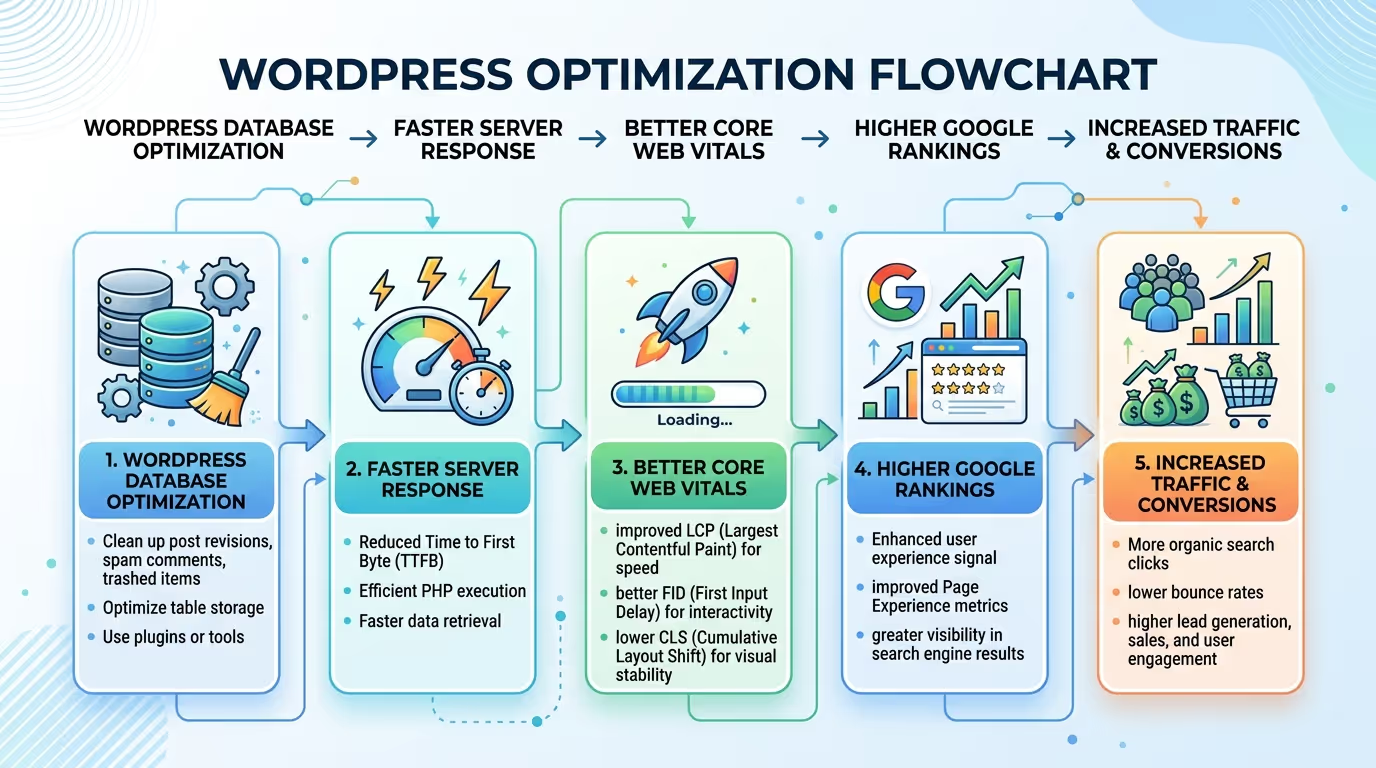
A clean database allows WordPress to retrieve information more efficiently, reducing server response times and improving page loading speed.
Database optimization contributes to:
- Faster page loads.
- Improved server performance.
- Better user experience.
- Reduced bounce rates.
- Stronger SEO performance.
- Improved website reliability.
Although database optimization isn’t a direct Google ranking factor, the speed improvements it creates can positively impact search engine visibility and user engagement.
Database Optimization and Core Web Vitals
Database performance plays an important role in overall website responsiveness.
A well-optimized database helps improve:
- Largest Contentful Paint (LCP) by reducing server processing time.
- Interaction to Next Paint (INP) through faster backend responses.
- Overall website stability and loading consistency.
Combined with caching, image optimization, and quality hosting, database optimization contributes to stronger Core Web Vitals scores and a better user experience.
Keeping your database optimized is essential for maintaining a fast and reliable website. Our Website Speed Optimization, WordPress Website Management Plans, and SEO & Growth Optimization services help optimize your database, improve performance, and keep your WordPress website running at its best.Get in touch with TecHippo today for a free consultation and let’s find the best WordPress theme for your SEO goals.
Common Database Optimization Mistakes to Avoid
Even experienced website owners can make mistakes during database maintenance.
Avoid these common issues:
- Optimizing without creating a backup.
- Deleting important database tables.
- Removing active plugin data.
- Ignoring scheduled maintenance.
- Using multiple optimization plugins simultaneously.
- Forgetting to remove old revisions and expired transients.
- Skipping database optimization for high-traffic websites.
Following best practices helps protect your data while maximizing website performance.
How Often Should You Optimize Your WordPress Database?
The ideal optimization schedule depends on how frequently your website changes.
As a general guideline:
- Small business websites: Once per month.
- Blogs publishing weekly: Every two to four weeks.
- WooCommerce stores: Weekly.
- High-traffic or membership websites: Weekly or more frequently.
Regular maintenance prevents database bloat and keeps your website performing efficiently year-round.
Do You Need Professional WordPress Database Optimization?
While plugins make database optimization easier, larger or business-critical websites often benefit from professional maintenance.
A WordPress expert can safely clean your database, identify hidden performance issues, optimize server settings, and create a long-term maintenance strategy that improves speed, SEO, and reliability.
Professional optimization also reduces the risk of accidental data loss while ensuring your website remains secure and scalable.
A fast website starts with a healthy database. Whether you need Website Speed Optimization, WordPress Website Management Plans, or complete SEO & Growth Optimization, TecHippo can help optimize your WordPress website for maximum performance, improved search rankings, and long-term business growth.Get in touch with TecHippo today for a free consultation and let’s find the best WordPress theme for your SEO goals.
Conclusion
WordPress database optimization is one of the most effective ways to improve your website’s speed, stability, and overall performance. By regularly removing unnecessary data, optimizing database tables, and using trusted optimization plugins, you can keep your website running efficiently as it grows.
For the best results, combine database optimization with caching, image optimization, quality hosting, and routine website maintenance. Taking a proactive approach to database management will help deliver a faster user experience, stronger SEO performance, and a more reliable WordPress website for years to come.



 Reach us on WhatsApp