
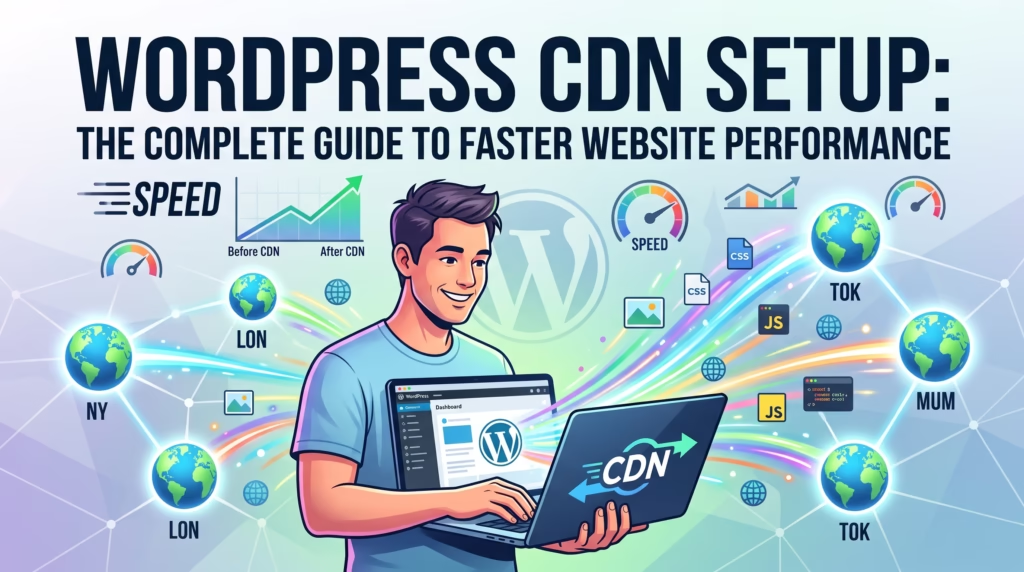
A proper WordPress CDN setup is one of the easiest ways to improve website speed, enhance user experience, and strengthen your SEO. A Content Delivery Network (CDN) distributes your website’s content across multiple servers worldwide, ensuring visitors receive data from the nearest location. In this guide, you’ll learn how a CDN works, why it’s essential for WordPress, the best CDN providers, and how to choose the right solution for your website.
Why Website Speed Matters More Than Ever
Website speed directly affects user experience, search rankings, and conversions. Visitors expect pages to load within seconds, and even small delays can increase bounce rates and reduce sales. Google also considers page speed and Core Web Vitals when evaluating websites. A WordPress CDN setup helps deliver content faster, reduces latency, and improves overall website performance for visitors around the world.
What Is a Content Delivery Network (CDN)?
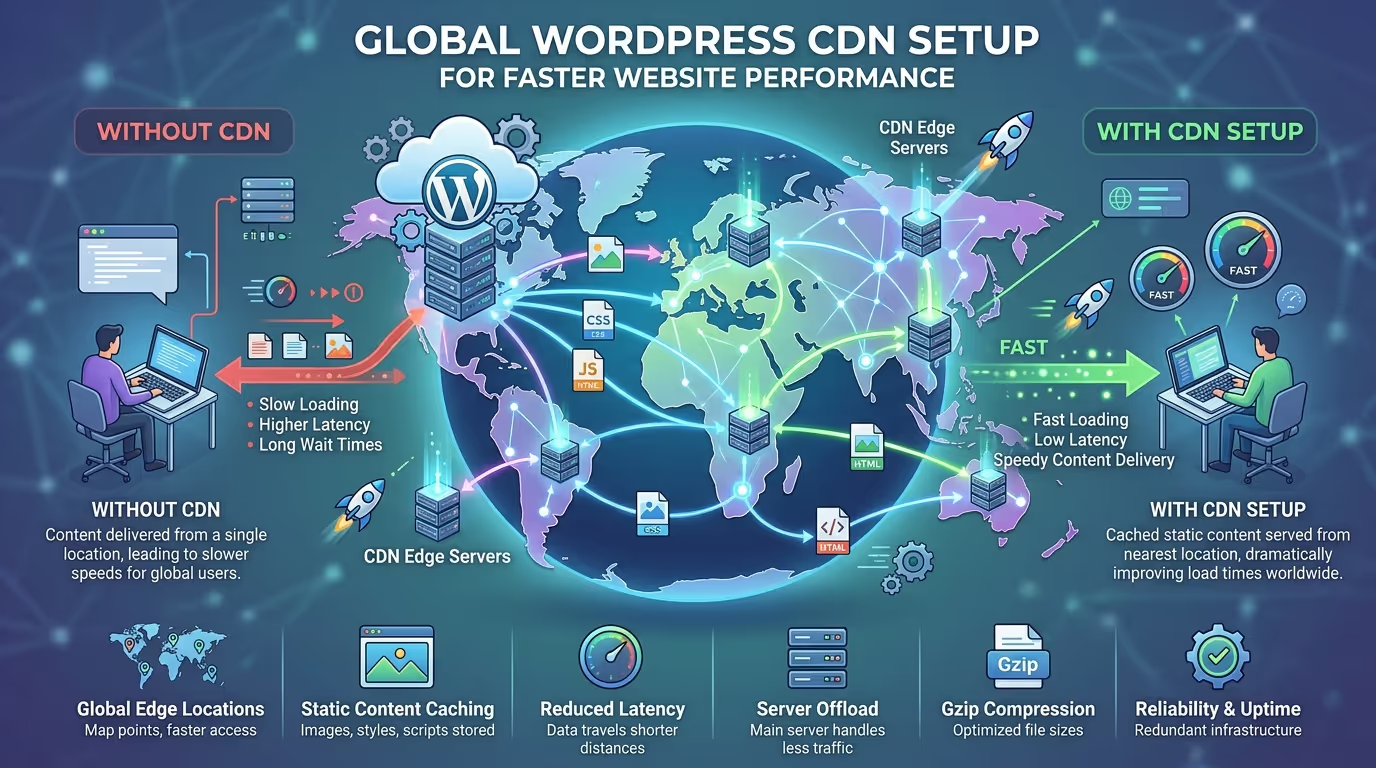
A Content Delivery Network (CDN) is a network of servers located across different geographic regions. Instead of serving website files from a single hosting server, a CDN stores cached copies of your content on multiple edge servers. When someone visits your website, content is delivered from the closest server, reducing loading times and improving reliability.
How a WordPress CDN Works
A WordPress CDN setup caches static website files such as images, CSS, JavaScript, and fonts across a global network of servers. When a visitor accesses your website, the CDN automatically serves those files from the nearest edge location rather than your origin server. This reduces latency, speeds up page loading, and minimizes the workload on your hosting server.
Benefits of a WordPress CDN Setup
A CDN offers several advantages beyond faster loading times. It improves performance, enhances security, and helps your website handle increased traffic more efficiently.
Faster Website Loading Speed
A CDN delivers content from servers closer to your visitors, significantly reducing page load times.
Improved Core Web Vitals
Faster content delivery helps improve Largest Contentful Paint (LCP) and other Core Web Vitals metrics.
Better SEO Performance
Google favors fast-loading websites, making a WordPress CDN setup a valuable addition to your overall SEO strategy.
Enhanced User Experience
Visitors enjoy quicker page loads, smoother navigation, and better website responsiveness.
Reduced Server Load
A CDN handles much of your website’s traffic, reducing bandwidth usage and server resource consumption.
Improved Website Security
Many CDN providers include DDoS protection, firewall features, SSL support, and bot mitigation to improve website security.
Types of CDNs for WordPress
Different CDN architectures are designed for different website needs. Understanding each type helps you choose the right solution.
Pull CDN
A Pull CDN automatically retrieves content from your origin server when requested and caches it for future visitors.
Push CDN
With a Push CDN, website owners manually upload files to the CDN servers before they are delivered to visitors.
Full-Site CDN
A Full-Site CDN caches both static and dynamic content, offering the highest level of website acceleration and protection.
Best CDN Providers for WordPress
Several CDN providers integrate seamlessly with WordPress and offer excellent performance.
Cloudflare
Cloudflare provides a global CDN, DDoS protection, firewall services, SSL, and excellent free and premium plans.
Bunny.net
Bunny.net is known for its affordable pricing, fast global network, and simple WordPress integration.
KeyCDN
KeyCDN offers reliable performance, flexible pricing, and excellent developer-friendly features.
Amazon CloudFront
Amazon CloudFront is a powerful enterprise-grade CDN that integrates with AWS services for maximum scalability.
StackPath
StackPath combines fast content delivery with advanced security features and edge computing capabilities.
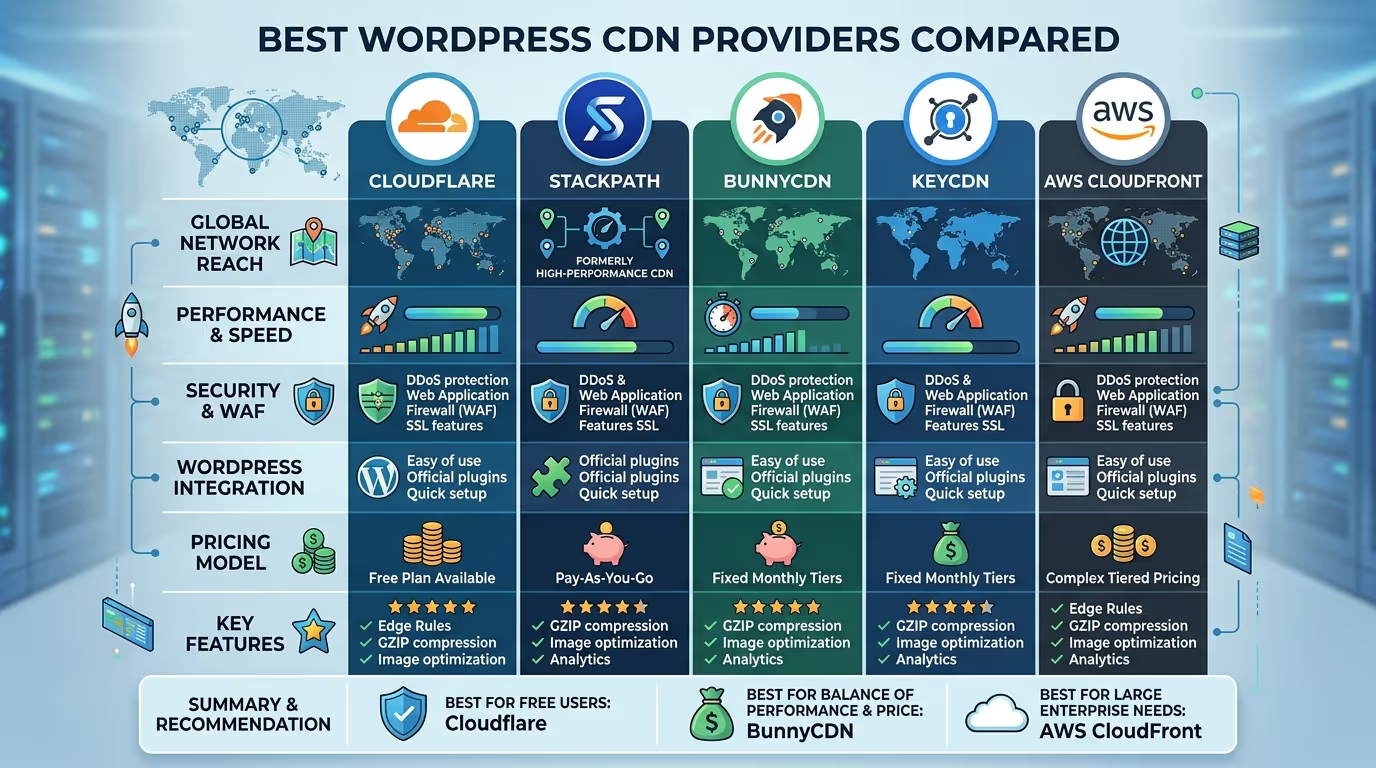
Quick Comparison Table
Create a comparison table including:
| CDN Provider | Free Plan | Global Network | DDoS Protection | Best For |
|---|---|---|---|---|
| Cloudflare | ✔ | Excellent | ✔ | Most WordPress websites |
| Bunny.net | ✖ | Excellent | Limited | Affordable performance |
| KeyCDN | ✖ | Very Good | Optional | Developers |
| Amazon CloudFront | Limited | Excellent | ✔ | Enterprise websites |
| StackPath | ✖ | Very Good | ✔ | Business websites |
A properly configured WordPress CDN setup can dramatically improve loading speed, Core Web Vitals, and SEO. TecHippo’s Website Speed Optimization, SEO & Growth Optimization, and Monthly Website Management Plans help businesses configure and optimize CDN performance for maximum results.Get in touch with TecHippo today for a free consultation and let’s find the best WordPress theme for your SEO goals.
How to Set Up a WordPress CDN
A proper WordPress CDN setup is straightforward when you follow the correct steps. Configuring your CDN correctly ensures your website loads faster, delivers content efficiently, and provides a better experience for visitors worldwide.
Choose the Right CDN Provider
Start by selecting a CDN provider that matches your website’s needs. Consider factors such as global server locations, pricing, security features, ease of WordPress integration, and performance. Providers like Cloudflare, Bunny.net, and Amazon CloudFront are popular choices for WordPress websites.
Connect Your Domain
Once you’ve chosen a CDN, connect your website’s domain to the CDN platform. Most providers offer simple setup wizards that guide you through linking your domain and configuring your website.
Update DNS Settings
Many CDN services require updating your domain’s DNS records so visitor requests are routed through the CDN network. Always verify your DNS settings carefully to avoid downtime.
Enable SSL
Secure your website by enabling SSL (HTTPS) through your CDN provider. SSL encrypts data between your website and visitors while improving security and supporting better SEO.
Configure Caching Rules
Set caching rules to determine which files should be stored on CDN servers. Static resources such as images, CSS, JavaScript, and fonts are ideal candidates for caching.
Configure Caching Rules
Install your CDN provider’s official WordPress plugin or integrate the CDN with your caching plugin. This ensures your website serves static assets through the CDN network.
Test Your CDN Configuration
After completing your WordPress CDN setup, test your website to confirm content is being served from CDN servers. Verify loading speeds, SSL functionality, and website performance using speed testing tools.
Common WordPress CDN Setup Mistakes to Avoid
While a CDN is easy to configure, several common mistakes can reduce its effectiveness.
Using Incorrect DNS Settings
Incorrect DNS records can prevent your CDN from working properly or even make your website temporarily inaccessible. Always double-check DNS changes before saving them.
Forgetting to Purge the Cache
After updating your website, clear your CDN cache so visitors receive the latest version of your content instead of outdated cached files.
Caching Dynamic Content
Avoid caching pages that change frequently, such as shopping carts, checkout pages, login areas, and user dashboards. These should always display real-time content.
Ignoring Image Optimization
A CDN improves content delivery but doesn’t replace image optimization. Compress images and use modern formats like WebP to maximize website speed.
Not Testing Performance After Setup
Always measure your website’s performance after completing your WordPress CDN setup. Compare loading times before and after implementation to ensure the CDN is delivering the expected improvements.
How to Test Your CDN Performance
After configuring your CDN, use reliable testing tools to verify that your website is loading faster and serving content correctly.
Google PageSpeed Insights
Google PageSpeed Insights measures website performance, Core Web Vitals, and loading speed while providing recommendations for further optimization.
GTmetrix
GTmetrix analyzes loading times, page size, waterfall requests, and performance scores to help identify remaining speed bottlenecks.
Pingdom Website Speed Test
Pingdom allows you to test your website from different geographic locations and provides detailed reports on page speed and resource loading.
WebPageTest
WebPageTest offers advanced performance testing from multiple browsers and worldwide locations, making it ideal for evaluating CDN effectiveness.

A properly configured WordPress CDN setup can significantly improve website performance, but combining it with expert optimization delivers even better results. TecHippo’s Website Speed Optimization, SEO & Growth Optimization, and Monthly Website Management Plans help you configure, optimize, and maintain a fast, reliable WordPress website.Get in touch with TecHippo today for a free consultation and let’s find the best WordPress theme for your SEO goals.
WordPress CDN Setup and Core Web Vitals
A successful WordPress CDN setup can have a positive impact on Core Web Vitals by reducing page load times and improving content delivery. Faster loading pages help improve Largest Contentful Paint (LCP), reduce server response times, and create a smoother browsing experience for visitors. While a CDN alone won’t solve every Core Web Vitals issue, it plays an important role in an overall website optimization strategy.
How a CDN Improves SEO Rankings
Website speed is an important ranking factor, and a CDN helps improve it by reducing latency and serving content more efficiently. Faster websites generally provide a better user experience, lower bounce rates, and improved crawl efficiency, all of which contribute to stronger SEO performance. A well-configured WordPress CDN setup supports these improvements while making your website more accessible to visitors around the world.
CDN vs Traditional Web Hosting
Traditional web hosting serves your website from a single server location, meaning visitors farther away may experience slower loading times. A CDN works alongside your hosting by distributing cached content across multiple global servers, allowing visitors to access files from the nearest location. This combination improves speed, scalability, and reliability without replacing your hosting provider.
Should Every WordPress Website Use a CDN?
Most WordPress websites can benefit from using a CDN, especially those with international visitors, large media files, or growing traffic. Blogs, business websites, WooCommerce stores, and membership sites often see noticeable improvements in loading speed and user experience after implementing a WordPress CDN setup. Smaller websites with only local traffic may experience less dramatic improvements but can still benefit from enhanced security and reduced server load.
WordPress CDN Setup Best Practices
Following proven best practices helps you get the maximum benefit from your CDN.
Enable HTTP/3
Use HTTP/3 if your CDN supports it to improve connection speed, reduce latency, and enhance overall website performance.
Use Brotli Compression
Enable Brotli compression to reduce file sizes and speed up the delivery of CSS, JavaScript, and HTML files.
Optimize Images Before Delivery
Compress and resize images before they’re delivered through your CDN to maximize loading speed and bandwidth savings.
Enable Browser Caching
Configure browser caching so returning visitors can load your website even faster by storing static resources locally.
Purge Cache After Website Updates
Whenever you publish new content or update your website, clear your CDN cache to ensure visitors receive the latest version of your pages.
Monitor CDN Analytics
Regularly review your CDN analytics to monitor cache hit rates, bandwidth usage, performance improvements, and potential configuration issues.
A professionally configured WordPress CDN setup is a key part of a high-performing website. TecHippo offers Website Speed Optimization, SEO & Growth Optimization, Monthly Website Management Plans, and WordPress Bug Fixing & Support to help you improve website speed, Core Web Vitals, security, and long-term performance.Get in touch with TecHippo today for a free consultation and let’s find the best WordPress theme for your SEO goals.
Conclusion
A WordPress CDN setup is one of the most effective ways to improve website speed, strengthen security, and enhance the user experience. By delivering content from servers closer to your visitors, a CDN reduces loading times, improves Core Web Vitals, and supports better SEO performance.
Whether you’re running a business website, blog, or WooCommerce store, combining a CDN with regular optimization and maintenance will help your WordPress website remain fast, reliable, and ready to grow.

 Reach us on WhatsApp