
A website can have great content, attractive graphics, and useful products or services, but poor website layout design can still drive visitors away. When information is difficult to find, navigation feels confusing, or pages look cluttered, users are less likely to stay, explore, or convert.
Effective website layout design creates a clear path through your website. It organizes content, highlights important information, supports easy navigation, and makes every page comfortable to use across desktop and mobile devices.
Whether you’re building a new website or improving an existing one, understanding the principles of good layout design can help you create a better user experience and support your business goals.
Why Website Layout Design Matters
Your website layout determines how visitors interact with your content. A well-structured layout helps users immediately understand what your website offers and where they should go next.
Good website layout design can:
- Make information easier to find
- Improve website navigation
- Create a stronger first impression
- Keep visitors engaged for longer
- Make important calls to action more noticeable
- Improve mobile usability
- Support higher conversion rates
- Create a more professional brand image
Your layout should not simply look attractive. Every section should have a purpose and contribute to the overall user journey.
What Is Website Layout Design?
Website layout design refers to the way different elements are arranged on a webpage. This includes navigation menus, headings, text, images, buttons, forms, product sections, calls to action, and other visual components.
A good layout establishes a visual hierarchy so visitors can understand which information is most important. For example, a homepage might place the brand message and primary CTA near the top, followed by services or products, benefits, social proof, and additional information.
The goal is to make the website feel natural to navigate rather than forcing visitors to figure out where everything is located.
Essential Elements of Effective Website Layout Design
Clear Visual Hierarchy
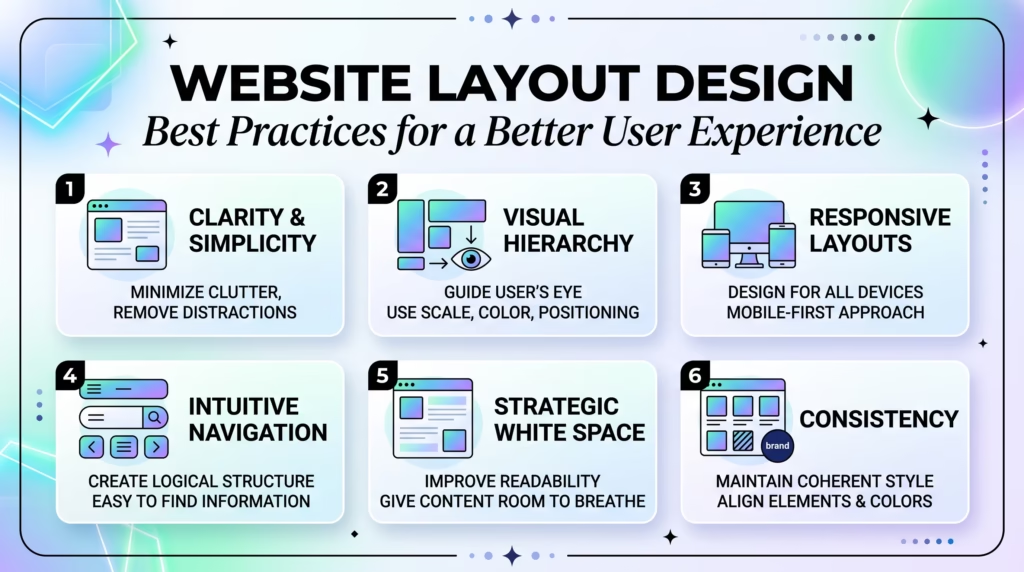
Visual hierarchy helps visitors understand what they should notice first, second, and third. Large headings, contrasting buttons, appropriate spacing, and strategically positioned images can guide attention toward important content.
Your most important message should generally be more prominent than supporting information. Avoid making every element equally large or visually dominant because this can make the page feel overwhelming.
Simple and Intuitive Navigation
Navigation should help visitors reach important pages without unnecessary effort. Keep the main menu organized and use familiar labels that clearly describe what users will find.
For business websites, navigation might include pages such as Services, About, Blog, and Contact. Ecommerce websites may need categories, product pages, search, account access, and cart functionality.
Consistent Design and Branding
Consistency makes a website easier to understand and helps reinforce your brand identity. Use a consistent approach to colors, typography, buttons, spacing, imagery, and other visual elements.
When every page follows the same design language, visitors can move around the website without having to learn a new interface each time.
Readable Content and Typography
Even excellent content is ineffective if visitors struggle to read it. Choose fonts that are easy to read and maintain sufficient contrast between text and background.
Break large blocks of content into shorter paragraphs and use headings, lists, and appropriate spacing to make information easier to scan.
Strong Calls to Action
Calls to action tell visitors what to do next. Depending on your website, this could be Get a Quote, Contact Us, Shop Now, Book a Consultation, or Learn More.
Make important CTAs visually noticeable without covering the page with buttons. A clear primary action is usually more effective than giving users too many competing choices.
White Space and Balanced Layouts
White space is the empty area between text, images, buttons, and other elements. It gives content room to breathe and makes pages easier to scan.
A crowded website can feel complicated even when the information itself is useful. Strategic spacing creates separation between sections and helps visitors focus on the content that matters.
Website Layout Design Best Practices
Keep the Layout Simple
Simplicity should be a priority when designing your website. Remove elements that don’t provide meaningful value to visitors.
A clean layout allows users to understand your message quickly and reduces unnecessary distractions.
Design for Mobile Devices
A modern website needs to work well on smartphones and tablets as well as desktop computers. Sections should resize appropriately, navigation should remain accessible, and buttons should be easy to tap.
Don’t simply shrink your desktop design for mobile. Consider how the entire user experience changes on a smaller screen.
Make Important Information Easy to Find
Visitors shouldn’t have to search through multiple pages to find essential information. Put important details where users naturally expect them.
For example, businesses should make contact information and primary services easy to access, while ecommerce websites should make product categories, search, pricing, and shopping actions highly visible.
Use Consistent Spacing and Alignment
Consistent spacing creates structure and makes a website feel more polished. Keep similar elements aligned and use predictable spacing between sections.
Small inconsistencies can make a professionally designed website feel unfinished.
Optimize Page Loading Speed
Design and performance should work together. Large images, unnecessary animations, excessive scripts, and poorly optimized plugins can increase loading times.
Optimize images, use appropriate caching, minimize unnecessary resources, and monitor Core Web Vitals to maintain a smooth experience.
Guide Users Toward Conversions
Your layout should support your business objectives. If your goal is generating leads, make your contact forms and consultation CTAs easy to find.
If you’re selling products, guide users toward categories, products, reviews, and purchasing actions. Good layout design makes the next step obvious without being pushy.

How to Create an Effective Website Layout
Understand Your Target Audience
Before designing your website, understand who will use it. Consider what visitors are looking for, what problems they want to solve, and what action you want them to take.
Your layout should reflect their expectations rather than simply following design trends.
Plan Your Page Structure
Create a basic structure before starting the visual design. Decide which sections each page needs and determine how users should move from one section to another.
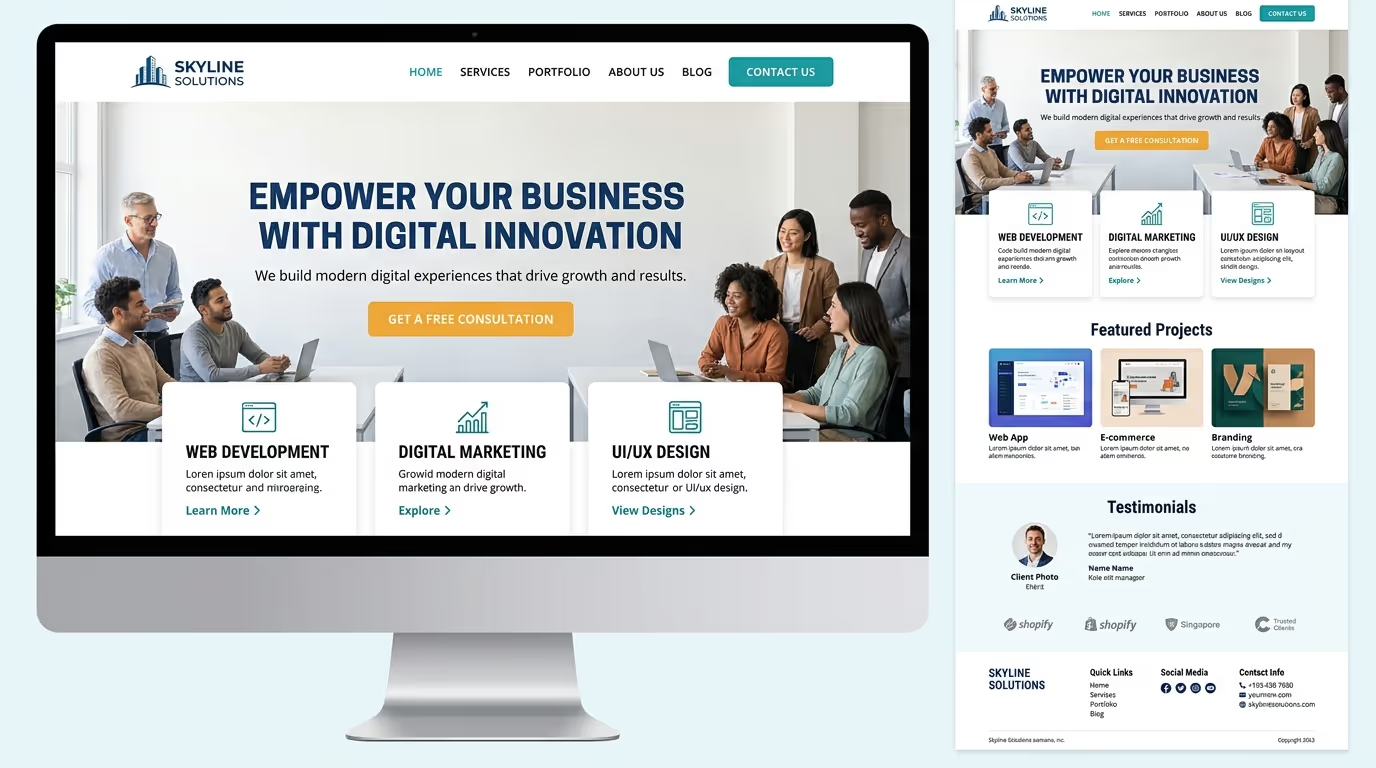
For example, a homepage might follow this structure:
Value proposition → CTA → Services/Products → Benefits → Social proof → Additional information → CTA
This gives the page a logical flow and helps visitors understand the business before asking them to take action.
Create a Strong Homepage Layout
Your homepage often creates the first impression of your business. The opening section should immediately communicate who you are, what you offer, and why visitors should care.
Follow this with relevant information that supports your main message rather than filling the homepage with every detail about your business.
Optimize Navigation and User Flow
Think about the journey visitors take through your website. Important pages should be easy to access, and users shouldn’t encounter unnecessary steps.
Review your navigation from the perspective of a first-time visitor and remove anything that creates confusion.
Test and Improve the Design
Website layout design shouldn’t be treated as a one-time task. Use analytics, user feedback, heatmaps, conversion data, and performance testing to identify areas that could be improved.
Small changes to headings, navigation, CTAs, forms, or page structure can have a meaningful impact on user behavior.
A website should do more than look professional—it should make it easy for visitors to understand your business and take action. Our Custom WordPress Website Development services are built around strategic website layout design, responsive experiences, performance, and conversion-focused user journeys.
Get in touch with TecHippo today for a free consultation and let’s build a website layout that turns more of your visitors into customers.
Common Website Layout Design Mistakes to Avoid
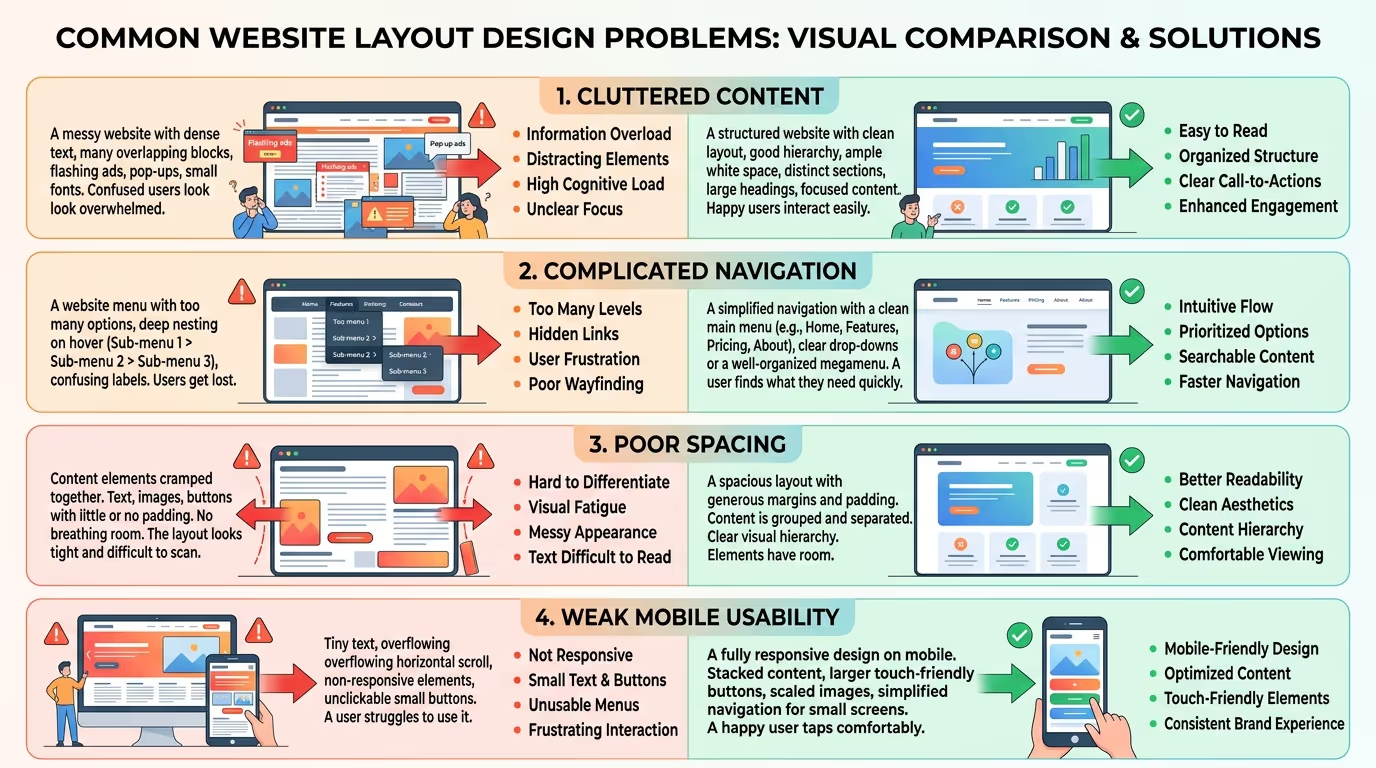
Cluttered Pages
Adding too much content, too many graphics, or excessive design elements can overwhelm visitors. Every section should have a clear purpose.
Complicated Navigation
Visitors shouldn’t need to click through several confusing menus to find important information. Keep navigation logical and prioritize the pages users need most.
Weak Visual Hierarchy
If headings, paragraphs, buttons, and images all have similar visual importance, visitors may not know where to look first.
Too Many Pop-Ups
Pop-ups can be useful for specific purposes, but excessive or poorly timed pop-ups can interrupt the user experience and make your website frustrating to use.
Poor Mobile Layout
A website that works perfectly on desktop can still provide a poor experience on smartphones. Always test navigation, buttons, forms, images, and text on smaller screens.
Inconsistent Design
Different fonts, button styles, colors, and spacing patterns across pages can make your website look unprofessional and harder to navigate.


Website Layout Design for Mobile Users
Mobile visitors often interact with websites differently from desktop users. They use smaller screens, touch controls, and frequently have less patience for complicated layouts.
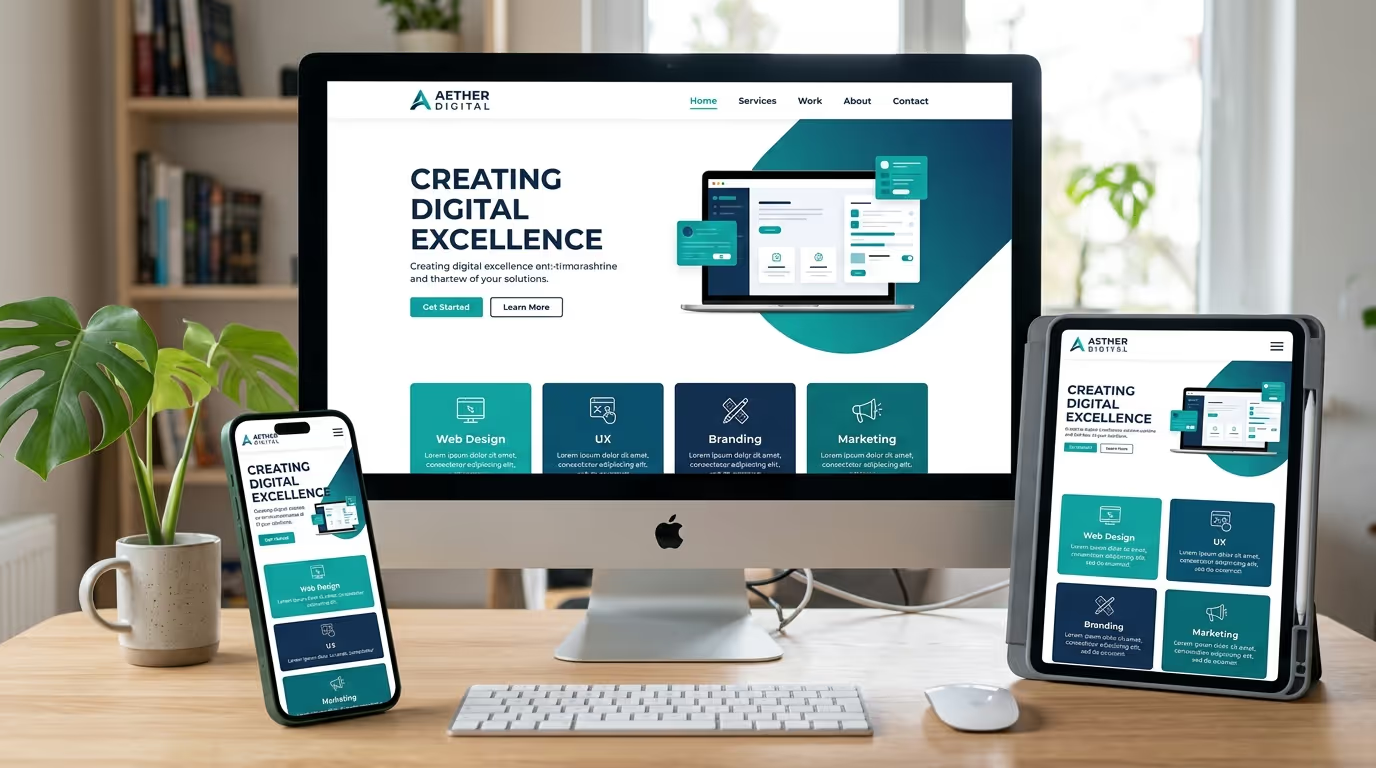
Use responsive design so content automatically adapts to different screen sizes. Buttons should have enough space around them, text should remain readable, and navigation should be easy to access.
Also consider the order in which information appears. Mobile users may need to scroll through content, so put the most important information and actions early in the page.
How Website Layout Design Affects SEO and Conversions
Good layout design can indirectly support SEO by improving usability, mobile experience, engagement, and website performance.
Search engines also need to understand your content structure. Clear headings, logical page organization, descriptive links, optimized images, and mobile-friendly layouts can contribute to a technically stronger website.
From a conversion perspective, layout directly affects how easily visitors can find products, services, forms, and CTAs. When the path from landing on a page to completing an action is clear, visitors have fewer obstacles to overcome.
Website Layout Design and Page Performance
Optimize Images
Use appropriately sized images and modern formats where supported. Large, uncompressed images can unnecessarily increase page weight.
Use Responsive Design
Responsive layouts allow the same website to adapt to different screen sizes rather than requiring separate desktop and mobile versions.
Minimize Unnecessary Elements
Every additional animation, script, widget, or third-party element can potentially affect performance. Keep only the features that genuinely improve the user experience.
Monitor Core Web Vitals
Monitor metrics such as loading performance, responsiveness, and visual stability. A beautiful layout isn’t effective if visitors have to wait too long for it to become usable.


A high-quality website layout can improve usability, strengthen your brand, and create a clearer path toward conversion. TecHippo’s Custom WordPress Website Development and SEO & Growth Optimization services help businesses build responsive, performance-focused websites designed around their customers and growth goals.
Contact TecHippo today for a free consultation and let’s create a website layout that works for your business.
When Should You Redesign Your Website Layout?
A redesign may be necessary when your current website feels outdated, performs poorly, or no longer supports your business goals.
Common signs include high mobile usability issues, confusing navigation, slow loading times, outdated branding, declining conversions, poor Core Web Vitals, or difficulty adding new content.
You don’t always need to completely rebuild your website. Sometimes restructuring key pages, improving navigation, updating the visual hierarchy, and optimizing performance can make a significant difference.
Your website is often the first interaction potential customers have with your business, so its layout should be designed with purpose. TecHippo helps businesses create custom WordPress websites with professional design, responsive layouts, SEO optimization, and conversion-focused experiences.
Get in touch with TecHippo today for a free consultation and let’s build a website that looks better, performs faster, and helps your business grow.
Conclusion
Effective website layout design is about more than arranging text and images on a page. It combines visual hierarchy, navigation, spacing, responsive design, performance, and conversion strategy to create an experience that visitors can understand and use easily.
Keep your layout simple, make important information easy to find, design for mobile users, and continuously test your website based on real user behavior. When design and functionality work together, your website can provide a better user experience while supporting stronger SEO, engagement, and business growth.



 Reach us on WhatsApp