
A website should be easy for everyone to access, understand, and use. WordPress website accessibility focuses on making websites more inclusive by removing barriers that can prevent people with disabilities or different browsing needs from interacting with content and features. From keyboard-friendly navigation and readable text to accessible forms and mobile-friendly layouts, accessibility improves the experience for a wider audience. It can also support usability, SEO, and overall website quality. In this guide, we’ll cover the most important ways to make a WordPress website more accessible.
What Is WordPress Website Accessibility?
WordPress website accessibility is the practice of designing and developing a WordPress website so that people with different abilities can use it effectively.
Some visitors may browse with a keyboard instead of a mouse, while others may use screen readers, voice controls, magnification tools, or other assistive technologies. An accessible website is designed to work with these different methods of interaction.
Accessibility applies to many parts of a website, including:
- Website navigation
- Headings and content structure
- Images and alt text
- Forms
- Buttons and links
- Colors and typography
- Videos and multimedia
- Mobile layouts
- Interactive elements
Accessibility isn’t a single feature you install. It should be considered throughout the website design, development, content, and maintenance process.
Why WordPress Website Accessibility Matters
An accessible website benefits more than just users who rely on assistive technologies. Many accessibility improvements make websites easier and more enjoyable for everyone.
Better User Experience
Clear navigation, readable content, descriptive buttons, and logical layouts make it easier for visitors to find what they need.
Wider Audience Reach
Accessibility helps prevent businesses from unintentionally excluding potential customers and visitors.
Better Website Usability
Simple menus, clear forms, readable typography, and properly structured content can make a website easier to use across different devices and browsing methods.
Support for SEO
Several accessibility practices also support good SEO. Proper headings, descriptive links, useful alt text, mobile-friendly layouts, and well-structured content can help search engines better understand a website.
Accessibility should not be treated as an SEO trick, however. The primary goal is to make your website genuinely easier to use.
Inclusive Web Design
Inclusive design considers different users from the beginning rather than assuming everyone interacts with websites in the same way.
Essential WordPress Website Accessibility Best Practices
There are several practical improvements you can make to your WordPress website.
Use a Logical Heading Structure
Headings help visitors understand how your content is organized. Use an H1 for the main page topic, H2s for major sections, and H3s for relevant subsections.
Don’t use heading tags simply because you want larger text. Use CSS to control visual appearance while keeping the content structure logical.
Add Meaningful Alt Text
Informative images should have descriptive alternative text that explains their purpose or important information.
For example:
Poor alt text: image123.jpg
Better alt text: WordPress website accessibility checklist displayed on a laptop
Decorative images that don’t provide useful information generally don’t need descriptive alt text.
Make Navigation Simple
Visitors should be able to find important pages without struggling through complicated menus.
Keep your navigation:
- Consistent
- Clearly labeled
- Logically organized
- Easy to locate
- Keyboard accessible
Use Descriptive Links
Avoid relying heavily on generic phrases such as “Click Here.”
Instead, use descriptive text such as Learn more about WordPress website development so visitors understand what the link does before selecting it.
Choose Readable Typography
Your website should use fonts and text sizes that are easy to read.
Pay attention to:
- Font size
- Line spacing
- Font style
- Paragraph length
- Text contrast
- Spacing between content elements
Maintain Good Color Contrast
Text needs sufficient contrast against its background. Don’t use color as the only way to communicate information, either.
For example, instead of showing a form error only by turning a field red, include a clear text message explaining the problem.
Make Your Website Keyboard-Friendly
Some visitors navigate websites entirely with a keyboard.
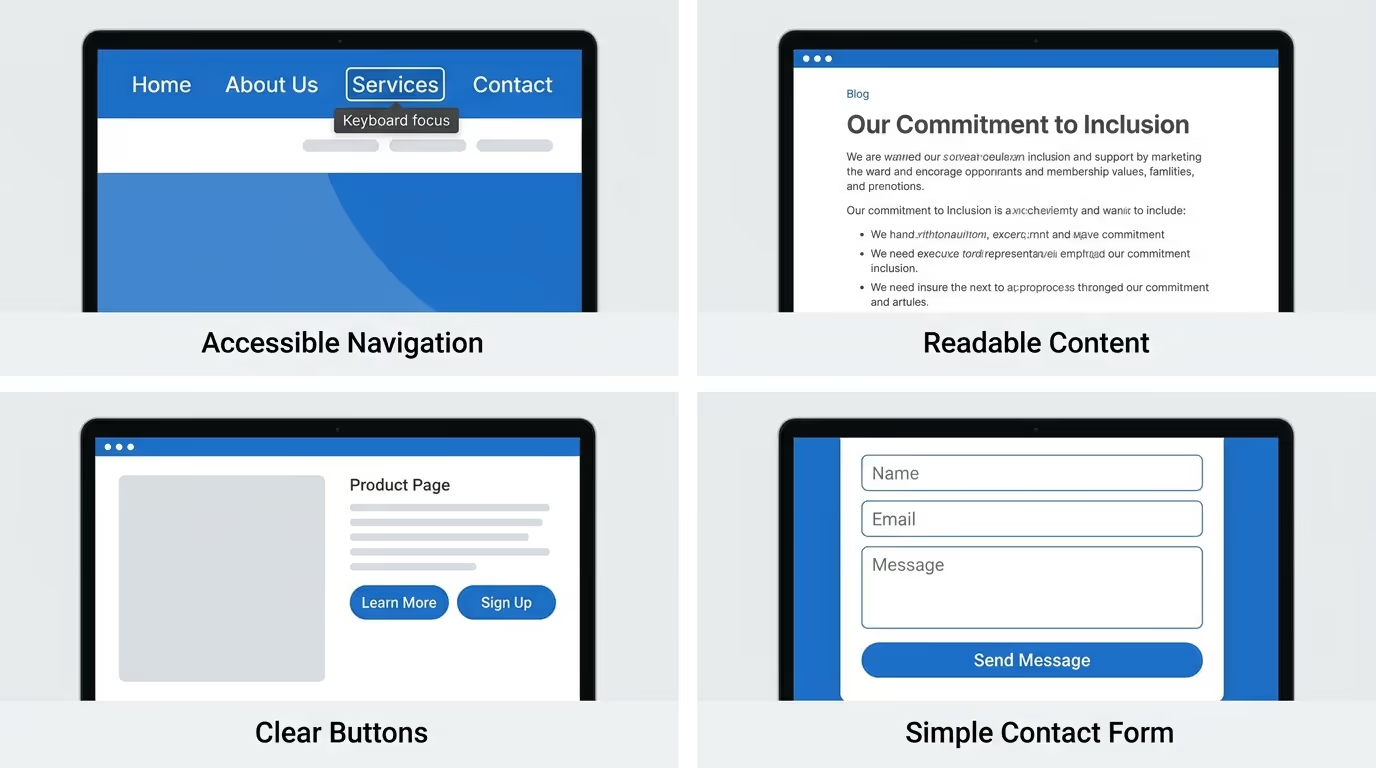
Important links, buttons, menus, forms, and interactive components should therefore be accessible without requiring a mouse.
Make sure users can move through interactive elements with the Tab key and can clearly see which element currently has focus.
Dropdown menus, pop-ups, accordions, and other interactive features should also work correctly with keyboard navigation.
A visible focus indicator is particularly important because it tells keyboard users where they currently are on the page.
Create Accessible WordPress Forms
Forms are often essential to business websites. Visitors may use them to contact a company, request a quote, subscribe to a newsletter, register for an account, or complete a purchase.
Make sure every important field has a clear label and that errors provide useful explanations.
For example:
Instead of:
“Invalid.”
Use:
“Please enter a valid email address.”
Keep forms as simple as possible and only request information that is actually necessary.
Optimize WordPress Website Accessibility for Mobile Users
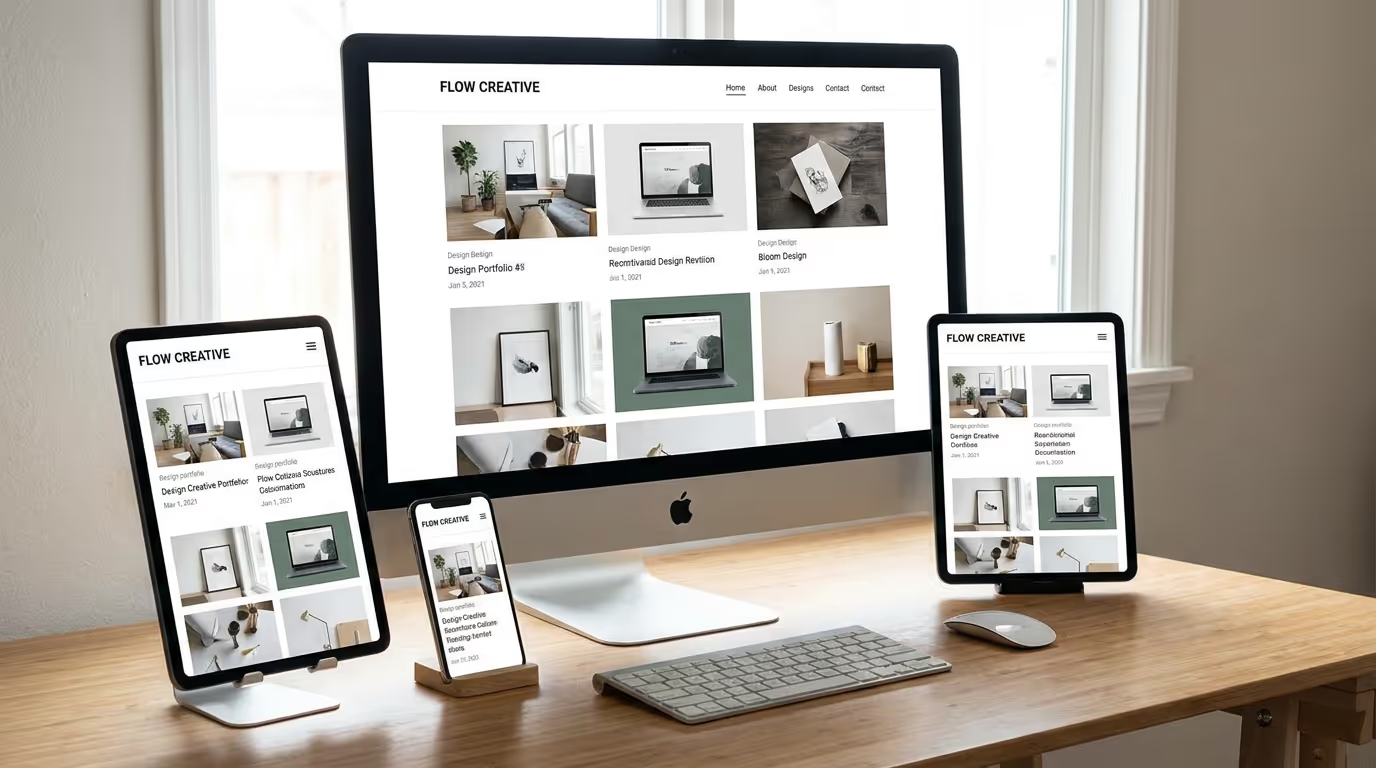
Accessibility also applies to smartphones and tablets. A website that is accessible on desktop may still be difficult to use on smaller screens.
Use responsive design so content automatically adapts to different screen sizes. Text should remain readable, buttons should be easy to tap, and visitors shouldn’t need to scroll horizontally to access important content.
Navigation, forms, images, and calls to action should also remain usable on smaller screens.
Choose Accessible WordPress Themes and Plugins
Your theme and plugins can have a major impact on accessibility.
When choosing a WordPress theme, look for logical HTML structure, keyboard navigation, visible focus states, accessible menus, responsive layouts, and appropriate color contrast.
Plugins should also be evaluated before installation. Some plugins can introduce inaccessible pop-ups, forms, menus, or other interface elements.
Avoid installing unnecessary plugins, as they can make your website more difficult to maintain and may introduce additional problems.
Common WordPress Accessibility Mistakes to Avoid
Even professionally designed websites can have accessibility problems.
Some of the most common mistakes include:
- Using low-contrast text
- Relying only on color to communicate information
- Leaving important images without alt text
- Creating pop-ups that can’t be closed with a keyboard
- Using vague link text
- Making navigation difficult to use without a mouse
- Using extremely small text
- Creating forms without proper labels
- Ignoring mobile accessibility
Regular testing can help identify and fix these issues before they become bigger usability problems.
How to Test WordPress Website Accessibility
Accessibility testing should combine automated tools with manual testing.
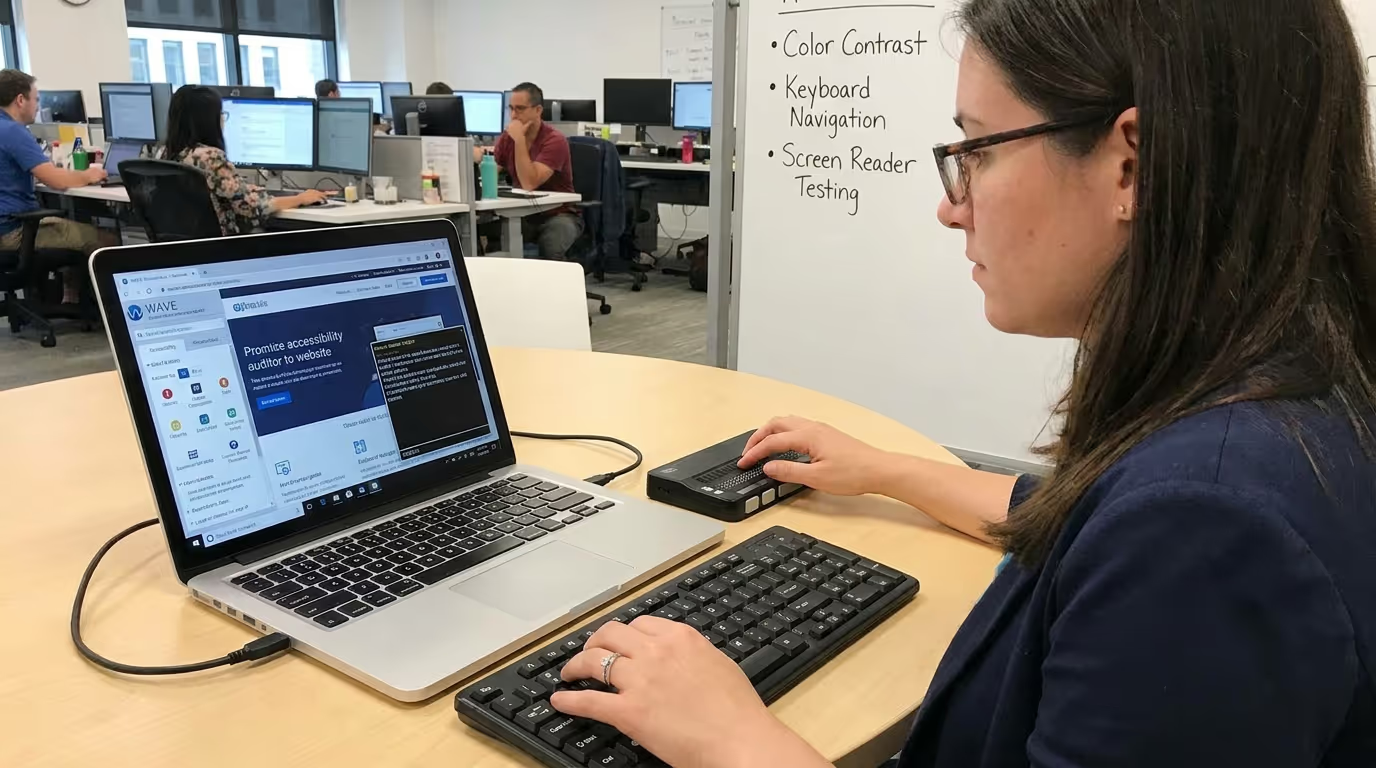
Start by navigating important pages using only your keyboard. Check whether you can reach menus, buttons, forms, links, and other interactive elements.
You should also review color contrast and test important pages with a screen reader where possible.
Automated accessibility testing tools can help identify common issues, but they can’t detect everything. Manual testing is still important because some accessibility problems require human judgment.
WordPress Website Accessibility, SEO, and Performance
Accessibility, SEO, and website performance are different areas, but they can complement one another.
A well-structured website with descriptive links, useful alt text, logical headings, mobile-friendly design, and clear content can provide benefits for both users and search engines.
Performance is also important. Large images, unnecessary scripts, excessive animations, and poorly optimized plugins can slow down your website and create a frustrating experience.
To improve performance, consider:
- Compressing images
- Using modern image formats
- Removing unnecessary plugins
- Optimizing CSS and JavaScript
- Enabling caching
- Using a CDN when appropriate
- Monitoring Core Web Vitals
A fast website isn’t automatically accessible, but good performance contributes to a better overall experience.
How to Make Your WordPress Website More Accessible
Improving accessibility doesn’t necessarily mean rebuilding your entire website.
Start by auditing important pages and identifying the biggest barriers. Focus first on problems that prevent visitors from accessing content or completing important actions.
Review your:
- Navigation
- Headings
- Images
- Forms
- Buttons
- Links
- Colors
- Typography
- Mobile layouts
- Interactive elements
After making improvements, test the website again. Accessibility should be treated as an ongoing part of website management rather than a one-time task.
An inaccessible website can create unnecessary barriers between your business and potential customers.
Our Custom WordPress Website Development and WordPress Website Redesign services focus on creating responsive, user-friendly websites with accessibility, performance, and usability in mind.
Get in touch with TecHippo today for a free consultation and let’s build a website that works better for every visitor.
WordPress Website Accessibility Checklist
Before launching or redesigning a website, use this quick accessibility checklist:
- Use a logical heading structure
- Add meaningful alt text to informative images
- Use descriptive links
- Provide sufficient color contrast
- Make navigation keyboard accessible
- Provide visible focus states
- Use clear form labels
- Provide helpful error messages
- Make pop-ups accessible
- Use readable typography
- Make buttons easy to interact with
- Use responsive design
- Test the website on mobile devices
- Test important pages using a keyboard
- Check accessibility with automated tools
- Test important functionality with assistive technology
How Accessibility Can Support Business Growth
Website accessibility can contribute to a better overall digital experience, which can benefit businesses in several ways.
Improve Customer Experience
When visitors can easily navigate your website and understand your content, they’re more likely to have a positive experience.
Increase Audience Reach
Removing unnecessary accessibility barriers allows more people to access your products, services, and information.
Build Trust and Credibility
An accessible, professional website demonstrates that your business values its visitors and takes usability seriously.
Improve Engagement
Clear navigation, readable content, accessible forms, and strong calls to action can make it easier for visitors to interact with your business.
Your website should do more than look professional—it should provide a smooth and accessible experience for the people who use it.
TecHippo’s Website Speed Optimization, WordPress Website Management, and SEO & Growth Optimization services help businesses improve website performance, usability, search visibility, and long-term growth.
Contact TecHippo today for a free consultation and let’s create a faster, more user-friendly WordPress website.
Best Practices for Maintaining Website Accessibility
Accessibility should remain part of your ongoing website maintenance.
Review new pages, blog posts, images, forms, and interactive features before publishing them. Whenever you change your theme, install a plugin, redesign a page, or add functionality, test the affected areas again.
Keep WordPress, themes, and plugins updated, but always check important functionality after major updates.
It’s also useful to include accessibility in regular website audits alongside SEO, security, performance, mobile usability, and conversion optimization.
When Should You Improve WordPress Website Accessibility?
The best time to consider accessibility is during the planning and design stage of a new website.
However, an existing website can be improved at any time. Start with an accessibility audit and prioritize the issues that have the biggest impact on visitors.
You should also review accessibility after:
- A website redesign
- A theme change
- Major plugin updates
- New forms or functionality
- Navigation changes
- New pop-ups or interactive features
- Significant content updates
Regular reviews help ensure that accessibility doesn’t get overlooked as your website grows.
Ready to create a more accessible and user-friendly WordPress website?
TecHippo provides Custom WordPress Website Development, WordPress Website Redesign, and SEO & Growth Optimization services designed to create fast, responsive, user-friendly websites that support business growth.
Get in touch with TecHippo today for a free consultation and let’s create a better website experience for everyone.
Conclusion
WordPress website accessibility is an important part of creating a modern website that works for a wider range of visitors. Simple improvements such as logical headings, descriptive alt text, accessible navigation, readable typography, sufficient color contrast, keyboard support, and responsive design can make a significant difference.
Accessibility also works alongside SEO, performance, usability, and conversion optimization. By making accessibility part of your website design and ongoing maintenance strategy, you can create a more inclusive experience while building a stronger and more effective WordPress website.


 Reach us on WhatsApp