

Your portfolio website is more than a collection of your previous work. It is often the first place potential clients, employers, or customers go to understand your skills, experience, and capabilities. A well-designed portfolio can establish credibility, communicate your value, and encourage visitors to take the next step.
The best website portfolio design combines attractive visuals with clear navigation, strong project presentation, responsive layouts, and conversion-focused elements. Whether you are a freelancer, designer, developer, photographer, or creative agency, the right portfolio design can help you stand out and turn visitors into opportunities.
Why a Professional Portfolio Website Matters
A professional portfolio gives you control over how your work is presented online. Instead of relying entirely on social media profiles or third-party platforms, you can create an experience that reflects your personal brand and professional standards.
A strong portfolio website can help you:
- Showcase your best projects
- Establish credibility and trust
- Explain your skills and services
- Build a recognizable personal or business brand
- Generate inquiries and leads
- Make it easier for potential clients to contact you
Your portfolio should not simply show what you have created. It should also explain why your work matters and demonstrate the results you can deliver.
What Makes a Great Portfolio Website Design?
Clear and Professional Visual Design
Your website should have a clean visual structure that allows visitors to focus on your work. Use consistent colors, typography, spacing, and layouts throughout the website.
Avoid adding unnecessary design elements simply to make the website look more creative. Every visual element should support the content and improve the visitor’s experience.
Strong First Impression
Visitors should understand who you are and what you do within a few seconds of landing on your website.
Your homepage should clearly communicate your profession, primary service, or area of expertise. A strong headline combined with an engaging visual and clear call to action can immediately give visitors a reason to explore further.
Easy Navigation
Portfolio websites should be simple to navigate. Visitors should be able to move between your homepage, projects, services, about page, and contact page without confusion.
Use straightforward navigation labels and avoid hiding important information behind complicated menus.
High-Quality Project Presentation
The quality of your project presentation can influence how visitors perceive your work.
Use high-resolution images, relevant screenshots, videos, mockups, or other visuals where appropriate. Give each important project enough context to explain your role, process, challenges, and results.
Mobile-Friendly Experience
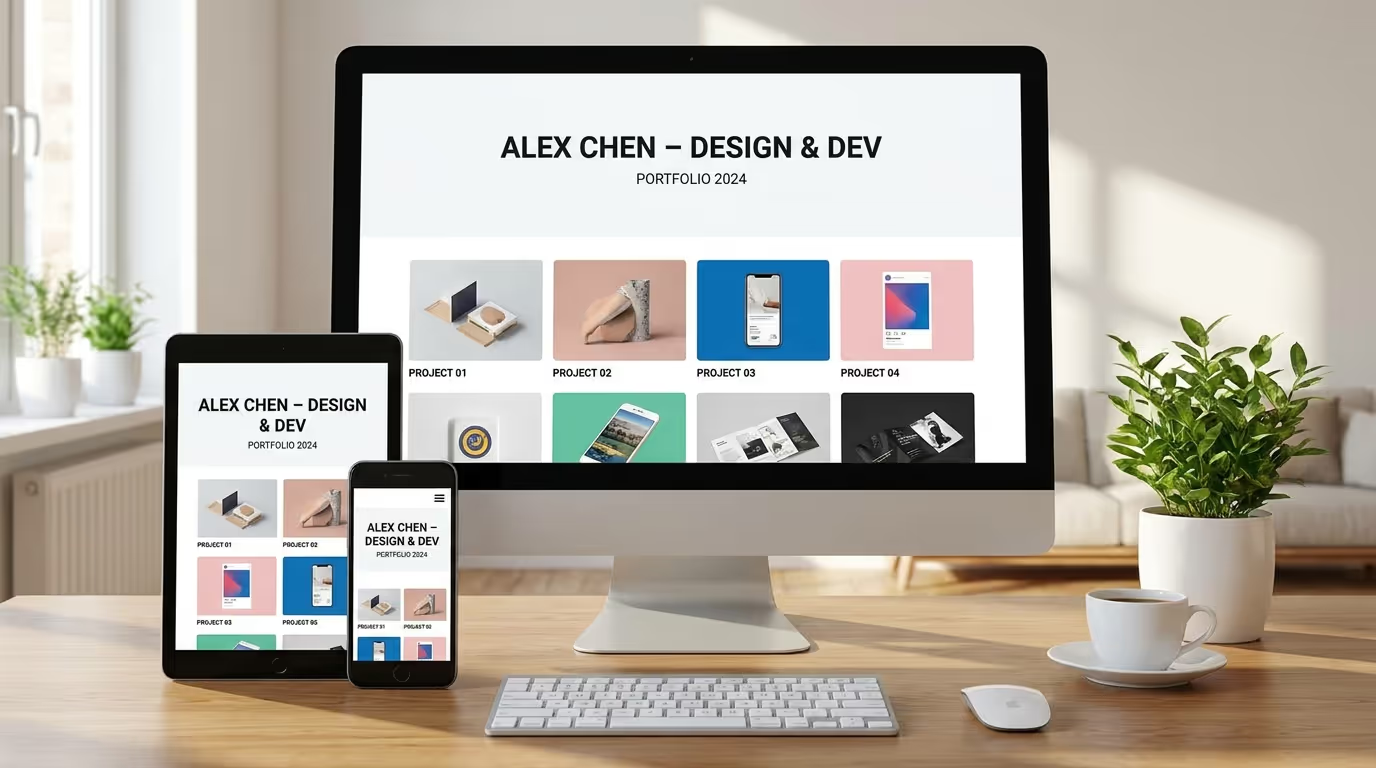
Many visitors will access your portfolio from smartphones and tablets. Your website should therefore adapt smoothly to different screen sizes.
Make sure images resize correctly, text remains readable, navigation works properly, and buttons are easy to tap on smaller screens.
Clear Calls to Action
A portfolio should guide visitors toward a useful next step. Depending on your goals, this could be:
- Contact me
- Request a quote
- Start a project
- View case study
- Book a consultation
- Download my resume
Use clear calls to action throughout the website without overwhelming visitors with too many options.
Essential Elements of a High-Converting Portfolio Website
Strong Hero Section
The hero section is one of the first elements visitors see. Use it to introduce yourself and communicate your primary value.
A strong hero section can include:
- Your name or company name
- Your profession or specialty
- A short value proposition
- A relevant image or visual
- A primary call to action
For example, instead of simply saying “I’m a web designer,” you could communicate the type of websites you create and the value they provide.
About Me or About the Business
The About section gives visitors an opportunity to understand who is behind the work.
Briefly explain your experience, expertise, approach, and what makes you different. Keep the information relevant to your target audience rather than creating a long personal biography.
Featured Projects
Your portfolio should make your strongest work easy to find.
Instead of displaying every project you have ever completed, select projects that demonstrate your most valuable skills and are relevant to the clients you want to attract.
Services and Skills
Clearly explain what you offer. Depending on your profession, this could include web design, development, branding, photography, graphic design, copywriting, marketing, or consulting.
Organizing your services into clear categories helps visitors quickly determine whether you can solve their specific problem.
Client Testimonials
Testimonials provide social proof and can make your portfolio more trustworthy.
Whenever possible, include testimonials that explain the client’s experience and the results your work helped achieve.
Contact Information
Do not make visitors search for a way to contact you.
Include a clear contact page and consider placing contact buttons throughout the website. A simple form, email address, booking option, or other appropriate contact method can make the next step easier.
Best Website Portfolio Design Ideas
Minimal and Clean Portfolio
Minimalist portfolios use whitespace, simple typography, restrained colors, and focused layouts.
This approach works particularly well when the work itself should be the primary visual focus. Removing unnecessary elements can make projects easier to explore and understand.
Creative and Visual Portfolio
Creative professionals can use bold layouts, animations, typography, and interactive elements to demonstrate their personality and skills.
However, creativity should not come at the expense of usability. Animations and effects should enhance the experience rather than slow down or confuse visitors.
Case Study-Focused Portfolio
Case-study portfolios go beyond showing finished work. They explain how a project was approached and what was achieved.
A case study can include:
- The client’s challenge
- Your approach
- The design or development process
- The final solution
- Measurable results
This format is particularly effective for professionals who want to demonstrate strategic thinking and problem-solving abilities.
Personal Brand Portfolio
A personal brand portfolio focuses heavily on the individual behind the work.
It can include your professional story, expertise, achievements, personality, testimonials, selected projects, and services. This approach is useful for freelancers, consultants, developers, designers, writers, and other professionals.
Agency Portfolio
Agency websites typically need to demonstrate both creativity and business capability.
An effective agency portfolio can combine featured projects, detailed case studies, services, testimonials, team information, and strong calls to action.
How to Create a Portfolio Website That Gets Results
Define Your Target Audience
Before designing your portfolio, determine who you want to attract.
A portfolio designed for potential employers may emphasize experience and skills, while a freelancer’s portfolio may focus more heavily on services, case studies, testimonials, and lead generation.
Knowing your audience helps you decide what content to prioritize.
Choose Your Best Work
Quality is more important than quantity.
Select projects that represent your strongest abilities and align with the type of work you want to receive in the future. If you want more ecommerce projects, for example, make relevant ecommerce work highly visible.
Organize Projects Into Categories
If you have a large body of work, organize it into logical categories.
You could separate projects by industry, service, project type, technology, or creative discipline. This allows visitors to quickly find examples relevant to their needs.
Write Compelling Case Studies
A project image may demonstrate what you created, but a case study explains the thinking behind it.
Describe the problem, your solution, your role, and the outcome. Whenever possible, include measurable results such as increased conversions, improved performance, or business growth.
Add Strong Calls to Action
Once visitors have seen your work, tell them what they should do next.
A clear CTA can encourage them to contact you, request a quote, schedule a consultation, or explore another project.
Optimize for Mobile and Speed
A visually impressive portfolio can still lose visitors if it loads slowly or performs poorly on mobile devices.
Compress large images, use efficient formats, minimize unnecessary scripts, and make sure your website works properly across different devices.
Common Portfolio Website Design Mistakes to Avoid
Showing Too Much Work
Including dozens of projects can make your portfolio difficult to navigate. Focus on your strongest and most relevant work instead.
Using Low-Quality Images
Poor-quality screenshots and stretched images can make otherwise excellent work appear unprofessional.
Use high-quality visuals and optimize them for the web without unnecessarily increasing page size.
Complicated Navigation
Creative navigation may look interesting, but visitors should never struggle to find your projects or contact information.
Keep the primary navigation intuitive and predictable.
Weak Project Descriptions
Simply displaying an image does not always explain your value.
Add enough information to tell visitors what the project involved, what you contributed, and what the final result achieved.
Missing Contact Options
If visitors cannot quickly figure out how to contact you, you may lose potential opportunities.
Place clear contact options throughout important sections of your website.
Ignoring Mobile Users
A portfolio that looks excellent on a desktop but breaks on smartphones creates a poor user experience.
Always test your website on different screen sizes before launch.
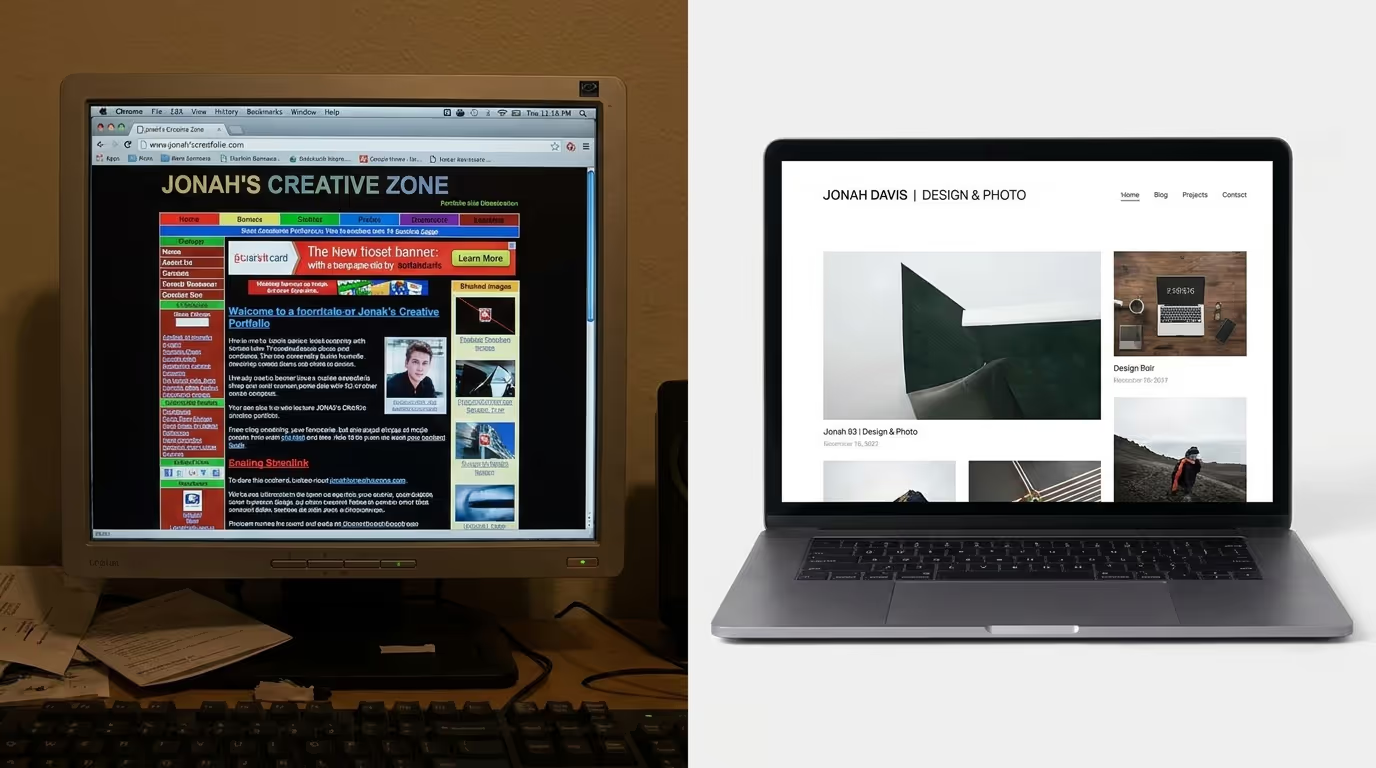
A portfolio that looks impressive but fails to communicate your value or guide visitors toward action can leave valuable opportunities behind.
Our Custom WordPress Website Development and SEO & Growth Optimization services help businesses build professional, responsive, high-performing websites designed around their goals and audience.
Get in touch with TecHippo today for a free consultation and let’s build a website that showcases your work and turns visitors into opportunities.
Portfolio Website Design Best Practices
Use Consistent Branding
Your colors, typography, imagery, logos, and overall visual style should work together to create a consistent brand identity.
Consistency makes the website feel more professional and memorable.
Keep the Layout Simple
A simple layout makes it easier for visitors to focus on your work.
Use whitespace strategically and avoid filling every area of the page with text, images, animations, or decorative elements.
Make Projects Easy to Explore
Give each project enough space to stand out. Use clear project titles, categories, descriptions, and links to detailed case studies when appropriate.
Use High-Quality Visuals
Your portfolio is visual proof of your abilities, so presentation matters.
Use professional images, screenshots, videos, mockups, and other relevant media to communicate the quality of your work.
Optimize Website Performance
Large images, unnecessary animations, excessive plugins, and poorly optimized code can slow down your portfolio.
Performance optimization can improve the user experience while also supporting search visibility.
Include Social Proof
Client testimonials, recognizable brands, awards, certifications, reviews, and measurable results can strengthen your credibility.
Use social proof where it naturally supports your portfolio rather than adding it simply for decoration.
How Portfolio Design Affects SEO and Conversions
Good portfolio design is not only about appearance. It can influence how easily search engines understand your website and how effectively visitors move toward conversion.
A logical page structure, descriptive headings, optimized images, fast loading times, mobile responsiveness, and useful project content can support SEO.
At the same time, clear navigation and strategically placed calls to action can help turn portfolio visitors into leads or clients.
The goal is to balance visual design, usability, performance, SEO, and conversions rather than optimizing for only one area.
How to Make Your Portfolio Website Stand Out
Tell Your Story
Your portfolio should communicate more than what you create. Explain your approach, experience, and perspective.
A strong story can make your website more memorable and help visitors understand the person or business behind the work.
Showcase Results
Whenever possible, demonstrate the impact of your work.
Instead of only saying that you designed a website, explain how the project improved the client’s user experience, conversions, performance, or overall online presence.
Highlight Your Unique Skills
Identify what makes your work different.
This could be your design style, technical expertise, industry experience, development process, problem-solving approach, or combination of services.
Use Interactive Elements Carefully
Animations, hover effects, video backgrounds, scrolling effects, and interactive project displays can make a portfolio more engaging.
Use them selectively. If an effect makes the website slower or harder to navigate, it is probably not worth keeping.
When Should You Redesign Your Portfolio Website?
Your portfolio may need a redesign if it looks outdated, performs poorly, is difficult to use on mobile devices, or no longer represents the quality of your current work.
You should also consider a redesign if your services have changed, your target audience has evolved, or your website is generating traffic but very few inquiries.
A modern portfolio should evolve alongside your skills, brand, and business goals.
Your portfolio should do more than display your work—it should help communicate your expertise, build trust, and create new opportunities.
TecHippo’s Custom WordPress Website Development, WordPress Website Redesign, and SEO & Growth Optimization services can help you create a professional online presence built for performance, usability, and growth.
Contact TecHippo today and turn your portfolio website into a powerful tool for showcasing your work and attracting more clients.
Conclusion
The best website portfolio design combines strong visual presentation with usability, performance, mobile responsiveness, and clear conversion paths. Whether you choose a minimalist layout, creative portfolio, detailed case-study approach, personal brand website, or agency design, your portfolio should always serve a clear purpose.
Focus on your best work, make projects easy to understand, communicate your unique value, and give visitors a simple way to take the next step. With the right strategy and design, your portfolio can become more than an online gallery—it can become an important part of your professional growth.


 Reach us on WhatsApp