
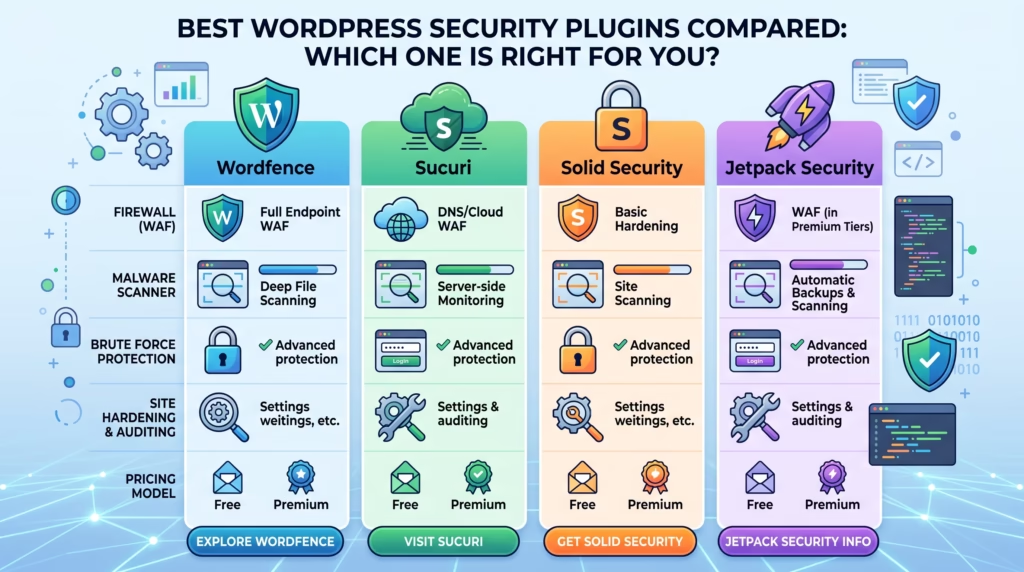
WordPress is one of the most widely used website platforms, but its popularity also makes it a common target for malware, brute-force attacks, vulnerable plugins, and unauthorized access. Choosing the right security plugin can add an important layer of protection and make it easier to monitor potential threats.
In this guide, we’ll compare some of the best WordPress security plugins, explain the features you should look for, and help you determine which option may be right for your website.
Why WordPress Security Plugins Are Essential
Keeping WordPress secure requires more than installing updates and using a strong password. Websites can still face threats through vulnerable plugins, outdated themes, compromised accounts, malicious traffic, and other security weaknesses.
A security plugin can bring several important protection tools together in one place. Depending on the solution you choose, it may help scan for malware, block suspicious traffic, protect login pages, monitor activity, and identify security vulnerabilities.
For business websites and online stores, these protections are especially important because a security breach can affect customer information, website availability, search visibility, and your reputation.
What to Look for in a WordPress Security Plugin
Before choosing from the best WordPress security plugins, consider the type of protection your website actually needs. Different plugins focus on different areas, so comparing their features is essential.
Malware Scanning and Removal
Malware scanning checks your website for suspicious or malicious files, scripts, and code. Some security plugins can also help remove detected malware or provide additional tools for cleaning an infected website.
Regular scanning is useful because malicious code may not always be obvious from the front end of your website.
Firewall Protection
A Web Application Firewall (WAF) helps filter potentially harmful traffic before it reaches your website. It can help block malicious requests, suspicious visitors, and certain types of automated attacks.
A strong firewall can therefore provide an additional layer of protection alongside your hosting and WordPress configuration.
Login Security and Brute Force Protection
Attackers may repeatedly attempt to guess WordPress usernames and passwords. Login protection features can limit these attempts and make unauthorized access more difficult.
Useful features can include login attempt limits, two-factor authentication, CAPTCHA protection, and suspicious login detection.
Real Time Threat Monitoring
Real-time monitoring helps you keep track of suspicious activity as it happens. Depending on the plugin, you may receive alerts about unusual login attempts, blocked requests, changes to files, or other potential security events.
This can help website owners respond to security problems before they become more serious.
Performance Impact
Security features require website resources, so performance should also be considered when choosing a plugin. A security plugin should provide useful protection without unnecessarily slowing down your WordPress website.
Look for plugins that offer efficient scanning, optimized firewall systems, and settings that allow you to balance security with website performance.
Choosing from the best WordPress security plugins is an important first step, but proper configuration and ongoing protection are just as important. Our WordPress Bug Fixing & Support and Monthly Website Management Plans help keep your website updated, monitored, secure, and running smoothly.
Get in touch with TecHippo today for a free consultation and let’s build a stronger security strategy for your WordPress website.
Best WordPress Security Plugins Compared
There are many security plugins available for WordPress, but each one approaches website protection differently. The following options offer a range of features for malware protection, firewalls, login security, monitoring, and website hardening.
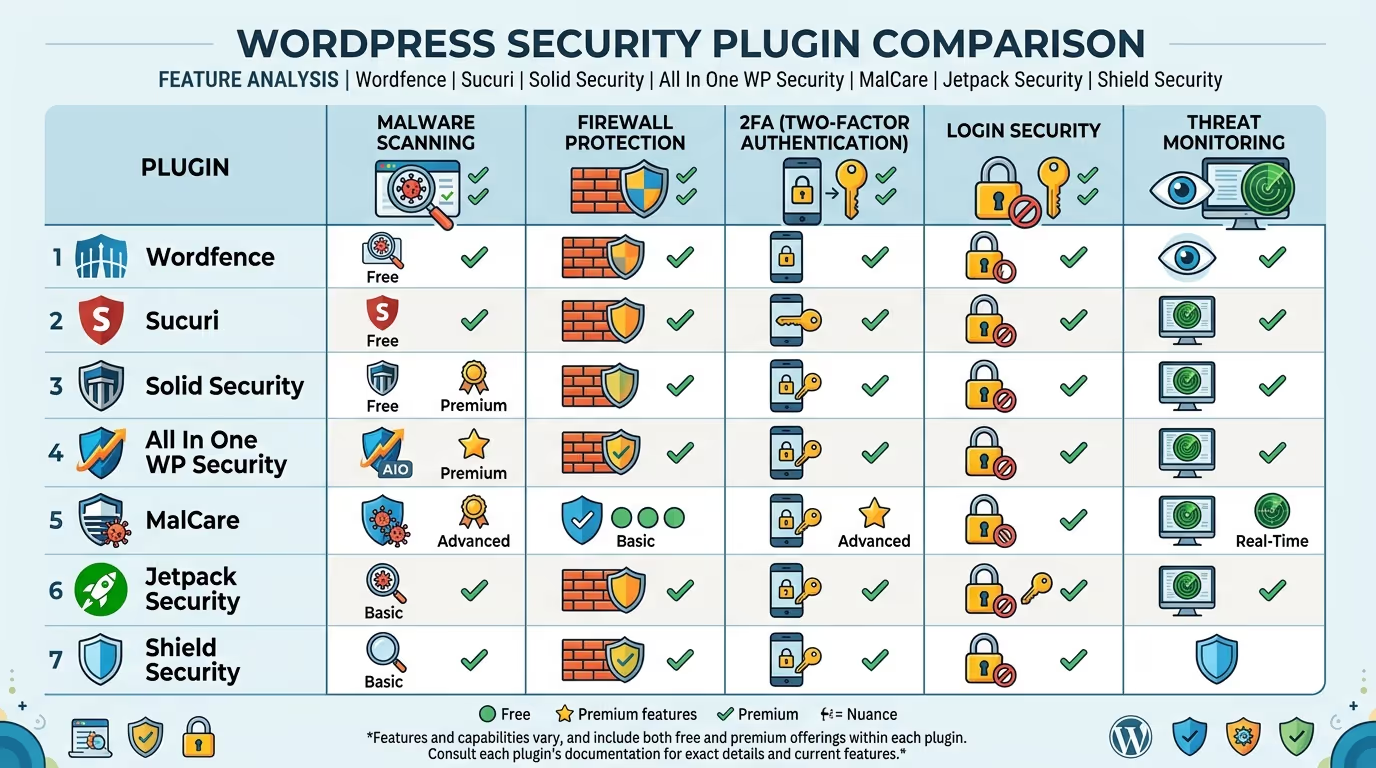
Wordfence Security
Wordfence is a comprehensive WordPress security solution that combines firewall protection, malware scanning, login security, and vulnerability monitoring.
It is a strong option for website owners who want detailed security controls and monitoring features from within WordPress.
Key features include:
- Malware scanning
- Web application firewall
- Brute-force protection
- Two-factor authentication
- Vulnerability monitoring
- Live traffic monitoring
- IP blocking
Best for: Website owners looking for comprehensive WordPress security and detailed monitoring.
Solid Security (formerly iThemes Security)
Solid Security focuses on strengthening WordPress websites through security hardening, login protection, vulnerability monitoring, and account security features.
It can be useful for website owners who want to improve common WordPress security weaknesses without managing every security setting manually.
Key features include:
- Login security
- Two-factor authentication
- Brute-force protection
- Security hardening
- Vulnerability monitoring
- User security controls
Best for: Beginners and businesses looking for straightforward WordPress security hardening.
Sucuri Security
Sucuri provides website security and monitoring solutions with a strong focus on malware detection, firewall protection, and website security.
It can be particularly useful for businesses that require additional protection and professional security services.
Key features include:
- Malware scanning
- Security monitoring
- Firewall protection
- DDoS protection
- Security alerts
- Malware removal and cleanup options
Best for: Businesses that need advanced website protection and security monitoring.
All In One WP Security and Firewall
All In One WP Security and Firewall provides a broad selection of security tools designed to protect different areas of a WordPress website.
Its features cover areas such as login protection, firewall rules, user account security, and spam prevention.
Key features include:
- Firewall protection
- Login lockdown
- Brute-force protection
- User account security
- Spam protection
- Security hardening
Best for: Website owners looking for a broad range of security controls in one plugin.
MalCare Security
MalCare focuses heavily on malware detection and removal. It is designed to help website owners identify malicious code and clean infected websites.
Its security tools can also help protect websites against suspicious activity and common attacks.
Key features include:
- Malware scanning
- Malware removal
- Firewall protection
- Login protection
- Vulnerability detection
- Security notifications
Best for: Website owners who prioritize malware detection and cleanup.
Jetpack Security
Jetpack Security combines several website management and security features within the Jetpack ecosystem. Depending on the plan, it can provide tools for backups, malware scanning, downtime monitoring, and other security-related tasks.
Key features include:
- Website backups
- Malware scanning
- Downtime monitoring
- Security notifications
- Spam protection
- Website activity monitoring
Best for: WordPress users who want security and website management features within one ecosystem.
Shield Security
Shield Security provides WordPress protection focused on areas such as login security, automated security defenses, bot protection, and website hardening.
It can be a useful option for website owners who want more control over automated security processes.
Key features include:
- Login protection
- Bot protection
- Brute-force protection
- Security hardening
- Activity monitoring
- Automated security features
Best for: Website owners looking for advanced security controls and automated protection.
A security plugin can protect your website from many common threats, but choosing the right plugin and configuring it correctly can make a significant difference. Our Custom WordPress Website Development and SEO & Growth Optimization services help businesses build and maintain secure, high-performing WordPress websites.
Get in touch with TecHippo today for a free consultation and let’s make sure your website has the protection it needs.
Free vs Premium WordPress Security Plugins
Many of the best WordPress security plugins offer free versions with useful security features. These can be enough for smaller websites that need basic protection such as login security, malware scanning, or firewall functionality.
Premium versions typically provide additional features, more advanced monitoring, automated protection, priority support, or expanded malware removal capabilities.
For a small personal website, a free plugin may provide a good starting point. Businesses, WooCommerce stores, membership websites, and other sites handling important data may benefit from more comprehensive premium protection.
The important thing is to compare the actual features you need rather than simply choosing the most expensive option.
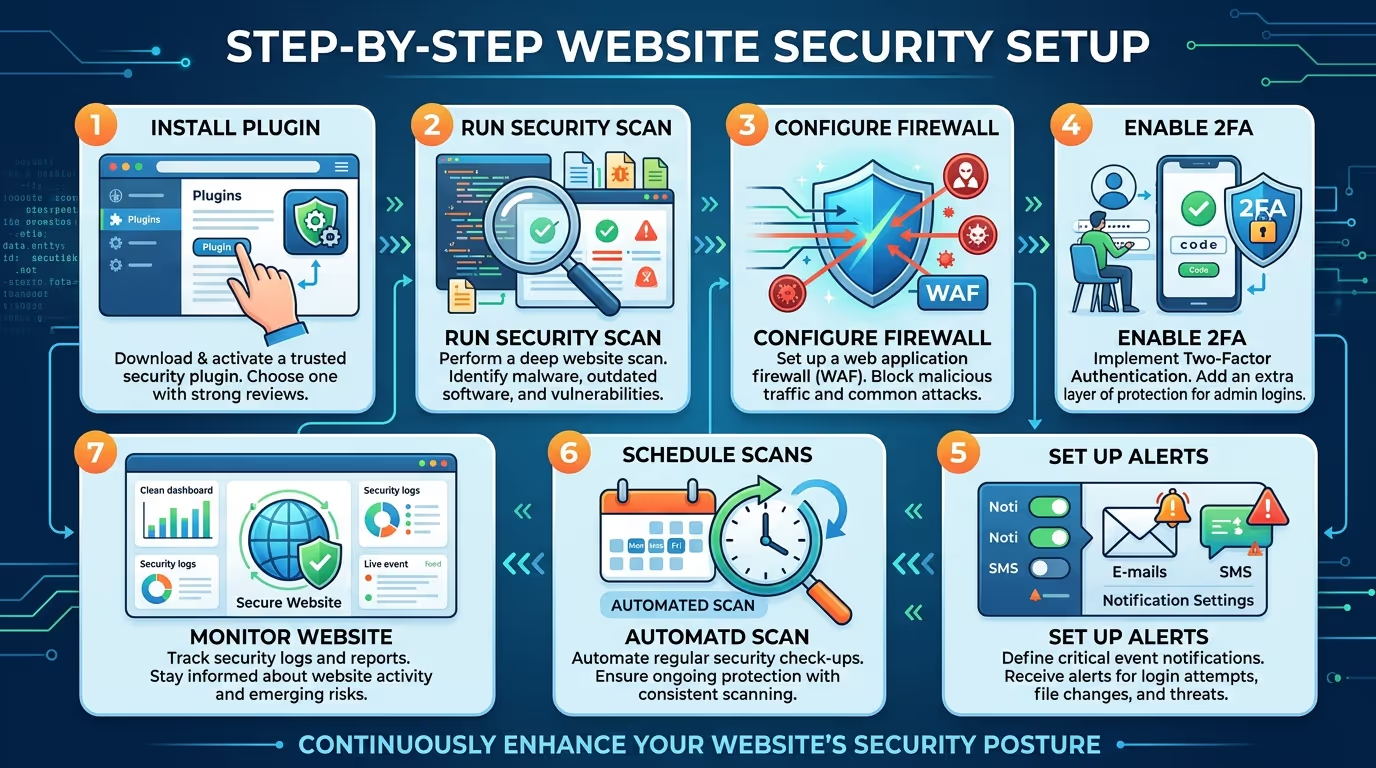
How to Set Up a WordPress Security Plugin Correctly
Installing a security plugin is only the first step. Incorrect configuration can leave important areas of your website unprotected.
After installation:
- Run an initial security scan to establish your website’s current security status.
- Configure firewall settings according to your website’s needs.
- Enable login protection to reduce brute-force attacks.
- Enable two-factor authentication for important administrator accounts.
- Configure security notifications so you’re alerted to potential problems.
- Review vulnerability warnings for outdated plugins and themes.
- Schedule regular malware scans where supported.
- Test your website after making major security changes.
- Keep the security plugin updated alongside WordPress and other plugins.
WordPress Security Tips Beyond Plugins
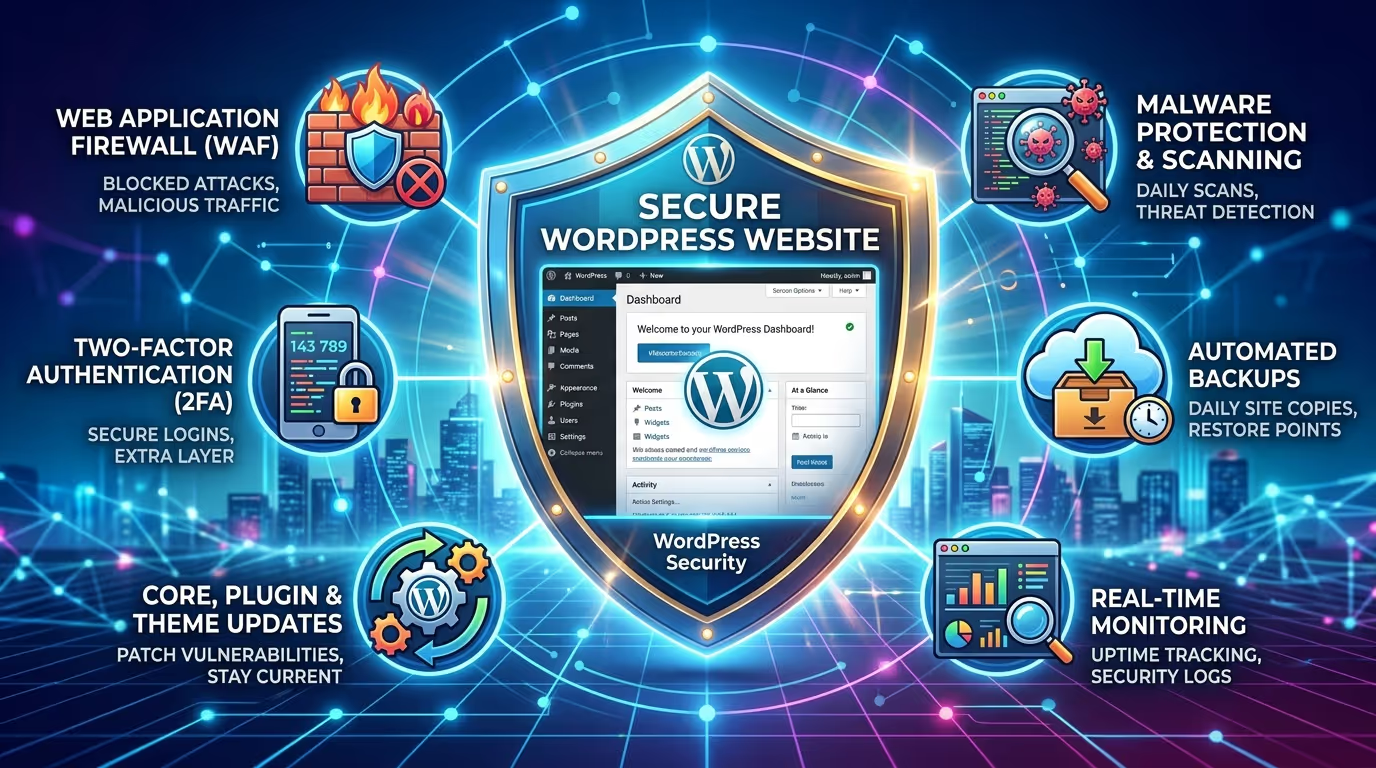
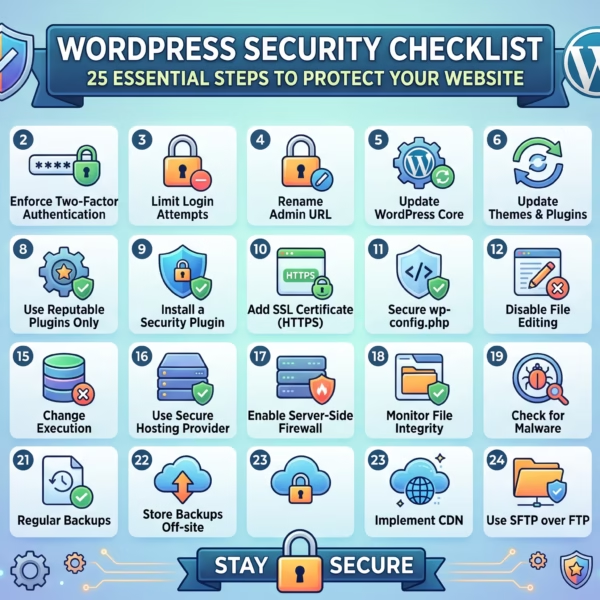
Security plugins are helpful, but they shouldn’t be your only line of defense. A secure WordPress website requires several layers of protection.
Keep WordPress, themes, and plugins updated, use strong and unique passwords, create regular backups, limit unnecessary administrator accounts, enable HTTPS, and use reliable WordPress hosting.
You should also remove unused plugins and themes, monitor suspicious activity, and regularly review your website for vulnerabilities.
Common WordPress Security Mistakes to Avoid
Even with one of the best WordPress security plugins installed, poor security practices can still leave your website vulnerable.
Common mistakes include:
- Using weak or reused passwords.
- Ignoring WordPress and plugin updates.
- Installing plugins from unreliable sources.
- Giving administrator access to unnecessary users.
- Failing to maintain website backups.
- Ignoring security alerts.
- Installing multiple security plugins with overlapping features.
- Never checking your website for malware.
- Leaving unused themes and plugins installed.
- Assuming a security plugin provides complete protection by itself.
Avoiding these mistakes creates a stronger security foundation for your WordPress website.
Your WordPress website needs more than a security plugin to stay protected. Regular updates, backups, security monitoring, and maintenance help prevent small vulnerabilities from becoming serious problems. Our Monthly Website Management Plans provide ongoing updates, security implementations, monitoring, backups, and performance support.
Get in touch with TecHippo today for a free consultation and let’s keep your WordPress website secure, updated, and ready for growth.
Conclusion
Choosing from the best WordPress security plugins is an important step toward protecting your website from common threats. However, the right plugin depends on what your website needs, whether that’s malware protection, firewall security, login protection, vulnerability monitoring, or ongoing website management.
For the best results, combine your security plugin with regular updates, reliable backups, strong account security, secure hosting, and continuous monitoring. A proactive approach can help keep your WordPress website secure, reliable, and ready to support your business.
 Reach us on WhatsApp