
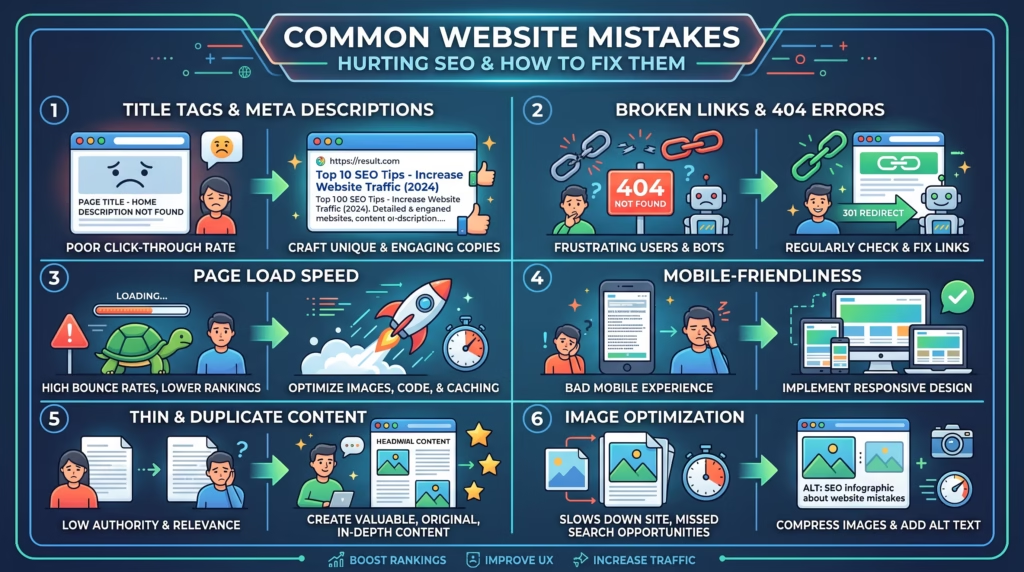
Even a well-designed website can struggle to rank if it’s affected by common SEO mistakes. Problems like slow loading speeds, broken links, missing meta tags, and poor mobile responsiveness can negatively impact both your search engine rankings and your visitors’ experience.
The good news is that most of these issues are easy to identify and fix. In this guide, we’ll explore the most common website mistakes hurting SEO, explain why they matter, and show you practical solutions to improve your website’s performance and visibility.
Why Small Website Mistakes Can Have a Big SEO Impact
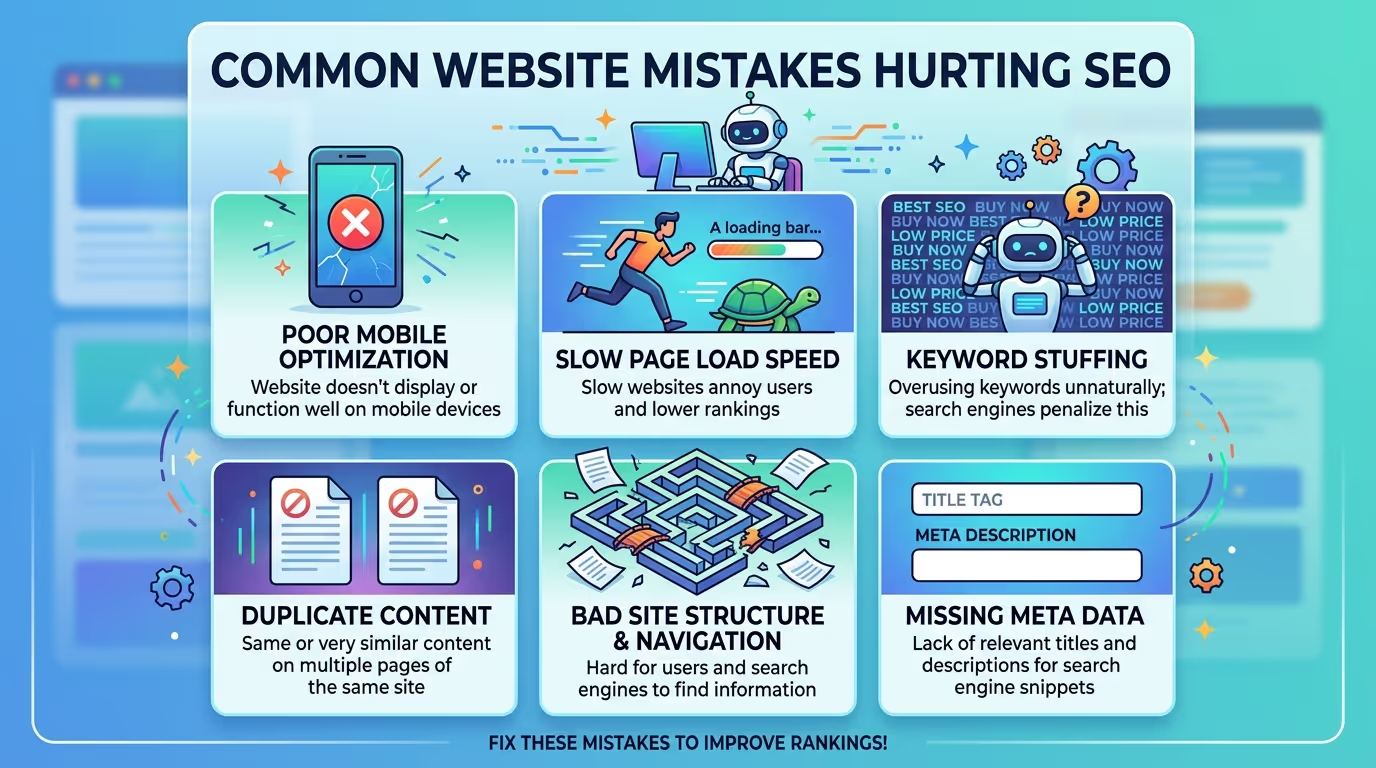
SEO isn’t only about publishing great content. Search engines also evaluate how well your website performs and how easy it is for users to navigate.
Small technical issues can make it difficult for search engines to crawl and index your pages while creating a poor experience for visitors. Over time, these problems can lead to lower rankings, reduced organic traffic, and fewer conversions.
Regular website audits and ongoing optimization help prevent these issues from affecting your long-term SEO success.
Common Website Mistakes Hurting SEO
Many websites lose valuable search traffic because of avoidable mistakes. Understanding these issues is the first step toward improving your website’s SEO performance.
Ignoring Meta Titles and Meta Descriptions
Meta titles and meta descriptions tell search engines what your pages are about and encourage users to click on your website in search results.
Missing, duplicated, or poorly written metadata can reduce your click-through rate and make it harder for search engines to understand your content.
Slow Website Speed
Website speed is a confirmed ranking factor and plays a major role in user experience.
Slow-loading pages often cause visitors to leave before the content has fully loaded, increasing bounce rates and reducing conversions. Improving page speed benefits both your users and your SEO.
Poor Mobile Responsiveness
With most web traffic coming from mobile devices, having a responsive website is essential.
A site that doesn’t display properly on smartphones or tablets can frustrate users and negatively impact your search rankings.
Broken Links and 404 Errors
Broken links create a poor browsing experience and make it harder for search engines to crawl your website effectively.
Regularly checking for broken pages and fixing 404 errors helps maintain a healthy website structure.
Missing Image Optimization
Large, unoptimized images slow down your website and can hurt both user experience and SEO.
Compressing images, using modern formats like WebP, and adding descriptive alt text improve performance while making your website more accessible.
Weak Internal Linking
Internal links help visitors discover related content and allow search engines to understand your website’s structure.
A strong internal linking strategy distributes authority across your pages and improves overall navigation.
Duplicate Content
Publishing duplicate or very similar content can confuse search engines about which page should rank.
Creating unique, valuable content helps improve visibility and strengthens your website’s authority.
Poor URL Structure
URLs should be short, descriptive, and easy to understand.
Clean URLs that include relevant keywords improve both usability and SEO while making your pages easier to share.
Not Using HTTPS
Website security is an important trust signal for both users and search engines.
Installing an SSL certificate protects user data and helps your website meet modern SEO best practices.
Outdated Content
Content naturally becomes outdated over time.
Regularly updating your pages with fresh information, current statistics, and relevant keywords helps maintain rankings and keeps your website valuable to visitors.
How to Identify SEO Issues on Your Website
The best way to improve your SEO is by identifying problems before they affect your rankings.
Some effective ways to monitor your website include:
- Using Google Search Console to identify indexing and coverage issues.
- Running website audits with SEO tools.
- Testing page speed regularly.
- Checking for broken links and crawl errors.
- Reviewing mobile usability.
- Monitoring on-page SEO elements such as titles, headings, and meta descriptions.
Regular SEO audits make it easier to spot problems early and keep your website performing at its best.
Not sure what’s holding your website back? Our SEO & Growth Optimization, Website Speed Optimization, and WordPress Bug Fixing & Support services help identify technical SEO issues, improve website performance, and boost your search rankings.
Get in touch with TecHippo today for a free consultation and let’s find the mistakes that are holding your store back.
How to Fix These SEO Mistakes
Fixing SEO issues doesn’t always require a complete website redesign. In many cases, making consistent improvements to your website’s performance, content, and technical setup can significantly boost your rankings and user experience.
Here are some of the most effective ways to fix common SEO mistakes.
Improve Website Speed
A fast-loading website keeps visitors engaged and helps search engines crawl your pages more efficiently.
To improve website speed:
- Optimize your hosting environment.
- Minimize CSS and JavaScript files.
- Enable browser caching.
- Use a Content Delivery Network (CDN).
- Remove unnecessary plugins and scripts.
Improving speed not only benefits SEO but also increases user satisfaction and conversion rates.
Optimize On-Page SEO
Every page on your website should be properly optimized for both users and search engines.
Focus on:
- Writing unique meta titles and descriptions.
- Using clear heading structures (H1, H2, H3).
- Including relevant keywords naturally.
- Optimizing URLs.
- Adding descriptive image alt text.
Strong on-page SEO helps search engines better understand your content.
Create a Better Internal Linking Strategy
Internal links help visitors discover more content while allowing search engines to understand your website structure.
Best practices include:
- Link to relevant blog posts and service pages.
- Use descriptive anchor text.
- Avoid excessive linking on a single page.
- Regularly update older articles with new internal links.
A well-planned internal linking strategy improves navigation and distributes SEO value across your website.
Compress and Optimize Images
Large image files can significantly slow down your website.
Improve image performance by:
- Compressing images before uploading.
- Using modern formats such as WebP.
- Adding descriptive file names.
- Including keyword-rich alt text where appropriate.
- Serving images at the correct dimensions.
Optimized images contribute to faster loading times and better accessibility.
Fix Broken Links
Broken links create a poor user experience and waste crawl budget.
Regularly audit your website to:
- Remove or replace broken links.
- Fix 404 errors.
- Update outdated URLs.
- Redirect deleted pages when necessary.
Maintaining healthy links helps both visitors and search engines navigate your website effectively.
Improve Mobile Performance
Since Google primarily uses mobile-first indexing, your website must perform well on smartphones and tablets.
Ensure your website:
- Uses a responsive design.
- Has readable text without zooming.
- Loads quickly on mobile networks.
- Features buttons and menus that are easy to tap.
A mobile-friendly website provides a better experience for users and supports higher search rankings.
Keep Content Fresh and Updated
Search engines favor content that remains relevant and accurate.
Regularly update your website by:
- Refreshing outdated statistics.
- Improving existing content.
- Adding new information.
- Updating screenshots and examples.
- Reviewing keywords and internal links.
Keeping content current helps maintain visibility and authority.
Monitor Website Performance Regularly
SEO is an ongoing process, not a one-time task.
Monitor your website by:
- Tracking keyword rankings.
- Reviewing website traffic.
- Monitoring crawl errors.
- Checking Core Web Vitals.
- Running regular SEO audits.
Consistent monitoring allows you to identify and fix issues before they affect your rankings.
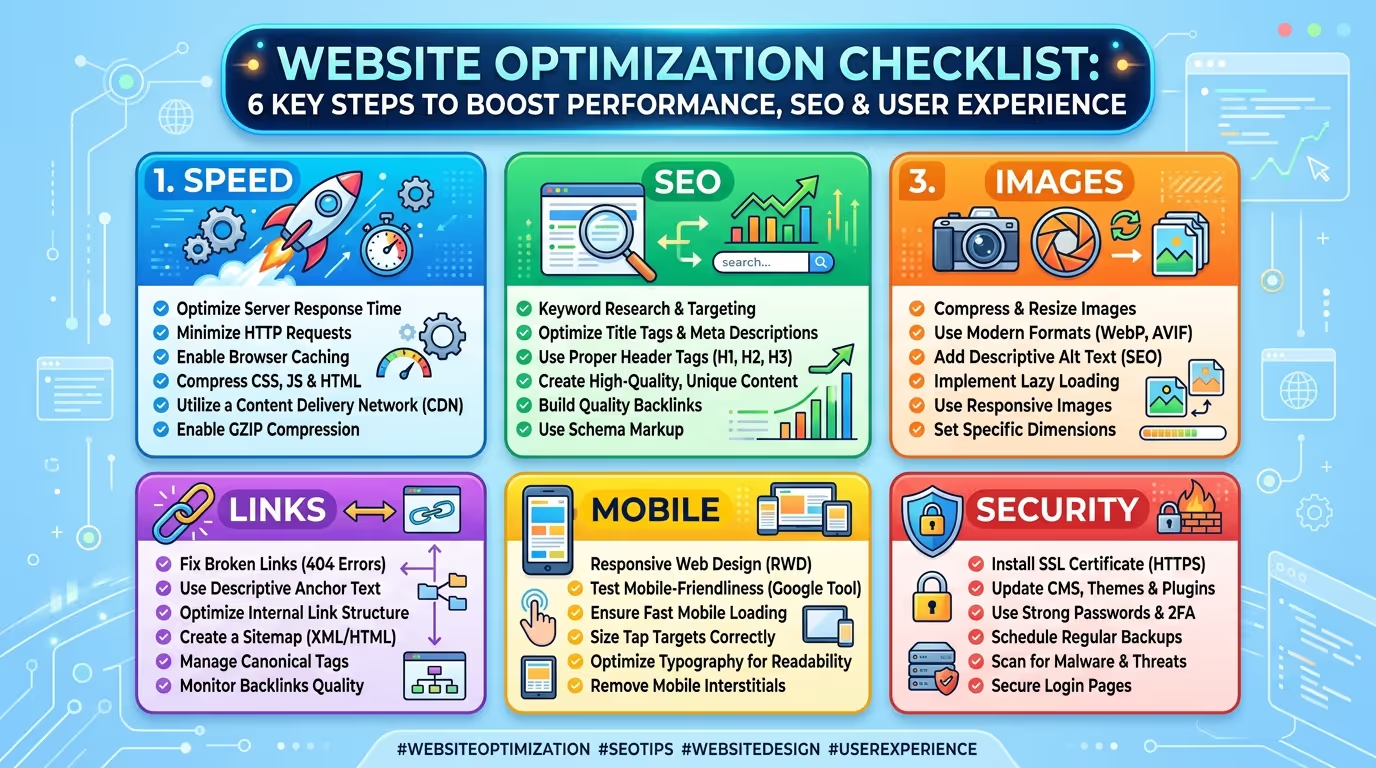
[IMAGE SUGGESTION: Website optimization checklist showing speed improvements, mobile optimization, image compression, internal linking, and SEO monitoring.]
Essential SEO Tools Every Website Owner Should Use
Using the right SEO tools makes it much easier to identify issues, track performance, and improve your website over time.
Some essential tools include:
- Google Search Console for indexing and performance insights.
- Google Analytics 4 for understanding visitor behavior.
- Google PageSpeed Insights for speed and Core Web Vitals analysis.
- Screaming Frog SEO Spider for technical SEO audits.
- Ahrefs or Semrush for keyword research, backlink analysis, and competitor insights.
These tools provide valuable data that helps you make informed SEO decisions.
Fixing SEO mistakes is only the beginning. Our SEO & Growth Optimization, Website Speed Optimization, and Monthly Website Management Plans help businesses continuously improve their website performance, increase organic traffic, and stay ahead of the competition.
Get in touch with TecHippo today for a free consultation and let’s find the mistakes that are holding your store back.
Why Ongoing SEO Maintenance Matters
SEO isn’t something you can set up once and forget. Search engine algorithms change, competitors update their websites, and user expectations continue to evolve.
Regular SEO maintenance helps you:
- Maintain strong search rankings.
- Identify technical issues early.
- Improve website security and performance.
- Keep content relevant and accurate.
- Adapt to Google’s latest best practices.
Consistent optimization ensures your website continues to perform well over the long term.
When to Hire an SEO Professional
While many basic SEO improvements can be handled in-house, some situations require professional expertise.
Consider hiring an SEO professional if:
- Your website traffic has stopped growing.
- You’re struggling to rank for important keywords.
- Technical SEO issues are becoming difficult to manage.
- You’re launching a new website or redesign.
- You want a long-term SEO strategy focused on business growth.
Professional SEO services can save time, avoid costly mistakes, and deliver sustainable results.
Don’t let common SEO mistakes hold your website back. Whether you need SEO & Growth Optimization, Website Speed Optimization, or ongoing Monthly Website Management Plans, TecHippo has the expertise to help your website rank higher, perform better, and grow your business online.
Get in touch with TecHippo today for a free consultation and let’s find the mistakes that are holding your store back.
Conclusion
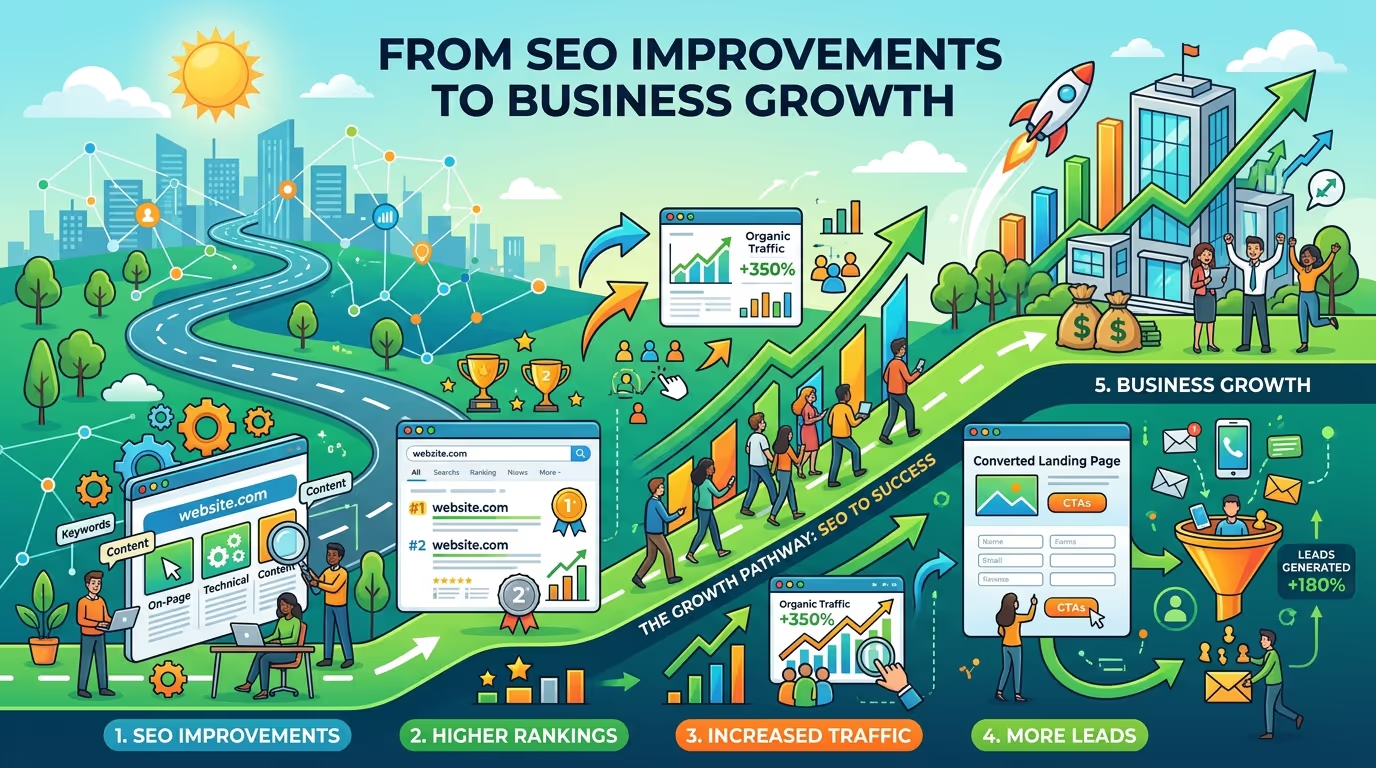
Even small website mistakes can have a significant impact on your SEO performance, user experience, and overall business growth. By identifying common issues, applying proven optimization techniques, and monitoring your website regularly, you can build a stronger online presence and achieve better search rankings.
SEO is an ongoing investment, not a one-time task. With the right strategy and continuous improvements, your website can attract more organic traffic, generate qualified leads, and support long-term business success.



 Reach us on WhatsApp