
Popups are one of the most effective ways to capture leads and grow email subscribers on a website. Many businesses use WordPress plugins for pop ups to promote special offers, collect visitor emails, and improve conversion rates.
Instead of waiting for users to navigate through multiple pages, popups can present the right message at the right time. For example, an exit-intent popup can appear when a visitor is about to leave the site, encouraging them to subscribe to a newsletter or claim a discount.
However, poorly configured popups can harm user experience and slow down websites. Too many intrusive popups may frustrate visitors and increase bounce rates. This is why it is important to use optimized popup tools and configure them properly.
In this guide, we review the best WordPress popup plugins, compare their features, and explain how to choose the right solution for your website.
Why WordPress Plugins for Pop Ups Are Important
Popup plugins help websites communicate with visitors instantly. Instead of relying only on contact forms or static banners, popups can appear dynamically based on user behavior.
For example, a popup can be triggered when a visitor scrolls through a page, spends a certain amount of time on the website, or attempts to exit the page. This allows businesses to present relevant offers at the exact moment when visitors are most likely to respond.
When implemented correctly, WordPress plugins for pop ups can significantly improve lead generation, email list growth, and marketing performance.
Many online stores use popup campaigns to promote discounts or special offers. Bloggers often use popups to grow their email subscribers, while service-based businesses use them to generate leads and inquiries.
Key Benefits
Increase email subscribers
Popups allow websites to capture visitor emails quickly through newsletter signup forms.
Promote discounts and offers
Businesses can display limited time offers or coupon codes to encourage purchases.
Improve conversion rates
Targeted popup campaigns can guide visitors toward completing specific actions.
Collect visitor feedback
Survey popups help businesses understand customer preferences and improve services.
Boost marketing campaigns
Popups can promote new products, webinars, blog posts, or downloadable resources.
When used strategically, popup tools become powerful marketing assets that support long-term business growth.
Things to Look for in WordPress Plugins for Pop Ups
Not all popup plugins provide the same level of functionality. Some tools focus on basic email collection, while others provide advanced targeting, automation, and analytics features.
Choosing the right WordPress plugins for pop ups depends on your marketing strategy, website traffic, and performance requirements.
Before installing a popup plugin, it is important to evaluate the features that will help you achieve your goals without negatively affecting website speed or user experience.
Important Features
Exit intent popup triggers
Exit-intent technology detects when a visitor is about to leave the website and displays a popup at that moment. This feature is widely used to recover lost leads or abandoned carts.
Scroll based popup display
Scroll triggers display a popup when visitors scroll to a specific section of a page. This ensures the popup appears after users have already engaged with the content.
Advanced targeting rules
Some plugins allow websites to display popups based on location, device type, referral source, or pages visited.
Email marketing integrations
A good popup plugin should connect with email marketing tools so collected emails are automatically added to mailing lists.
Mobile responsive popup design
Popups should display properly on all devices, including smartphones and tablets.
These features allow businesses to create personalized campaigns that increase conversions without interrupting the browsing experience.
Performance Considerations
Another important factor when selecting popup plugins is website performance.
Some popup plugins store analytics data directly inside WordPress. While this provides detailed reporting, it can also increase server load and slow down page loading times.
Slow websites can negatively impact user experience and search engine rankings. For this reason, many website owners prefer popup tools that process analytics externally or load scripts asynchronously.
Choosing optimized popup plugins helps maintain better website performance while still delivering powerful marketing features.
If your website already struggles with slow loading pages, you may want to read:
• WordPress Website Slow to Load Causes Fixes and Proven Speed Optimization Steps
Optimizing your website speed ensures popup plugins and other marketing tools run smoothly without affecting user experience.
How We Tested the Best WordPress Plugins for Pop Ups
To identify the best WordPress plugins for pop ups, we reviewed several popular tools used by bloggers, marketers, and online businesses. Popup plugins vary widely in features, performance, and usability, so we compared them using practical criteria that reflect real-world website needs.
Our goal was to highlight popup tools that provide strong lead generation features while maintaining good website performance and user experience.
Some plugins focus mainly on email list growth, while others specialize in social proof notifications, customer surveys, or marketing automation. By evaluating these tools across multiple factors, we were able to identify the most reliable popup plugins for different types of websites.
Evaluation Criteria
Ease of installation and setup
A good popup plugin should be easy to install and configure within the WordPress dashboard without requiring technical knowledge.
Customization options for popups
We evaluated how easily users can customize popup designs, including templates, colors, fonts, and display rules.
Email marketing integrations
Many websites use popup plugins to collect email subscribers. Therefore, integration with email marketing platforms was an important factor.
Impact on website speed
Popup tools that load heavy scripts can slow down a website. We prioritized plugins that maintain good performance.
User reviews and reliability
Plugins with positive user feedback, active development, and strong reputations were given higher consideration.
These factors helped determine which plugins offer the best balance between usability, performance, and marketing capabilities.
Businesses that want fully optimized marketing websites can benefit from Techippo Custom WordPress Website Development, where popup tools, lead generation systems, and marketing integrations are configured professionally for better performance and conversions.
Quick Comparison of the Best WordPress Plugins for Pop Ups
Before exploring the detailed reviews, the following table provides a quick comparison of the most popular WordPress plugins for pop ups based on pricing, features, and use cases.
| Plugin | Best For | Pricing | Free Version | Key Feature |
|---|---|---|---|---|
| OptinMonster | Targeted popup campaigns | $9/month | Yes | Advanced targeting |
| TrustPulse | Social proof notifications | $5/month | Yes | Real time activity popups |
| Thrive Leads | Lead capture | $99/year | No | A/B testing |
| Bloom | Bloggers and beginners | $89/year | No | Simple popup builder |
| PopupAlly | Small budgets | Free | Yes | Basic popup forms |
| UserFeedback | Customer surveys | $49.50/year | Yes | Feedback popups |
Each plugin offers unique advantages depending on whether you want to increase email subscribers, display promotional offers, or collect visitor feedback.
6 Best WordPress Plugins for Pop Ups
There are dozens of popup plugins available in WordPress, but only a few provide reliable performance and powerful marketing features.
Below are some of the best WordPress plugins for pop ups that can help increase leads, improve conversions, and engage website visitors.
1. OptinMonster – Best Overall Popup Plugin
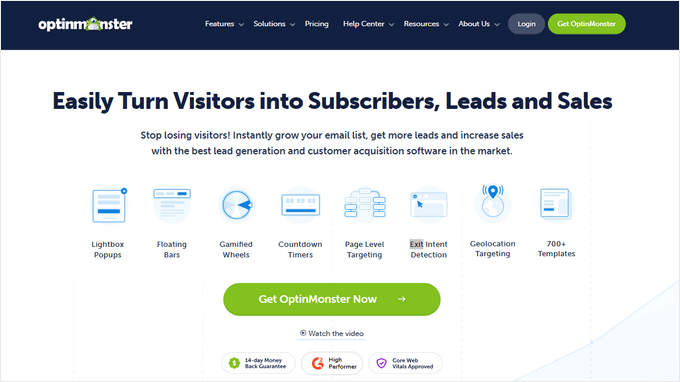
OptinMonster is widely considered one of the most advanced popup builders for WordPress websites. It allows businesses to create highly targeted popup campaigns designed to increase email subscriptions and conversions.
The platform offers a drag-and-drop builder and a wide range of pre-designed templates, making it easy for beginners to create professional-looking popups without coding.
OptinMonster also provides powerful targeting rules that allow popups to appear based on visitor behavior, location, or browsing activity.
Key Features
- Drag and drop popup builder
- Exit intent technology
- Geo targeting and page targeting
- Multiple popup campaign types
- Email marketing integrations
One of the biggest advantages of OptinMonster is its advanced targeting system, which allows businesses to display the right message to the right visitor at the right time.
Best for: Lead generation and marketing campaigns
2. TrustPulse – Best Social Proof Popup Plugin

TrustPulse is a unique popup plugin that focuses on social proof notifications rather than traditional email signup popups.
Instead of asking visitors to subscribe or fill out forms, TrustPulse displays small notifications that show real-time activity on your website. These notifications might show when someone purchases a product, signs up for a service, or downloads a resource.
This strategy creates a sense of urgency and encourages visitors to take action because they see that other users are interacting with the website.
Key Features
- Real time notifications
- FOMO based marketing triggers
- Smart targeting rules
- Easy customization
TrustPulse is especially effective for eCommerce websites, where showing recent purchases can increase trust and encourage more customers to complete their transactions.
Best for: eCommerce websites and social proof marketing campaigns
3. Thrive Leads – Best for Marketing Campaigns
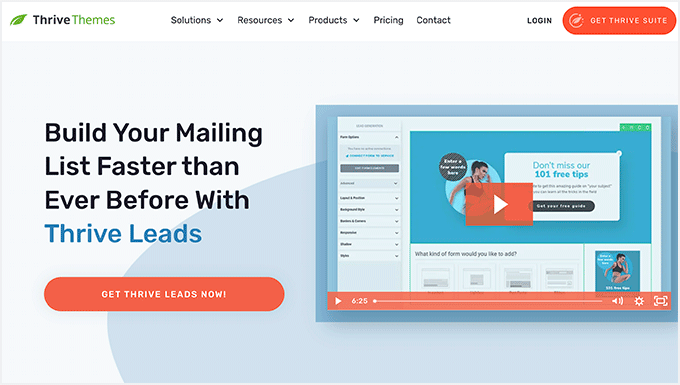
Thrive Leads is a powerful popup plugin designed for marketers who want advanced lead generation tools and conversion optimization features. It focuses on helping websites capture more leads through targeted campaigns and testing options.
The plugin offers multiple types of opt-in forms and allows marketers to display popups based on visitor behavior, page categories, or specific content. This makes it a strong option for websites that rely heavily on email marketing and audience segmentation.
Thrive Leads also includes built-in analytics and A/B testing features, allowing website owners to test different popup designs and messages to determine which ones generate the highest conversion rates.
Key Features
- Multiple popup formats such as lightbox popups, slide-ins, and content overlays
- Advanced targeting rules based on posts, pages, or categories
- Built-in A/B testing to optimize popup performance
- Email service integrations with popular marketing platforms
Because of its marketing-focused features, Thrive Leads is commonly used by digital marketers, bloggers, and businesses that want to grow their email lists efficiently.
Best for: Email list growth
4. Bloom – Best for Bloggers

Bloom is a user-friendly popup plugin developed by Elegant Themes. It is designed mainly for bloggers and content creators who want a simple way to collect email subscribers.
The plugin offers pre-designed popup templates that can be easily customized to match the design of a website. Users can quickly create email opt-in forms without needing technical knowledge or advanced marketing tools.
Bloom also includes several trigger options, allowing popups to appear after a specific time delay, after scrolling through content, or when visitors reach the end of a blog post.
Although it does not offer as many advanced targeting options as some other popup plugins, Bloom provides a reliable solution for basic email subscription campaigns.
Key Features
- Pre-designed popup templates
- Email marketing integrations
- Basic popup triggers like time delay and scroll
- Simple customization options
Bloom is particularly popular among bloggers who want a lightweight and easy-to-use popup tool.
Best for: Blogging websites
5. PopupAlly – Best Free Popup Plugin
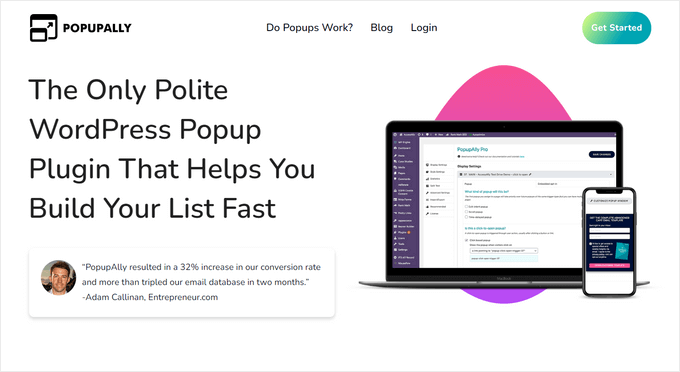
PopupAlly is a free WordPress popup plugin designed for websites with smaller budgets. It provides essential popup features that help businesses capture leads and collect email subscribers without requiring a paid subscription.
The plugin includes several popup styles and allows users to create basic lead capture forms directly within the WordPress dashboard. It also supports email marketing integrations so collected leads can be stored in mailing lists automatically.
While the free version offers useful features for small websites, PopupAlly also provides a premium upgrade with additional customization options and advanced targeting rules.
Key Features
- Free popup builder for WordPress websites
- Basic A/B testing tools
- Multiple popup styles and templates
- Email marketing integrations
PopupAlly is a practical choice for bloggers, startups, and small businesses that want to experiment with popup marketing without investing in expensive tools.
Best for: Small blogs and new websites
6. UserFeedback – Best for Survey Popups
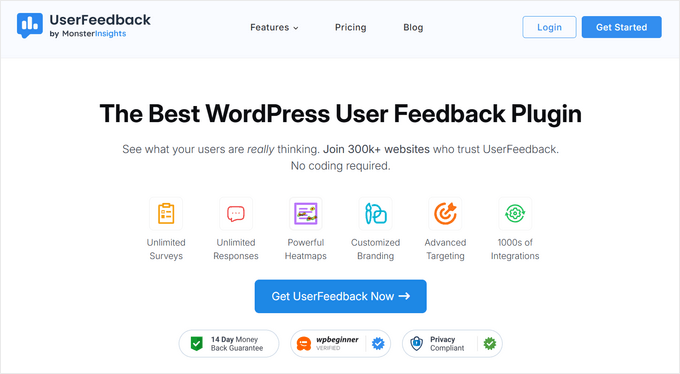
UserFeedback is a popup plugin designed to collect insights directly from website visitors. Instead of focusing mainly on email subscriptions, it allows businesses to gather feedback through survey-style popups.
Website owners can ask visitors questions about their experience, preferences, or satisfaction levels. These insights help businesses improve their services, optimize website design, and better understand their audience.
UserFeedback also allows websites to capture emails, collect ratings, and analyze responses through built-in reporting tools.
Key Features
- Survey popup templates for feedback collection
- Customer feedback forms and rating systems
- Email capture forms for lead generation
- Analytics and reporting tools
This plugin is particularly useful for businesses that want to improve their website experience using real user insights.
Best for: Audience insights and surveys
Performance Comparison of Popup Plugins
Website performance is an important factor when selecting WordPress plugins for pop ups. Some popup tools load large scripts or process analytics directly within WordPress, which can increase server load and affect page speed.
To understand the impact of different popup plugins, performance tests can measure page load time, number of server requests, and overall page size.
Below is a comparison of several popular popup plugins based on performance testing.
| Plugin | Page Load Time | Requests | Page Size |
|---|---|---|---|
| OptinMonster | 1.03s | 17 | 225KB |
| TrustPulse | 894ms | 14 | 130KB |
| Thrive Leads | 1.23s | 17 | 170KB |
| Bloom | 1.23s | 22 | 188KB |
| PopupAlly | 1.50s | 13 | 156KB |
| UserFeedback | 1.14s | 25 | 583KB |
Plugins that rely heavily on WordPress hosting resources can increase page load time, especially on websites with limited server capacity.
For this reason, website owners should carefully evaluate popup tools and monitor their impact on performance.
If popup plugins slow down your website, professional Techippo Website Speed Optimization services can help improve performance, reduce page load times, and ensure marketing tools run smoothly without affecting user experience.
How to Choose the Right WordPress Popup Plugin
Choosing the right WordPress popup plugin depends on your website type, audience behavior, and marketing goals. While some websites need simple email subscription popups, others require advanced targeting and automation features.
Before installing a plugin, it is important to consider how popups will support your marketing strategy without negatively affecting user experience or website performance.
Below are some practical tips to help you choose the right popup plugin.
Selection Tips
Online stores should use targeted popup tools
eCommerce websites benefit from popup plugins that support exit-intent triggers, cart abandonment popups, and targeted product promotions. These features can help recover lost sales and encourage visitors to complete purchases.
Bloggers should choose simple popup builders
Content-focused websites usually need lightweight popup plugins that allow easy email subscription forms and simple promotional messages.
Marketing teams should use advanced automation tools
Businesses that rely heavily on marketing campaigns should choose popup plugins with advanced targeting rules, A/B testing, and integration with CRM or email marketing platforms.
Businesses should choose performance optimized plugins
Popup tools that load heavy scripts can slow down websites. Choosing optimized plugins helps maintain fast page speed and better SEO performance.
If you are building a website from scratch, you may also want to read:
• Top 7 Best WordPress Website Builder Plugin
This guide explains the best tools available for designing and building WordPress websites without coding.
Common Mistakes When Using Popups
While WordPress plugins for pop ups can improve conversions, poor implementation can negatively affect user experience and website performance.
Avoiding common mistakes helps ensure popups support your marketing goals without frustrating visitors.
Installing too many popup plugins
Using multiple popup tools at the same time can slow down your website and create conflicting scripts.
Using intrusive popups that block content
Popups that immediately block the entire page may annoy visitors and increase bounce rates.
Showing popups too early
Displaying popups immediately after a page loads can disrupt the browsing experience. It is better to trigger popups after users engage with the content.
Ignoring mobile user experience
Many visitors browse websites from mobile devices. Popups must be mobile-friendly and should not block important content.
Using well-designed popup campaigns with proper timing can significantly improve user engagement while maintaining a positive browsing experience.
Frequently Asked Questions
Do popup plugins work on WordPress websites?
Yes, popup plugins are widely used on WordPress websites to capture leads, promote offers, and grow email subscriber lists. They allow businesses to display targeted messages based on visitor behavior, which helps increase engagement and conversions.
Do popup plugins slow down websites?
Some popup plugins can affect website performance, especially if they load heavy scripts or process analytics directly within WordPress. However, optimized plugins that load scripts asynchronously usually have minimal impact on page speed.
To maintain good performance, website owners should monitor page speed and avoid installing multiple popup tools at the same time.
What is the best free popup plugin?
Several popup plugins offer free versions with useful features. PopupAlly and UserFeedback are popular free options that allow website owners to create basic popup campaigns without paying for premium tools.
Free versions typically provide essential features such as email capture forms, simple triggers, and basic analytics.
Final Verdict: Best WordPress Plugins for Pop Ups
Choosing the best WordPress plugins for pop ups depends on your website goals, marketing strategy, and budget.
Some plugins focus on advanced targeting and automation, while others provide simple tools for email subscription forms.
Here are the top recommendations based on different use cases:
Best Overall – OptinMonster
Offers advanced targeting features, powerful campaign tools, and high conversion potential.
Best Social Proof Plugin – TrustPulse
Displays real-time activity notifications that help build trust and increase conversions.
Best Marketing Tool – Thrive Leads
Includes advanced targeting, A/B testing, and lead generation features.
Best for Bloggers – Bloom
Provides simple popup templates and easy email marketing integrations.
Best Free Plugin – PopupAlly
A good option for small websites that want a free popup solution.
Best for Surveys – UserFeedback
Helps collect visitor insights through survey-style popup forms.
For businesses that want fully optimized websites with advanced lead generation tools, professional services like Techippo Custom WordPress Development and Website Optimization can help implement popup systems effectively while maintaining website performance.
You May Also Want to Read
If you are working on improving your WordPress website, the following guides may also help:
- RankMath vs Yoast Which Plugin Is Best to Add Keywords to WordPress Website
- Top 7 Best WordPress Website Builder Plugin
- How to Publish a WordPress Website
- Multi Language WordPress Website Best Translation Plugins for Global Reach
- WordPress Website Slow to Load Causes Fixes and Proven Speed Optimization Steps
These guides can help improve website performance, SEO optimization, and overall WordPress management.



 Reach us on WhatsApp