Web development is an ever-evolving field, and staying updated with the latest trends is crucial, especially as we head into 2026. Whether you’re a beginner eager to learn web development or someone looking to brush up on the latest techniques, these ten learnings will help kickstart your journey and boost your website’s performance.
Why Web Development is Essential in 2026
In 2026, web development continues to be a cornerstone of the digital world. As businesses increasingly rely on online presence, understanding web development is no longer optional—it’s essential. With the rise of mobile-first design, progressive web apps, and an ever-growing need for faster and more secure websites, web development skills are in high demand. For beginners, mastering web development opens doors to numerous opportunities, both in freelance work and within companies looking to expand their digital footprint.

Learning #1: Understanding the Basics of HTML, CSS, and JavaScript
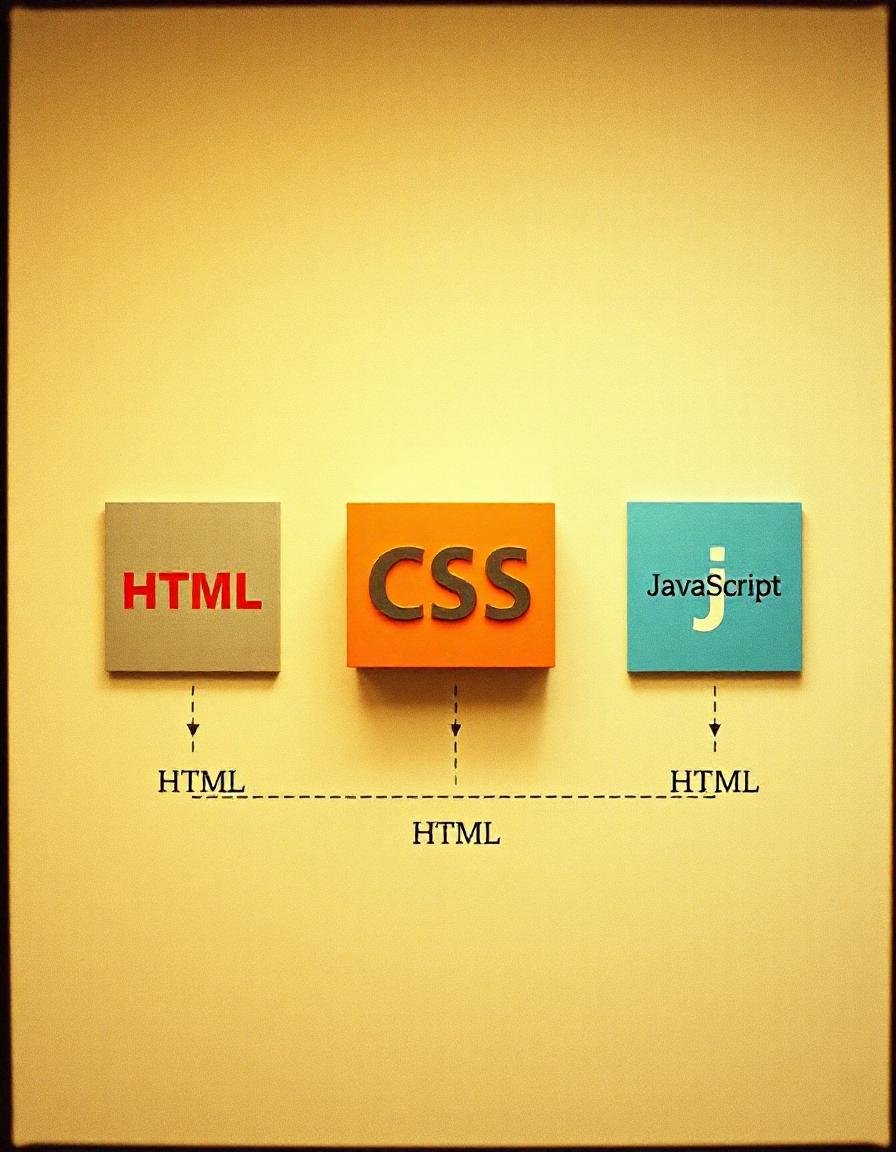
To truly kickstart your web development journey, you must start with the basics: HTML, CSS, and JavaScript. These three languages are the foundation of web development.
– **HTML** (Hyper Text Markup Language) forms the structure of your web pages. It’s crucial to learn the essential HTML elements, like headings, paragraphs, and links, as they are the building blocks of any website.
– **CSS** (Cascading Style Sheets) is what makes your website visually appealing. It allows you to style your HTML elements and create a responsive design that looks great on all devices.
– **JavaScript** adds interactivity to your site. Whether it’s a simple form validation or a dynamic content update, JavaScript is the language that brings your website to life.
Understanding these basics is the first step in mastering web development..
Learning #2: Responsive Web Design
Responsive web design is no longer just a trend—it’s a necessity. With mobile users making up a significant portion of web traffic, learning how to create responsive designs should be a top priority in your web development learning journey.
Mobile-first design is a principle you should adopt early on. Tools like Bootstrap and Tailwind CSS can simplify the process of creating responsive layouts. Additionally, mastering media queries and Flexbox will give you the control needed to ensure your website looks great on any device.
Some links are affiliate links. We may earn a commission at no extra cost to you. Plans and prices are manually maintained; verify current terms with the provider.
| Platform | Name | Paid / Free | Details |
|---|---|---|---|
 | SkillShare | Paid (Get 1 Month Free Offer) | Get Offer |
 | FreeCodeCamp | Free | Learn More |
 | Coursera | Free | Learn More |
 | Udemy | Free + Paid | Learn More |
 | CodeAcademy | Free + Paid | Learn More |
 | W3 School | Free | Learn More |
 | HTML Dog | Free | Learn More |
 | Traverse Media | Free | Learn More |
 | Digi Nation | Free + Paid | Learn More |
 | YouTube | Free | Learn More |
 | Treehouse | Paid | Learn More |
 | Free + Paid | Learn More |
To learn web development, you can use a few resources to understand and learn the core concepts. You can also hire any local tutor for the learning.
Learning #3: Mastering Version Control with Git
Version control is a crucial skill for any web developer. Git is the most widely used version control system, and learning it will greatly improve your workflow. Git allows you to track changes, collaborate with others, and manage your project history.
Start by familiarizing yourself with basic Git commands like `commit`, `push`, `pull`, and `branch`. Understanding how to use GitHub for collaboration is also vital, as it is the platform where most developers share and manage their code.
Learning #4: Introduction to Front-End Frameworks
As you progress in web development, you’ll find that front-end frameworks like React, Angular, and Vue.js can significantly enhance your productivity. These frameworks offer pre-built components and a structured approach to building complex user interfaces.
Choosing the right framework depends on your project’s needs. React is known for its flexibility, Angular for its comprehensive tooling, and Vue.js for its simplicity. Understanding the basics of at least one of these frameworks will set you apart as a modern web developer.
Learning #5: Getting Started with Back-End Development
While front-end development focuses on what users see, back-end development is all about what happens behind the scenes. Learning server-side programming languages like Node.js, PHP, or Python is essential for creating dynamic web applications.
Databases are another critical aspect of back-end development. Understanding the difference between SQL and NoSQL databases and knowing when to use each will help you build scalable and efficient web applications.
Learning #6: The Importance of Web Security
Security should be a top concern for any web developer. As cyber threats become more sophisticated, knowing how to protect your website is crucial. Common security threats include Cross-Site Scripting (XSS), Cross-Site Request Forgery (CSRF), and SQL Injection.
Implementing HTTPS and SSL certificates, along with adopting secure coding practices, will help safeguard your website and its users. As a web developer, being proactive about security can prevent significant issues down the road.
Top YouTube Videos
https://www.youtube.com/watch?v=layQxVppCok
https://www.youtube.com/watch?v=ezWNZJ3YZ0w
https://www.youtube.com/watch?v=lEdvx6pEt7Q
Learning #7: SEO Fundamentals for Web Developers
Search Engine Optimization (SEO) is critical for driving traffic to your website. As a web developer, understanding SEO fundamentals is essential. Focus on optimizing HTML tags, such as titles, meta descriptions, and H1 tags, to ensure that search engines can easily index your site.
Page speed optimization and mobile responsiveness are also key factors in SEO. Google prioritizes fast, mobile-friendly websites in search rankings, so ensuring your site meets these criteria is vital.
Learning #8: The Power of Content Management Systems (CMS)
Content Management Systems (CMS) like WordPress, Joomla, and Drupal make web development accessible to everyone, even those without coding experience. For beginners, learning to use a CMS can simplify the process of building and managing websites.
A CMS offers ease of use, customization, and scalability, making it a powerful tool in any web developer’s toolkit. Whether you’re creating a blog, an online store, or a corporate website, a CMS can help you bring your vision to life.
Learning #9: Building and Deploying Web Projects
Project planning is an essential skill in web development. Before you start coding, take the time to wireframe and prototype your project. This planning phase will save you time and ensure a smoother development process.
Once your project is ready, deployment is the next step. Choosing the right hosting provider and using Continuous Integration and Deployment (CI/CD) tools will help you launch your website efficiently and with minimal downtime.
Learning #10: Continuous Learning and Keeping Up with Trends
Web development is a field that’s constantly evolving. To stay ahead, you must commit to continuous learning. Resources like blogs, online courses, and forums are invaluable for keeping up with the latest trends and technologies.
Networking with other developers and joining communities can also provide support and inspiration as you grow in your web development journey.
Conclusion
These ten learnings are just the beginning of your web development journey. By mastering these skills, you’ll be well-equipped to tackle any project and keep up with the fast-paced world of web development. Remember, the key to success in web development is continuous learning and staying updated with the latest trends. Now, it’s time to put these learnings into practice and start building your next web project.
FAQs for New Web Development Learners
What is the best programming language to learn first?
HTML, CSS, and JavaScript are the foundational languages you should start with. They form the core of web development.
How long does it take to become proficient in web development?
The learning curve varies, but with consistent practice, you can become proficient within 6-12 months.
Can I learn web development without a degree?
Absolutely! Many successful developers are self-taught through online resources and courses.
What are the top skills needed for web development in 2026?
Key skills include responsive design, version control (Git), and an understanding of web security and SEO fundamentals.
How do I start my first web development project?
Begin with a simple project, like a personal blog or portfolio site. Plan your project, write the code, and deploy it using a reliable hosting provider.
What a web developer actually does
A web developer builds websites and web apps. A front end developer works on what visitors see. A back end developer works on the server and data. Many freelancers do a bit of both.
- Build pages with HTML, CSS and JavaScript.
- Make sites work well on phones.
- Connect forms, databases and payment tools.
- Fix bugs and speed problems.
Skills you need
| Skill | Why it matters |
|---|---|
| HTML and CSS | The base of every page |
| JavaScript | Interactive features |
| A back end language | PHP, Python or Node.js |
| Git | Track changes and work in teams |
| Performance and security | Fast, safe sites rank and sell better |
Step by step: how to start
- Learn HTML and CSS by building small pages.
- Learn JavaScript and build simple interactive features.
- Pick a back end language and learn the basics.
- Learn Git and publish your code on GitHub.
- Build three real projects: a portfolio, a business site and a small web app.
- Learn WordPress, because many clients use it. Read our guide to WordPress development.
- Offer small fixed price projects to local businesses.
Tools and platforms to use
- VS Code.
- Git and GitHub.
- Chrome DevTools.
- A local server or a staging site on your host.
- Figma for design handoff.
Where to find your first clients
Small businesses and agencies always need web help. Show live sites you built.
- Freelance sites such as Upwork and Fiverr.
- Local businesses with weak sites.
- Agencies that need extra hands.
- Your own portfolio site and GitHub.
Common mistakes to avoid
- Learning too many frameworks at once.
- Ignoring mobile layouts.
- No backups or version control.
- Skipping accessibility and speed.
- Not agreeing on scope and price.
A simple 30 day plan
| Week | What to do |
|---|---|
| Week 1 | Build two pages with HTML and CSS |
| Week 2 | Add JavaScript features |
| Week 3 | Learn Git and publish a project |
| Week 4 | Build your portfolio and pitch ten clients |
Not sure this is the right skill for you? Read our guide to non-technical freelancing skills, and use our free tools for freelancers to get set up. You can also learn how to freelance on Upwork or sell on Fiverr.
Frequently asked questions
What should I learn first in web development?
Start with HTML, then CSS, then JavaScript. Build small projects as you learn.
Do I need a degree to be a web developer?
No. A strong portfolio of live projects is what most clients check.
How long does it take to learn?
You can build simple sites in a few months. Strong skills take longer and need steady practice.
Should I learn WordPress?
Yes. Many clients use WordPress, and it is a fast way to deliver real sites.
How do I find my first web client?
Use freelance sites and local outreach, and show live work with clear results.