Affiliate disclosure: some links may earn TecHippo a commission at no extra cost to you. Check current prices and terms with the provider.
Last updated: 14 November 2026. Prices and plan details were checked on Hostinger’s own website on that day.
Quick answer: is Hostinger good for WordPress in 2026?
Yes, for most small sites, blogs, business sites and small stores. Hostinger is one of the cheapest managed WordPress hosts. Its WordPress plans start at $1.99 a month during the current Black Friday sale (48-month plan). They include a CDN, backups, a firewall, malware scanning and 24/7 support. It is not the best pick for very large stores or sites that need a lot of custom server control.
Want to try it? See the latest Hostinger WordPress deal. There is a 30-day money-back guarantee.
Hostinger WordPress plans and prices (November 2026)
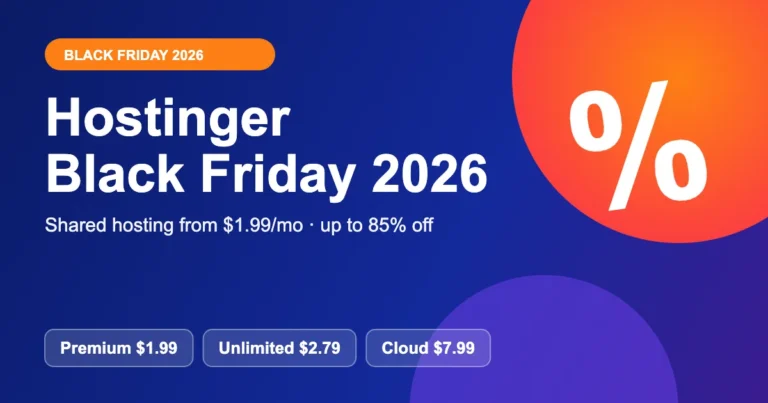
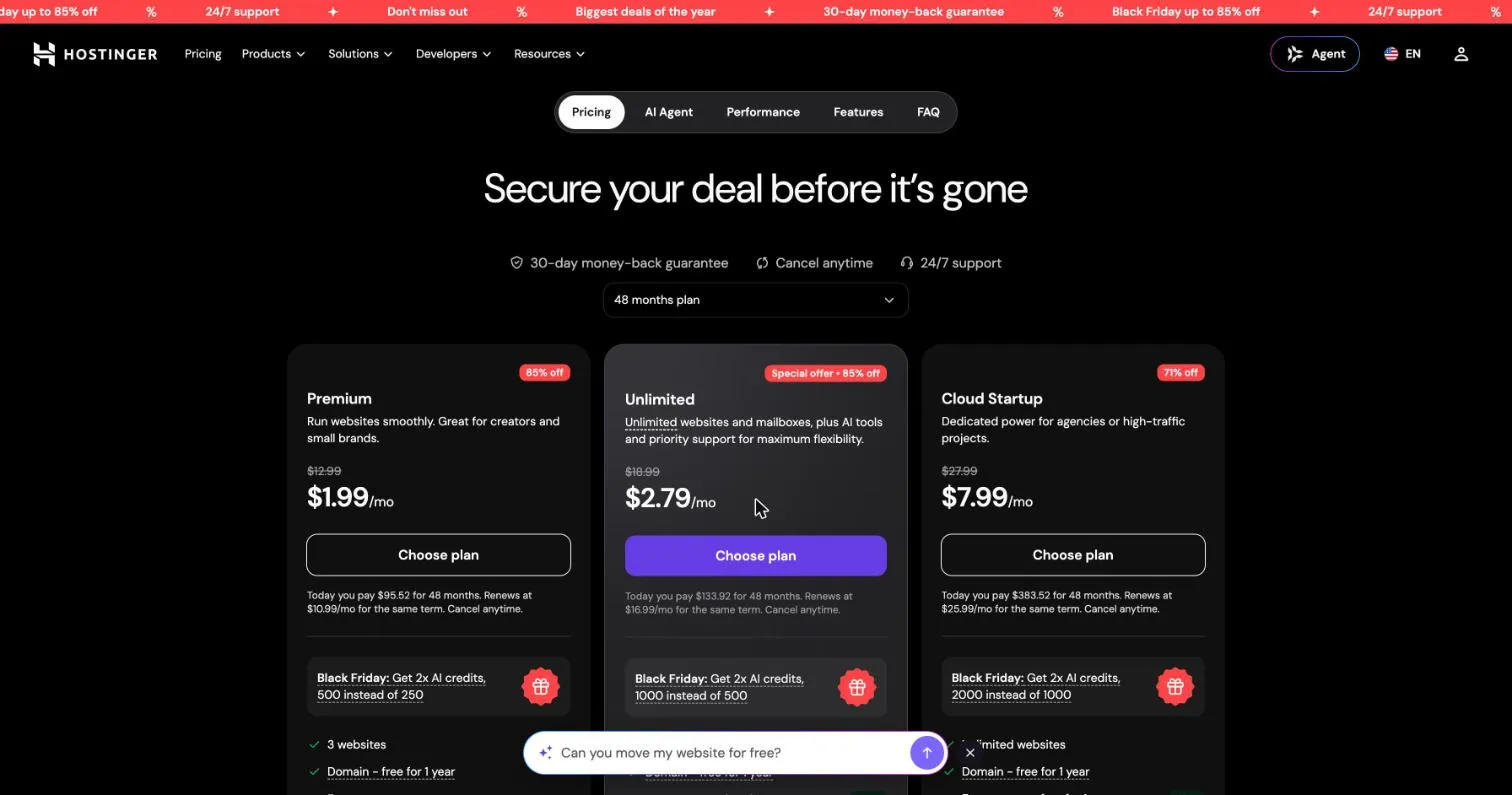
Hostinger sells its WordPress hosting as “managed hosting for WordPress”. We checked the three plans on 14 November 2026. The prices below are the Black Friday prices for a 48-month plan, paid upfront. The renewal price is higher, so read both columns.
| Plan | Price (sale → renewal) | What you get | Best for |
|---|---|---|---|
| Premium | $1.99/mo → $10.99/mo | 3 websites, 20 GB SSD, weekly backups | Beginners and small brands |
| Unlimited | $2.79/mo → $16.99/mo | Unlimited websites, 50 GB NVMe, daily backups | Business sites and bloggers with many projects |
| Cloud Startup | $7.99/mo → $25.99/mo | Unlimited websites, 100 GB NVMe, daily and on-demand backups | Agencies and busier sites |
Get Hostinger WordPress hosting
What you get with Hostinger WordPress hosting
Here are the features that matter for a real WordPress site. We took these from Hostinger’s plan page.
- LiteSpeed servers and caching. Hostinger says this gives a speed boost of up to 40% (their claim, not ours).
- CDN included. Your images and files load from a server closer to your visitor.
- Backups. Weekly on Premium. Daily on Unlimited and Cloud Startup, with easy restore.
- Security. A web application firewall, DDoS protection and automatic malware scanning and removal.
- One-click staging. You can test changes before they go live. This is great for plugin updates.
- Free domain for 1 year and free mailboxes for 1 year (terms apply).
- Free site migration. Hostinger says it moves WordPress sites for you.
- 30-day money-back guarantee and 24/7 support.
There are also AI tools on the plans, like an AI website builder and the Hostinger Agent, which lets you manage WordPress by chatting. We think they are nice extras. We would not choose a host only for them.
Hostinger pros and cons
What we like
- Very low starting price for managed WordPress
- Backups, firewall, malware scanning and a CDN come with the plan
- Simple dashboard (hPanel) that beginners can follow
- Staging, free migration and 24/7 support
- WordPress.org lists Hostinger as a recommended host
What to watch out for
- The best price needs a long upfront payment
- Renewal prices are much higher than sale prices
- Premium has only 3 websites and weekly backups
- Not made for very large or complex stores that need custom servers
Who should use Hostinger?
- Beginners who want a cheap, simple start
- Small business owners with a brochure site or blog
- Freelancers and agencies who host several small client sites (the Unlimited or Cloud Startup plan)
- Small WooCommerce stores that are just starting
Who should look elsewhere?
If you run a high-traffic store, need very strong support for complex setups, or want a fully managed premium host, look at the options in our best web hosting comparison. Our Kinsta review and Cloudways review cover the stronger (and pricier) choices.
How to start a WordPress site on Hostinger
Here is the simple path. It takes about 15 minutes.
- Open the Hostinger WordPress hosting page and pick a plan.
- Choose your plan length. Longer plans cost less per month.
- Add or choose your domain. A free domain is included for the first year on these plans.
- Create your Hostinger account and pay.
- In hPanel (Hostinger’s dashboard), choose WordPress and follow the setup steps.
- Install the free SSL certificate so your site uses HTTPS.
- Log in to WordPress, pick a theme and add your first page.
Is Hostinger fast enough for SEO?
Speed matters for Google and for your visitors. Hostinger gives you LiteSpeed caching and a CDN, which helps. But hosting is only one part. A heavy theme or too many plugins will still slow you down. Use our guide on how to speed up a WordPress website and learn about Core Web Vitals to get the best result. Do you need help? Our team offers WordPress speed optimization services.
Our test: Hostinger PageSpeed results
On 14 November 2026 we ran Google PageSpeed Insights on two sites we manage on a Hostinger shared plan. One is a fresh WordPress site with a default install. The other is a small Next.js web app behind Hostinger’s CDN. These are the real results:
| Site | Device | Performance score | First paint | Largest paint | Blocking time | Layout shift |
|---|---|---|---|---|---|---|
| Fresh WordPress site | Mobile | 100 | 0.8 s | 1.5 s | 0 ms | 0 |
| Fresh WordPress site | Desktop | not recorded | 0.3 s | 0.5 s | 0 ms | 0.006 |
| Small Next.js app | Mobile | 100 | 0.9 s | 0.9 s | 0 ms | 0.002 |
| Small Next.js app | Desktop | 100 | 0.2 s | 0.2 s | 10 ms | 0 |
Both sites scored 100 on mobile. Please read this fairly. These are light sites with little content, so they show that Hostinger serves a light site quickly. They do not prove how a heavy store with many plugins and large images will run. We tested each page once, and scores can shift a little between runs. We did not test a Hostinger VPS; see our VPS review for the plans.
Hostinger vs other hosts
| Host | Good for | Price level |
|---|---|---|
| Hostinger | Budget WordPress, beginners, small stores | Low |
| Cloudways | Cloud hosting with more control | Medium |
| Kinsta | Premium managed WordPress | High |
| Bluehost | Beginners who want a well-known brand | Low to medium |
Not sure which type you need? Read shared hosting vs WordPress hosting first.
How Hostinger handles speed: LiteSpeed, caching and CDN
Hostinger runs WordPress on LiteSpeed web servers. LiteSpeed has its own page cache. The free LiteSpeed Cache plugin talks to that cache, and new WordPress installs on Hostinger are set up to use it. This is why many Hostinger sites feel fast even before you tune anything.
Speed is not only the server, though. A heavy theme, large images and too many plugins can slow down any host. Here is what helps most on Hostinger:
- Server cache. Keep LiteSpeed Cache active. Do not add a second full-page cache plugin on top of it.
- Modern PHP. Open hPanel, go to the PHP settings and pick a current PHP 8 version. Test your site after you switch.
- Data center. Pick the data center closest to most of your visitors when you set up the plan. It affects the first byte of every page.
- CDN. Higher plans include a CDN. Turn it on if your readers are spread across several countries.
- Images. Use WebP images and lazy loading. Images are the biggest part of most pages.
Do not trust any speed claim without testing your own site. Run PageSpeed Insights and GTmetrix at different times of day. Use these Google targets as a guide:
| Metric | What it measures | Good score |
|---|---|---|
| LCP (Largest Contentful Paint) | How fast the main content shows | 2.5 seconds or less |
| INP (Interaction to Next Paint) | How fast the page reacts to taps and clicks | 200 ms or less |
| CLS (Cumulative Layout Shift) | How much the layout jumps | 0.1 or less |
| TTFB (Time to First Byte) | How fast the server starts to reply | 800 ms or less |
Security and backups on Hostinger
Every Hostinger plan includes a free SSL certificate, so your site loads on HTTPS. Higher plans add extra tools such as malware scanning and more frequent backups. The exact list changes from time to time, so read the plan page before you buy.
Do not rely on your host as your only backup. A backup that lives on the same server can be lost with the server. Follow the simple 3-2-1 rule: keep three copies, on two different types of storage, with one copy off site.
- Keep the host backups switched on.
- Add a plugin such as UpdraftPlus and send a copy to Google Drive or another cloud store.
- Download a full copy before big changes, like a theme switch or a PHP upgrade.
- Turn on two-factor login for WordPress and for your Hostinger account.
- Update WordPress, themes and plugins every week.
Using hPanel: what it feels like
Hostinger does not use cPanel. It uses its own panel called hPanel. It is clean and easy to learn. You get a one-click WordPress installer, a file manager, email accounts, DNS settings, PHP settings, a staging tool and a backup page, all in one place.
For beginners this is a plus, because there are fewer menus. If you already know cPanel well, plan an hour to learn where things are. Some old tutorials and tools only show cPanel steps. In that case, look for the same setting in hPanel.
Hostinger support: what to expect
Support is available by live chat around the clock. You usually talk to an AI assistant first. A human agent can take over when the problem is more complex. Chat is fast for simple questions, such as DNS, SSL and email setup.
You get better answers when you give clear details. Always send:
- Your domain name and the exact page that has the problem.
- The full error message, or a screenshot.
- What you changed just before the problem started.
- What you already tried.
Hostinger renewal prices: how to avoid a surprise
Most hosts, including Hostinger, show a low price for the first term. The price goes up when the plan renews. This is normal in the hosting market, but many beginners miss it. Check the renewal price on the checkout page before you pay.
- Choose the longest term you can afford. The intro price is locked for that whole term.
- Write the renewal date in your calendar and set a reminder 30 days before.
- On renewal day, compare the new price with other hosts. Moving is not hard if you keep a backup.
- Check your domain renewal price separately. Domain prices often differ from hosting prices.
How to speed up a WordPress site on Hostinger: step by step
- Log in to hPanel and open your WordPress site.
- Switch to a current PHP 8 version in the PHP settings.
- Open the LiteSpeed Cache plugin and check that page cache is on.
- Install an image tool and convert your images to WebP.
- Remove plugins you do not use. Delete them, do not only deactivate them.
- Choose a light theme. Test with PageSpeed Insights.
- Turn on the CDN if your plan has one.
- Test again and write down your scores, so you can see progress.
If you are still stuck after these steps, read our guide on why a WordPress site loads slowly, or our list of the best WordPress speed optimization plugins.
Common Hostinger problems and how to fix them
| Problem | Likely cause | Fix |
|---|---|---|
| White screen or 500 error | A broken plugin or low PHP memory | Rename the plugins folder in the file manager, then raise the PHP memory limit in hPanel |
| Site feels slow | Heavy theme, big images, no cache | Follow the speed steps above and test with PageSpeed Insights |
| Emails go to spam | Missing SPF, DKIM or DMARC records | Add the records in the DNS zone and send a test to a mail checker |
| Resource limit warning | Traffic spike or a bad plugin | Find the heavy plugin, add caching, or move up one plan |
| Cannot log in to WordPress | Wrong URL or a security plugin lock | Reset the password in hPanel or disable the security plugin by file manager |
Hostinger alternatives
Hostinger is a strong value pick, but it is not the best fit for everyone. Here is a quick guide to the other hosts we reviewed:
| Host | Best for | Read our review |
|---|---|---|
| Bluehost | Beginners who want a WordPress recommended host | Bluehost review |
| Cloudways | Managed cloud hosting with more control | Cloudways review |
| Kinsta | Premium managed WordPress for busy sites | Kinsta review |
| GreenGeeks | Eco friendly shared hosting | GreenGeeks review |
| HostGator | Simple plans for small sites | HostGator review |
Our verdict
Hostinger gives you a lot for a low price. If you are starting out, or you run small client sites, it is an easy yes. Just buy with open eyes: check the renewal price, pick a term you are happy with, and keep your own backups. If your site grows a lot, you can move to a bigger plan or a different host later.
Ready to start? Check Hostinger’s current WordPress plans.
Frequently asked questions
Is Hostinger good for WordPress?
Yes. Hostinger offers managed WordPress hosting with LiteSpeed caching, a CDN, backups, a firewall and 24/7 support. It is a good fit for small sites, blogs, business sites and small online stores.
How much does Hostinger WordPress hosting cost?
On 13 November 2026, during its Black Friday sale, Hostinger listed Premium at $1.99/mo, Unlimited at $2.79/mo and Cloud Startup at $7.99/mo on 48-month plans. Renewal prices are $10.99, $16.99 and $25.99 per month. Prices change, so check the live page.
Does Hostinger include a free domain?
Yes. The WordPress plans we checked include a free domain for the first year. Renewal of the domain is charged at the normal price after that.
Does Hostinger have a money-back guarantee?
Yes. Hostinger offers a 30-day money-back guarantee on its hosting plans.
Can I move my existing WordPress site to Hostinger?
Yes. Hostinger offers free migrations, and you can also move your site yourself with a backup plugin.
Is Hostinger good for WooCommerce?
It is good for small and new WooCommerce stores. Very large stores may need stronger cloud or managed hosting.
Is Hostinger good for beginners?
Yes. hPanel is simple, WordPress installs in one click, and live chat support is open all day. Beginners can launch a site in under an hour.
Does Hostinger use cPanel?
No. Hostinger uses its own control panel called hPanel. It has the same basic tools, such as file manager, email, DNS and PHP settings, in a cleaner layout.
Which Hostinger plan is best for WordPress?
For one small site, the entry plans are enough. For a few sites or more traffic, choose a mid plan that adds more resources and daily backups. Check the plan page for the current limits.
Is Hostinger good for SEO?
Hosting alone will not rank a site. But fast load times, a free SSL certificate and a stable server all help. Your content, links and site structure matter more.
Can I get a refund from Hostinger?
Hostinger offers a money-back period on most hosting plans. Read the refund terms at checkout, because some add-ons and domains can be excluded.
Hostinger or Bluehost: which is better?
Hostinger is usually cheaper and faster to set up. Bluehost is officially recommended by WordPress and suits users who want a familiar, beginner friendly setup. Compare both reviews and the renewal prices before you decide.
Sources
- Hostinger, Managed Hosting for WordPress page (hostinger.com/wordpress-hosting), checked 13 November 2026