
Website visitors often need quick answers before making a decision. Whether someone wants to ask about a product, understand a service, or resolve a small issue, quick communication can make a big difference. When users cannot find answers easily, they often leave the website and look for alternatives.
This is where chat plugins for WordPress become extremely useful. These plugins allow website owners to communicate with visitors in real time through live chat widgets, automated chatbots, or messaging apps like WhatsApp and Messenger. Instead of waiting for email replies, visitors can get immediate assistance while browsing your website.
For businesses, this instant communication can improve customer satisfaction, increase conversions, and reduce support delays. A simple chat widget can turn a casual visitor into a potential customer by answering questions at the right moment.
In this guide, we will compare the best chat plugins for WordPress, explain their main features, and help you choose the right plugin for your website.
Why Chat Plugins for WordPress Are Important
Modern websites are expected to provide quick responses and easy communication options. Relying only on contact forms or email support often leads to delays, which can frustrate visitors and reduce trust in your brand.
Using chat plugins for WordPress allows businesses to interact with visitors instantly. When users can ask questions directly on the website, they feel more confident about the service or product being offered.
Chat plugins also make customer support more efficient. Instead of handling long email threads, support teams can resolve issues quickly through short conversations. Many chat systems even allow automated responses through chatbots, which helps handle common questions without human intervention.
For online stores and service websites, this type of instant communication can significantly improve customer engagement and increase the chances of converting visitors into customers.
Key Benefits
Real time communication with visitors
Live chat allows businesses to answer questions immediately while visitors are browsing the website.
Faster customer support
Support teams can solve problems quickly without long waiting times.
Higher conversion rates
Visitors who get quick answers are more likely to purchase products or request services.
Better user experience
Providing easy communication options makes the website more helpful and user friendly.
Lead collection and feedback
Chat conversations can collect contact details and valuable customer insights.
How We Tested the Best Chat Plugins for WordPress
There are many chat plugins for WordPress available, but not all of them provide the same level of performance, reliability, and features. Some plugins focus on simple live chat, while others provide advanced automation through AI chatbots or integrations with marketing tools.
To identify the best options, we reviewed and compared some of the most popular WordPress chat plugins. The goal was to find plugins that offer reliable communication features without negatively affecting website performance.
Each plugin was evaluated based on usability, available features, integration options, and overall reliability. We also considered how easy it is for beginners to install and configure the plugin without technical experience.
By analyzing these factors, we created a list of chat plugins that can work well for different types of websites, including blogs, business websites, and online stores.
Evaluation Criteria
Ease of installation and setup
The plugin should be easy to install and configure directly from the WordPress dashboard.
Customization options for chat widgets
A good chat plugin should allow customization of colors, greetings, icons, and widget placement.
Integration with WooCommerce and CRMs
Compatibility with eCommerce platforms and CRM tools helps businesses manage customer interactions more effectively.
Impact on website performance
Chat plugins should load quickly and should not slow down the website.
User ratings and reliability
Plugins with positive reviews and strong reputations were prioritized.
Quick Comparison of the Best Chat Plugins for WordPress
Before exploring the detailed reviews, it helps to look at a quick comparison of the most popular chat plugins for WordPress. This overview highlights the main purpose of each plugin and the type of website it is best suited for.
Some plugins focus on traditional live chat support, while others specialize in automation through chatbots or integrations with messaging platforms. Understanding these differences makes it easier to select a plugin that matches your communication strategy.
| Plugin Name | Best For | Pricing | Free Version | Key Feature |
|---|---|---|---|---|
| LiveChat | Professional live chat support | $20/month | No | Real time chat with advanced integrations |
| WPChat | Messaging app integration | $49/year | Yes | Connects with WhatsApp, Messenger, Telegram |
| HubSpot Chat | Free CRM based live chat | Free (paid upgrades available) | Yes | Built in CRM and chatbot automation |
| ChatBot | AI chatbot automation | $52/month | Limited | Drag and drop chatbot builder |
| Brevo Chat | Chat with marketing tools | $25/month | Yes | Chat with SMS and email marketing integration |
| Tidio | AI chatbot with live chat | $29/month | Yes | Conversational AI support automation |
| JivoChat | Multi channel communication | $19/month | Yes | Live chat, phone calls, and messaging in one platform |
This comparison helps you quickly understand which chat plugins for WordPress offer the features that best match your website needs.
7 Best Chat Plugins for WordPress
Each of the following chat plugins for WordPress offers unique features designed to improve communication between websites and visitors.
Some plugins focus on real time customer support, while others provide automation through AI chatbots or allow messaging through multiple platforms. The right choice depends on your website goals, the type of audience you serve, and how you want to manage customer conversations.
In the next sections, we will explore these plugins in detail and highlight their key features, advantages, and potential limitations. This will help you decide which plugin fits best for your website and customer communication strategy.
LiveChat
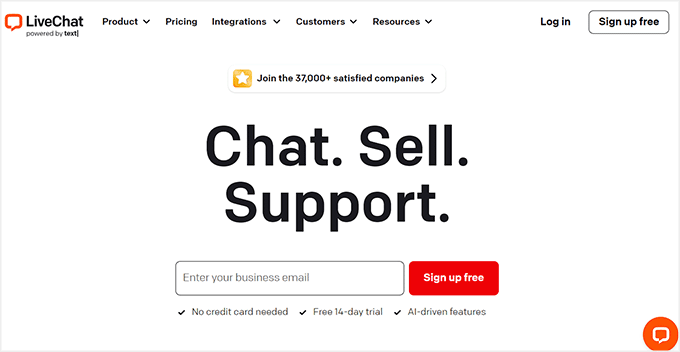
LiveChat is one of the most powerful chat plugins for WordPress designed for businesses that want reliable real time customer support. It allows website owners to add a professional live chat widget to their website so visitors can instantly communicate with support agents.
This plugin is widely used by online businesses because it offers advanced support features, strong integrations, and detailed analytics. It is especially useful for eCommerce websites that need to manage multiple customer conversations at the same time.
LiveChat can also integrate with many popular platforms including WooCommerce, CRM tools, and marketing services. These integrations help businesses manage customer conversations and sales processes from one place.
Key Features
Real time chat widget that allows instant communication with visitors
Integration with WooCommerce and many other third party tools
Chat history and conversation tracking
Multiple chat windows for support teams handling multiple users
Pros
Fast and responsive chat performance
Detailed analytics and reporting tools
Supports file uploads and conversation transcripts
Cons
No free plan available
Interface may require some learning for beginners
WPChat
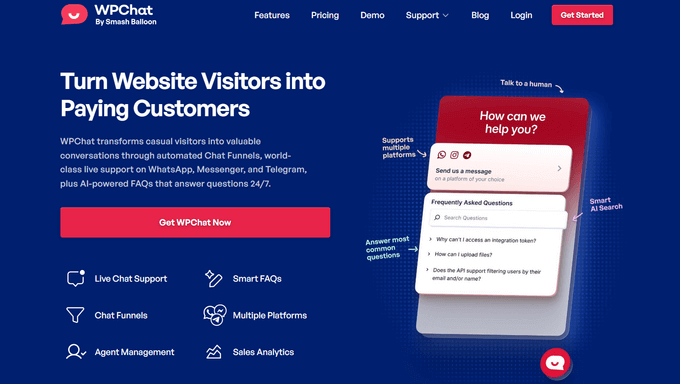
WPChat is a messaging focused plugin that connects your WordPress website with popular chat applications. Instead of limiting conversations to the website only, it allows visitors to contact businesses through apps they already use.
This plugin adds a floating chat widget that allows visitors to start conversations through platforms such as WhatsApp, Messenger, Instagram, or Telegram. This approach makes communication easier and more convenient for customers.
WPChat is particularly useful for small businesses that prefer communicating through messaging apps rather than traditional live chat systems.
Key Features
Floating chat widget displayed on the website
Messaging support for WhatsApp, Messenger, Instagram, and Telegram
Multiple support agents for handling customer conversations
Smart routing system to assign chats to the right team member
Pros
Supports multiple messaging platforms
Simple setup and easy customization
Includes built in analytics to track chat activity
Cons
Limited functionality in the free version
Fewer integrations compared to some competitors
HubSpot Chat
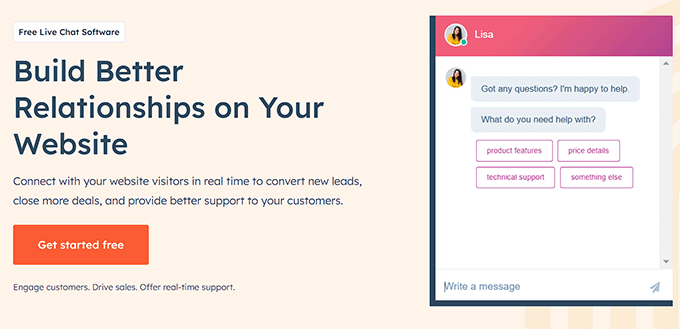
HubSpot Chat is a powerful free option among chat plugins for WordPress. It allows businesses to add both live chat and chatbot automation to their websites while also integrating with HubSpot’s CRM system.
One of the biggest advantages of this plugin is its ability to store visitor information and manage customer interactions within the HubSpot ecosystem. Businesses can track conversations, capture leads, and follow up with customers through email or other marketing tools.
This makes HubSpot Chat a great option for businesses that want to combine customer support with marketing automation.
Key Features
Free live chat plugin for WordPress websites
Built in CRM for storing visitor and customer data
Lead capture through chat conversations
Chatbots that automate responses when agents are unavailable
Pros
Free plan available for small businesses
Includes powerful CRM and marketing tools
Central inbox to manage all conversations
Cons
Limited customization options for chat widgets
Advanced marketing tools require paid upgrades
ChatBot
ChatBot is an automation focused plugin designed to create AI powered chatbot conversations. Instead of relying only on human agents, businesses can build automated workflows that respond to visitor questions instantly.
The plugin provides a drag and drop chatbot builder that allows website owners to create conversation flows without coding. Businesses can design custom chatbot responses, guide visitors through support processes, or even recommend products.
ChatBot also integrates with LiveChat and several other communication tools, making it suitable for businesses that want both automation and human support.
Key Features
Drag and drop chatbot builder for easy setup
Prebuilt chatbot templates for faster implementation
Multilingual chatbot support for international websites
Conversation analytics to monitor chatbot performance
Pros
Powerful automation capabilities
CRM integration for managing leads
Detailed analytics for chatbot performance
Cons
Limited functionality in the free version
Advanced customization may be complex for beginners

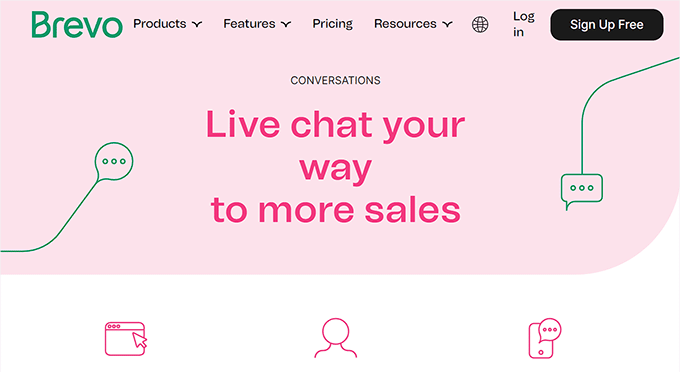
Brevo Chat
Brevo Chat is a communication tool that combines live chat functionality with marketing automation features. Businesses can use it not only to talk with visitors but also to manage email marketing, SMS campaigns, and customer data.
This makes Brevo a good choice for businesses that want to combine customer communication and marketing activities in one platform.
The chat widget allows businesses to respond to questions in real time, while built in marketing tools help convert visitors into long term customers.
Key Features
Real time chat communication with website visitors
Customer rating system for chat conversations
Mobile friendly chat interface
CRM tools combined with email and SMS marketing
Pros
Multi channel communication tools
Strong marketing automation features
Cons
Chat widget can sometimes be slow
Limited customization options
Tidio
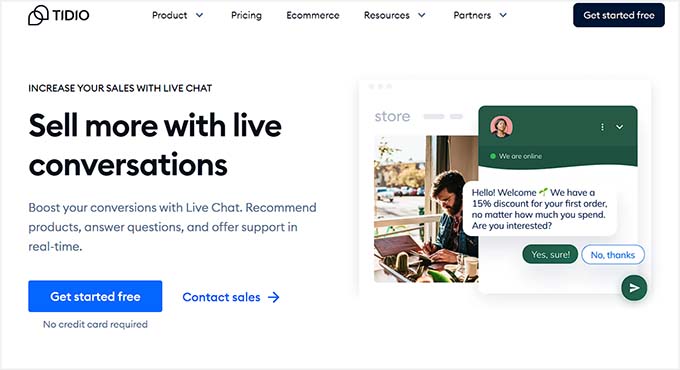
Tidio is a beginner friendly WordPress plugin that combines live chat with AI powered automation. It is designed to help businesses handle customer questions quickly while reducing the workload on support teams.
The plugin includes AI chatbots that can automatically answer common questions, provide product recommendations, and guide visitors through the website.
Tidio is especially popular among small businesses and online stores because it offers a free version with useful features and an easy setup process.
Key Features
AI chatbot automation for common customer questions
Chat history and typing preview for better conversations
WooCommerce integration for online stores
Prebuilt chatbot templates for quick setup
Pros
Free version available for small websites
Simple installation and setup process
Customizable chat widget design
Cons
Paid plans can become expensive
Limited language support in some cases
JivoChat
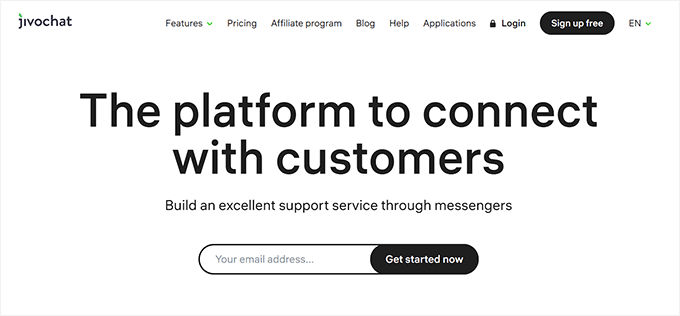
JivoChat is a multi channel communication tool that allows businesses to interact with customers across different platforms. It combines live chat, social media messaging, and voice communication in one system.
This plugin helps businesses manage conversations from websites, social media platforms, and messaging apps in a single dashboard.
JivoChat also includes features like visitor tracking, analytics reports, and automated chat triggers that improve customer communication and support efficiency.
Key Features
Live chat combined with social media messaging
Voice messages and file sharing options
Visitor tracking to monitor user behavior
Analytics and reporting tools
Pros
Free version available with useful features
Built in CRM capabilities
Smart chat triggers for automated engagement
Cons
Paid plans can be expensive for some businesses
Limited customization options for chat widgets
How to Choose the Right Chat Plugins for WordPress
Choosing the best chat plugins for WordPress depends on the type of website you run and the communication style you prefer with your visitors.
Some businesses require advanced automation through chatbots, while others simply need a live chat widget for quick customer support. Understanding your needs will help you choose the right plugin more effectively.
Selection Tips
Online stores should choose plugins that integrate well with WooCommerce so customer orders and product information can be accessed during conversations.
Small websites or blogs may prefer simple live chat tools that are easy to install and manage.
Businesses that want automated responses should consider chatbot focused plugins that can handle frequently asked questions.
Marketing focused teams may benefit from CRM integrated tools that combine customer communication with email marketing and lead management.
How to Choose the Right Chat Plugins for WordPress
Choosing the right chat plugins for WordPress depends on the type of website you run and the communication style you want to offer your visitors. Some websites require simple live chat support, while others need advanced automation, CRM integrations, or messaging platform support.
Before installing any plugin, it is important to understand your website’s needs, customer behavior, and support workflow. The right chat plugin should improve communication without slowing down your website or complicating your support process.
Selection Tips
Online stores should choose WooCommerce compatible plugins
eCommerce websites should use chat plugins that integrate with WooCommerce. This allows support agents to view customer orders, carts, and product details while chatting with visitors.
Small websites should choose simple live chat tools
Blogs and small business websites often benefit from lightweight chat plugins that are easy to install and manage.
Automation focused sites should choose chatbot plugins
Websites with large visitor traffic can use AI chatbots to answer frequently asked questions automatically.
Marketing teams should choose CRM integrated tools
Businesses that focus on lead generation should use chat plugins connected with CRM platforms so they can store customer data and follow up later.
Plugin vs Professional Website Support
While installing chat plugins for WordPress is relatively simple, configuring them properly can sometimes require technical expertise. Businesses that want better performance, advanced integrations, and customized chat experiences often prefer professional website support.
Below is a comparison between using a chat plugin alone and working with professional developers.
| Factor | Chat Plugin Only | Professional Support |
|---|---|---|
| Setup | Manual configuration | Fully managed setup |
| Customization | Limited design options | Fully customized chat interface |
| Integrations | Basic plugin integrations | Advanced integrations with business tools |
| Performance | May affect website speed | Performance optimized setup |
Professional services like Techippo Custom WordPress Website Development can build websites with properly configured communication tools, optimized performance, and seamless integrations.
Common Mistakes When Using Chat Plugins for WordPress
Although chat plugins for WordPress can significantly improve communication, improper usage can create performance issues or reduce their effectiveness.
Below are some common mistakes website owners should avoid.
Installing too many chat tools
Using multiple chat plugins at the same time can confuse visitors and slow down the website.
Using heavy plugins that slow the website
Some chat widgets load additional scripts that can negatively affect page speed if not optimized properly.
Poor placement of chat widgets
Chat boxes should appear in a visible but non intrusive location, usually in the bottom corner of the website.
Ignoring automation features
Many chat plugins include automation tools such as chatbot responses and pre chat greetings. Ignoring these features can reduce efficiency.
Slow response to visitor messages
Even with a chat system installed, slow replies from support agents can frustrate visitors.
Image Suggestion: Screenshot showing poorly placed chat widget
If chat plugins slow down your website, performance issues can often be fixed through Techippo Website Speed Optimization service.
Frequently Asked Questions About Chat Plugins for WordPress
Do I need chat plugins for WordPress
Yes, chat plugins for WordPress are useful for improving customer communication and providing faster support. Visitors can ask questions instantly instead of waiting for email replies. This real time interaction improves customer satisfaction and increases engagement on your website.
What are the best free chat plugins for WordPress
Some of the best free options include HubSpot Chat and Tidio. These plugins offer live chat functionality, chatbot automation, and useful integrations without requiring an initial payment. They are especially helpful for small businesses and startups that want to add chat support without a large budget.
Do chat plugins slow down WordPress websites
Some chat plugins can affect website speed if they load heavy scripts or external services. However, well optimized plugins usually have minimal impact on performance. Choosing lightweight tools and properly optimizing your website can prevent most speed related issues.
Can chat plugins increase website sales
Yes, chat plugins can increase sales by helping visitors make faster decisions. When users can ask product questions or request assistance instantly, they are more likely to complete purchases or contact your business.
Final Verdict: Best Chat Plugins for WordPress
Choosing the best chat plugins for WordPress depends on your website’s goals and the type of communication you want to offer.
Here are the top recommendations based on different needs.
Best Overall: LiveChat
Best Messaging Integration: WPChat
Best Free Option: HubSpot Chat
Best AI Automation: ChatBot
Best Beginner Option: Tidio
Each plugin offers unique features, so selecting the right one depends on your website size, support requirements, and marketing strategy.
Businesses that want continuous monitoring, plugin updates, and performance improvements can benefit from Techippo Monthly Website Management Plans, which help maintain security, speed, and plugin performance.
You May Also Want to Read
You may also find the following guides helpful for improving your WordPress website performance and functionality.
- WordPress Website Slow to Load Causes Fixes and Proven Speed Optimization Steps
- RankMath vs Yoast Which Plugin Is Best to Add Keywords to WordPress Website
- Top 7 Best WordPress Website Builder Plugin
- How to Publish a WordPress Website
- Multi Language WordPress Website Best Translation Plugins for Global Reach
These guides can help you improve website speed, SEO performance, and overall WordPress management.
 Reach us on WhatsApp