
Keywords still matter in WordPress SEO — but not in the outdated “stuff them everywhere” way. Today, keywords are about structure, placement, and intent, and that’s exactly where most WordPress site owners get stuck.
If you want to properly add keywords to WordPress website, you can’t rely on WordPress core alone. You need an SEO plugin that helps you place keywords correctly in titles, URLs, metadata, and content — without breaking SEO rules or over-optimizing.
This guide compares RankMath vs Yoast with one clear goal:
Which plugin is actually better to add keywords to WordPress website based on your use case — not hype or brand loyalty.
You’ll see where each plugin shines, where it falls short, and which one makes sense depending on how serious you are about SEO.

What Does “Add Keywords to WordPress Website” Actually Mean?
A lot of confusion around SEO comes from misunderstanding this phrase.
Adding keywords to a WordPress website does not mean repeating the same phrase unnaturally throughout your content. That approach stopped working years ago and now actively harms rankings.
What it actually means is strategic placement of keywords in the right SEO-critical areas, including:
- SEO title (what appears in Google search results)
- Meta description (click-through optimization)
- URL structure (clean, readable slugs)
- Headings (H1–H3) for content hierarchy
- Schema markup for context and relevance
WordPress, by default, does not give you proper control over most of these elements. That’s why plugins exist — to make keyword placement visible, measurable, and consistent.
Why You Need an SEO Plugin to Add Keywords to WordPress Website
Out of the box, WordPress is SEO-friendly — but not SEO-complete.
Here’s what WordPress core lacks when you try to add keywords to WordPress website properly:
- No built-in meta title control
- No meta description editor
- No keyword analysis or placement guidance
- No schema or structured data management
- No visibility into SEO mistakes
You can manually add meta tags using custom code, but that approach is:
- Error-prone
- Hard to scale
- Easy to break during theme updates
SEO plugins don’t rank your website by themselves.
What they do is prevent structural SEO mistakes, enforce best practices, and give you a framework to place keywords where they actually matter.
RankMath vs Yoast — High-Level Overview
Before diving into features, it helps to understand how these two plugins differ at a philosophical level.
What Is RankMath?
RankMath is a modern, feature-heavy SEO plugin built for users who want control and scalability.
Key characteristics:
- Built-in keyword analysis
- Support for multiple focus keywords
- SEO scoring with actionable checklists
- Deep integration with schema and technical SEO
It’s designed for users who want to actively optimize content and understand why something works or doesn’t.
What Is Yoast SEO?
Yoast is one of the oldest and most widely used SEO plugins for WordPress.
Key characteristics:
- Clean, minimal interface
- Strong focus on readability and basic SEO
- Traffic-light system for quick feedback
- Conservative feature set in the free version
Yoast works well for users who want simplicity and guardrails, even if that means less flexibility.
How RankMath Helps You Add Keywords to WordPress Website
RankMath is built for hands-on keyword execution, not just passive suggestions. It actively guides you while you write, which makes it very effective if your goal is to add keywords to WordPress website without guessing.
Here’s how RankMath handles keyword optimization:
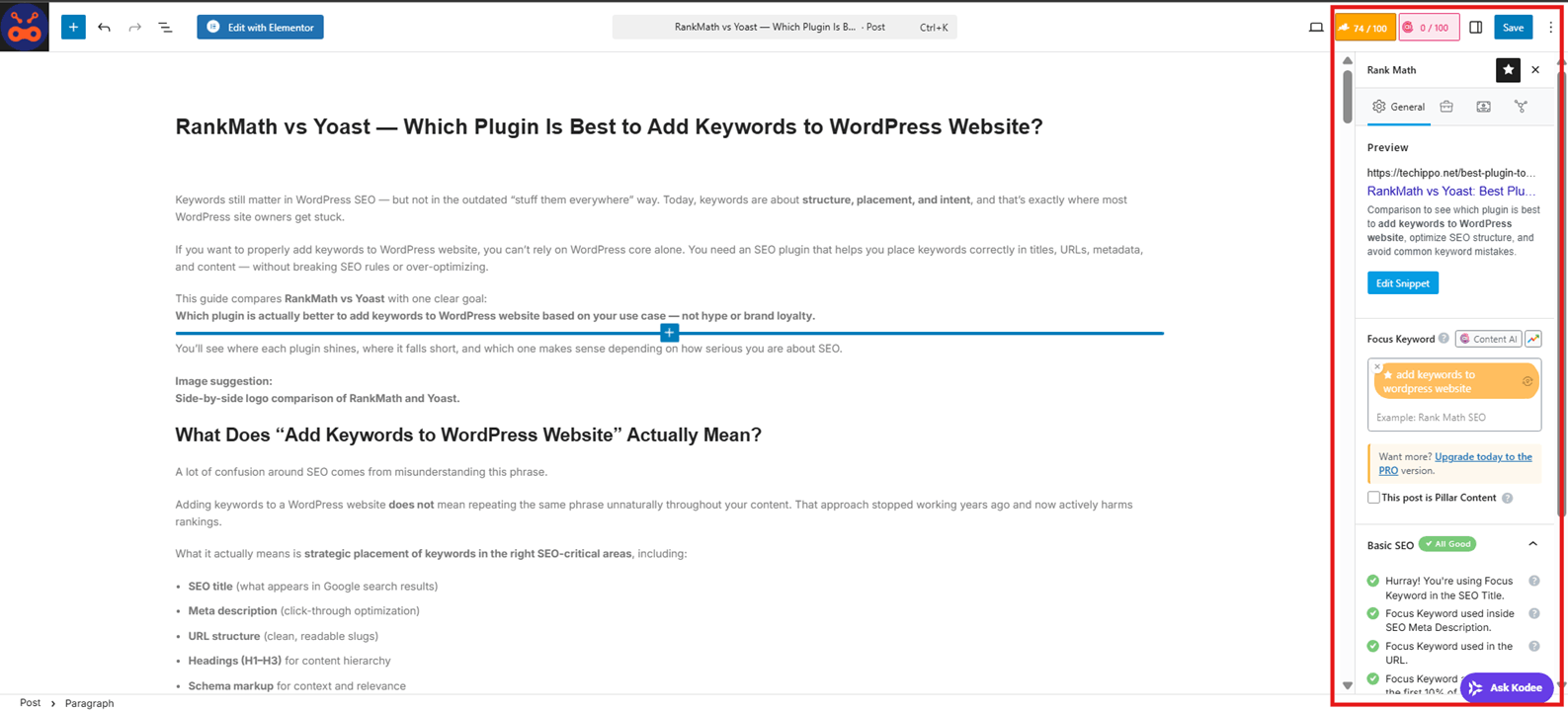
- Focus keyword input is clearly visible inside the editor, so you always know what you’re optimizing for.
- Keyword density feedback helps prevent underuse or overuse without forcing keyword stuffing.
- SEO title & meta description preview updates in real time as you edit.
- URL and heading checks ensure the keyword appears where it actually matters.
- Schema integration connects keywords with structured data, improving relevance signals.
A major advantage is that RankMath allows multiple focus keywords in the free version, which makes it easier to optimize content around closely related search intents without upgrading.
This makes RankMath especially strong for content-heavy sites, niche blogs, and SEO-driven business websites.
How Yoast Helps You Add Keywords to WordPress Website
Yoast takes a more conservative and simplified approach. It’s designed to prevent mistakes rather than push aggressive optimization.
Here’s how Yoast helps you add keywords to WordPress website:
- You define a single focus keyphrase per post in the free version.
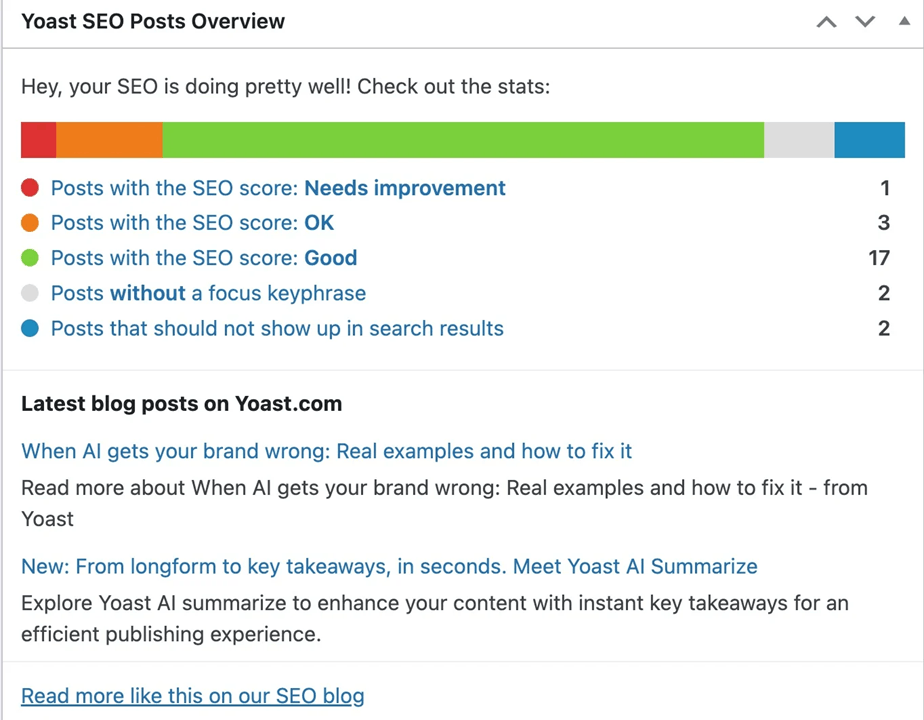
- The traffic-light content analysis gives quick feedback on SEO basics.
- Snippet preview shows how your page may appear in search results.
- Clear guidance on whether the keyword appears in:
- Title
- Meta description
- Introduction
- Headings
However, Yoast limits multiple keyword optimization to the paid version, which can feel restrictive if you want broader coverage or semantic depth.
Yoast works best for users who want simplicity, safety, and minimal configuration, even if that means less flexibility.
RankMath vs Yoast — Keyword Optimization Comparison
This is where the real differences become obvious.
Ease of Adding Keywords
- RankMath: Guided, checklist-based, and highly visible while writing.
- Yoast: Cleaner interface, but fewer prompts and less flexibility.
If you want structured guidance, RankMath leads. If you want fewer distractions, Yoast feels calmer.
Multiple Keywords Support
- RankMath: Multiple focus keywords supported for free.
- Yoast: Multiple keywords require a paid upgrade.
This alone makes RankMath more attractive for users trying to add keywords to WordPress website across broader topic clusters.
Keyword Placement Guidance
Both plugins check core placement areas, including:
- SEO titles
- Meta descriptions
- Headings
- URLs
However, RankMath provides more granular feedback, while Yoast keeps feedback high-level and conservative.
Real-Time SEO Feedback Accuracy
- RankMath: More aggressive checks, better for advanced optimization.
- Yoast: Strong at preventing over-optimization and unnatural language.
Neither plugin replaces judgment — but RankMath gives more data, while Yoast gives more guardrails.
Which Plugin Is Better for Beginners?
This comes down to confidence vs control.
- Yoast is easier to start with:
- Fewer settings
- Lower risk of misconfiguration
- Clear visual feedback
- RankMath scales better:
- More features upfront
- Slight learning curve
- Better long-term SEO flexibility
Clear takeaway:
Yoast is easier on day one. RankMath is stronger if you plan to grow, publish frequently, and optimize strategically.
Which Plugin Is Better for SEO Growth and Scaling?
If your goal is long-term growth, the plugin choice matters less for today’s post and more for how easily you can scale keyword strategy across the entire site.
Here’s the real difference:
- RankMath is built for content scaling
It handles multiple keywords, advanced schema, category-level SEO, and deeper control without forcing paid upgrades early. - Yoast is built for controlled optimization
It limits options intentionally to reduce mistakes, which is safer but slower for aggressive growth.
For growing sites, keyword work is never isolated. It connects directly to SEO & Growth Optimization, including:
- Topic clustering
- Category and tag SEO
- Internal linking strategy
- Structured data depth
RankMath gives more levers. Yoast gives more guardrails.
Common Mistakes When Trying to Add Keywords to WordPress Website
Most ranking issues don’t come from the plugin — they come from how keywords are used.
Keyword Stuffing
Repeating the same phrase unnaturally:
- Hurts readability
- Triggers spam signals
- Lowers trust
Adding keywords to WordPress website is about placement and intent, not repetition.
Ignoring Search Intent
Targeting the right keyword with the wrong content type:
- Informational vs transactional mismatch
- Blog posts trying to rank for product keywords
- Thin answers for complex queries
No plugin can fix intent misalignment.
Using Same Keyword on Every Page
This causes:
- Keyword cannibalization
- Ranking confusion
- Internal competition
Each page should have one primary purpose, even if keywords are related.
Relying Only on Plugin Scores
Green lights ≠ rankings.
Plugins validate structure, not authority, intent, or competition. Treat scores as guardrails, not goals.
RankMath vs Yoast — Final Verdict
Here’s the straight answer.
Choose RankMath if:
- You want to scale content aggressively
- You need multiple keywords per page
- You rely heavily on schema and structured data
- You want more control without early paywalls
Choose Yoast if:
- You want simplicity and safety
- You’re managing a small or low-content site
- You prefer conservative SEO guardrails
- You don’t want feature overload
There is no universal winner — only the plugin that fits your SEO maturity level.
FAQs About How to Add Keywords to WordPress Website
Can I add keywords to WordPress website without a plugin?
Yes, but it requires manual HTML meta tags, schema markup, and constant checks. Plugins reduce errors and enforce structure, which is why most sites use them.
How many keywords should I add to a WordPress page?
One primary keyword per page is ideal. Supporting keywords should exist naturally but not compete with the main focus.
Does adding keywords guarantee rankings?
No. Keywords help search engines understand content, but rankings depend on authority, intent match, content quality, and competition.
Can RankMath and Yoast be used together?
No. Running both causes conflicts, duplicated meta tags, and broken schema. Always use one SEO plugin only.
Should every page target a different keyword?
Yes. Each page should serve a unique search intent. Overlapping keywords lead to cannibalization and diluted rankings.
Are keywords still important for SEO?
Yes — but not in isolation. Keywords guide relevance, while structure, links, and content depth determine performance.
Final Thoughts on Choosing the Right Plugin to Add Keywords to WordPress Website
Keywords are a foundation, not a shortcut.
The right plugin helps you:
- Place keywords correctly
- Avoid technical SEO mistakes
- Scale content with consistency
But long-term results come from discipline, not tricks. Choose the plugin that matches your site’s goals — then commit to doing SEO properly over time.
For sites aiming to grow steadily and sustainably, keyword strategy naturally connects with SEO & Growth Optimization and ongoing Monthly Website Management Plans — not quick wins, but real momentum.

 Reach us on WhatsApp