
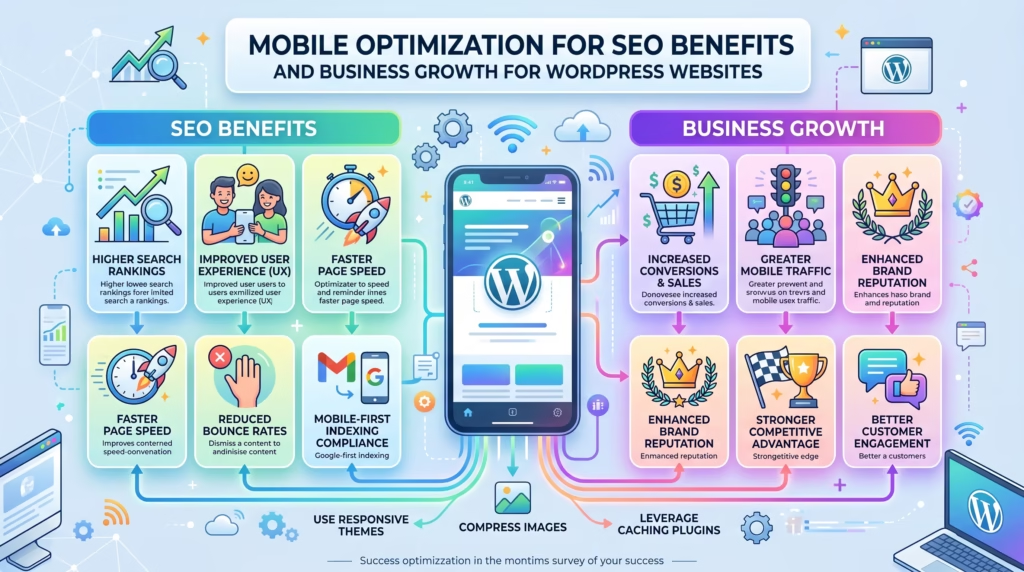
More than half of all global web traffic now comes from mobile devices. If your WordPress website is not built and optimized for mobile users, you are not just delivering a poor experience — you are actively losing rankings, visitors, and revenue every single day.
Google has made its position clear. Mobile performance is now the primary factor in how websites are crawled, indexed, and ranked. A WordPress website that performs well on desktop but poorly on mobile is at a serious disadvantage in today’s search landscape.
In this guide we will cover everything you need to know about mobile optimization for SEO — what it is, why it matters, what to fix, and how to ensure your WordPress website delivers a fast, seamless, and search-friendly experience on every mobile device your visitors use.
What Is Mobile Optimization for SEO
Mobile optimization for SEO is the process of ensuring your website performs correctly, loads quickly, and delivers a great user experience on smartphones and tablets — in a way that directly supports your search engine rankings.
It goes beyond simply having a responsive design. True mobile optimization for SEO covers every aspect of how your website functions on a mobile device including loading speed, layout stability, navigation usability, image optimization, tap target sizing, form usability, and Core Web Vitals performance on smaller screens.
For WordPress website owners, mobile optimization for SEO is particularly important because:
- WordPress websites can develop mobile issues quickly through theme changes, plugin updates, and new content additions
- Many WordPress themes and page builders produce code that performs well on desktop but poorly on mobile
- Google evaluates your mobile experience first — meaning mobile issues directly translate to ranking disadvantages in search results
A properly mobile-optimized WordPress website not only ranks better but also converts more mobile visitors into leads and customers.
How Google’s Mobile First Indexing Works
Understanding Google’s mobile-first indexing is essential for understanding why mobile optimization for SEO must be a top priority for every WordPress website owner.
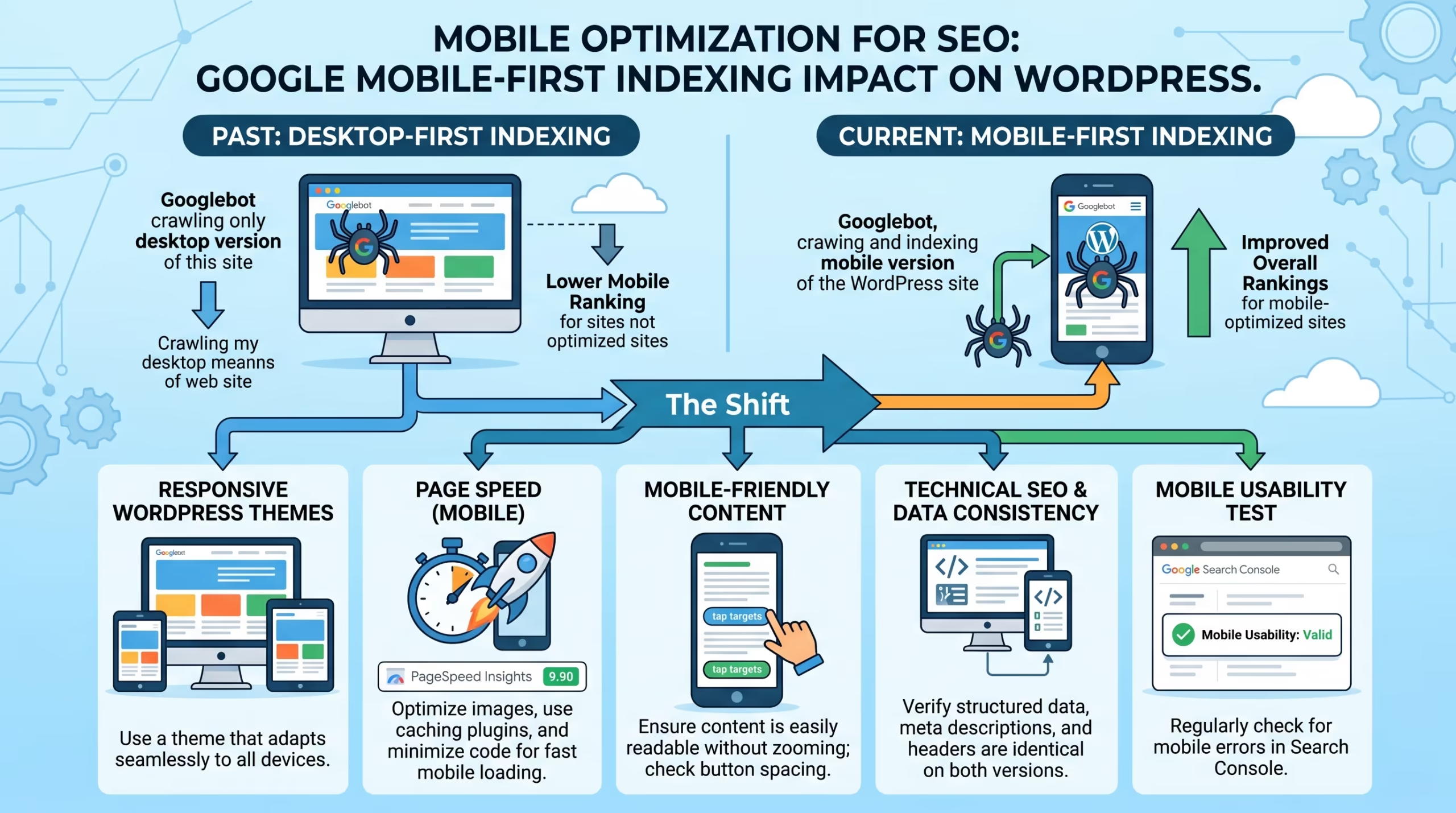
Mobile-first indexing means Google now uses the mobile version of your website as the primary version for crawling, indexing, and ranking. Previously Google crawled and evaluated the desktop version first. Since the switch to mobile-first indexing, if your mobile experience is poor, broken, or missing content, Google ranks your website accordingly — regardless of how good your desktop version looks.
Here is what mobile-first indexing means in practice:
- Content parity is essential — any content that exists on your desktop version but is hidden or missing on mobile will not be fully considered for ranking purposes
- Mobile page speed is evaluated first — slow mobile loading times directly affect your Core Web Vitals scores and rankings
- Mobile structured data matters — schema markup must be present and functional on your mobile pages to benefit from rich results
- Mobile metadata is what Google reads — your meta titles, descriptions, and heading structure on mobile are what Google uses for ranking and search result display
- Links on mobile pages are what Google follows — internal and external links only present on desktop versions are not fully counted
Every item in your mobile optimization for SEO strategy must be evaluated from the perspective of how Google’s mobile crawler sees and experiences your WordPress website.
How Mobile Optimization Affects Your SEO Rankings
Mobile optimization for SEO has a direct and measurable impact on your WordPress website’s search engine rankings across multiple dimensions.
Core Web Vitals on Mobile
Google evaluates Core Web Vitals — LCP, INP, and CLS — on mobile devices first. A website that passes Core Web Vitals on desktop but fails on mobile is still considered a poor performer for page experience signals. Poor mobile Core Web Vitals directly contribute to lower rankings in competitive search results.
Bounce Rate Signals
Mobile users who land on a slow, unresponsive, or hard-to-navigate website leave almost immediately. High mobile bounce rates send negative engagement signals to Google that can suppress your rankings over time. Strong mobile optimization for SEO keeps mobile visitors engaged longer and reduces bounce rates significantly.
Dwell Time and Engagement
A mobile-friendly website encourages visitors to read more, explore more pages, and spend more time on your content. Longer dwell times and higher pages-per-session metrics are positive engagement signals that support stronger rankings.
Click Through Rates
Google Search is predominantly used on mobile devices. A website known for poor mobile experience — flagged through user behavior signals — can see declining click-through rates from mobile search results over time. Strong mobile optimization for SEO keeps click-through rates healthy and growing.
Local Search Rankings
Mobile searches are heavily intent-driven and locally focused. A large percentage of mobile searches include local intent — near me, in my city, open now. WordPress websites that are not mobile optimized consistently underperform in local search results where mobile optimization for SEO has an outsized impact on visibility.
Improving your mobile optimization for SEO is therefore one of the highest-impact investments you can make in your WordPress website’s overall search performance. Our SEO & Growth Optimization service addresses mobile SEO as a core component of every strategy we develop.
Poor mobile performance is one of the most common and most damaging reasons WordPress websites underperform in search results — and most website owners do not realize it until their rankings have already dropped.
Our SEO & Growth Optimization, Custom WordPress Website Development, and Website Speed Optimization services are built to identify and fix every mobile SEO issue affecting your WordPress website’s rankings.
Get in touch with TecHippo today for a free consultation and let’s make your WordPress website fully optimized for mobile SEO.
Mobile Optimization for SEO — Key Areas to Focus On
A comprehensive mobile optimization for SEO strategy covers several interconnected areas. Here is what every WordPress website owner needs to address.
Mobile Responsive Design
The foundation of mobile optimization for SEO is a fully responsive design that adapts your WordPress website’s layout, content, and visual elements to every screen size automatically.
- Use a WordPress theme that is explicitly built and tested for full mobile responsiveness
- Ensure your layout reflows correctly from multi-column desktop designs to single-column mobile layouts
- Test your responsive design across a range of screen sizes — not just the most common smartphone dimensions
- Avoid fixed-width elements that overflow their containers on smaller screens causing horizontal scrolling
- Use CSS flexbox or grid layouts that scale fluidly rather than rigid pixel-based positioning
A fully responsive design is the starting point for everything else in your mobile optimization for SEO strategy. Our Custom WordPress Website Development and WordPress Website Redesign services always deliver full mobile responsiveness as a core requirement.
Mobile Page Speed and Core Web Vitals
Page speed on mobile is one of the most critical factors in mobile optimization for SEO. Mobile devices have less processing power and often use slower network connections than desktop — making speed optimization even more important on mobile than on desktop.
- Optimize your largest above-the-fold images to improve LCP scores on mobile devices
- Reduce JavaScript execution to improve INP scores — mobile devices process JavaScript more slowly than desktop
- Define explicit image dimensions to prevent layout shifts that hurt CLS scores on mobile
- Use a caching plugin configured correctly for mobile page delivery
- Choose a hosting provider with fast server response times — poor TTFB hurts mobile performance disproportionately
- Use a CDN to serve content from servers geographically close to mobile visitors
Improving mobile page speed and Core Web Vitals is one of the most impactful steps in any mobile optimization for SEO strategy and is a core focus of our Website Speed Optimization service.
Mobile Friendly Navigation and Layout
Navigation that works perfectly on desktop can be completely unusable on mobile — and poor mobile navigation directly increases bounce rates and hurts mobile optimization for SEO performance.
- Ensure your WordPress theme includes a properly coded hamburger menu for mobile navigation
- Keep mobile menus simple and logically organized with no more than two levels of depth
- Make sure dropdown menus work correctly with touch interactions on mobile devices
- Avoid navigation elements that require hovering — hover states do not exist on touchscreens
- Ensure your logo, menu, and key call to action are all visible above the fold on mobile screens without requiring scrolling
- Use sticky navigation where appropriate to keep key navigation elements accessible as visitors scroll
A clear and intuitive mobile navigation experience keeps visitors engaged and exploring your WordPress website — directly supporting your mobile optimization for SEO goals.
Mobile Optimized Images and Media
Images and media that are not optimized for mobile add unnecessary weight to every page load and significantly slow down the mobile experience.
- Serve appropriately sized images to mobile devices using WordPress’s built-in srcset functionality
- Compress all images before uploading to reduce file sizes without sacrificing visual quality
- Convert images to WebP format for significantly smaller file sizes on all devices
- Avoid autoplay videos on mobile — they consume data, slow loading, and frustrate mobile users
- Use responsive embed codes for all embedded videos and media so they scale correctly on smaller screens
- Enable lazy loading for all below-the-fold images to prioritize above-the-fold content loading
Properly optimized images and media are essential for fast mobile loading times and strong Core Web Vitals scores — making them a key focus area in any mobile optimization for SEO strategy.
Touch Friendly Buttons and Tap Targets
Mobile users interact with your website through touch rather than a mouse — which means buttons, links, and interactive elements must be appropriately sized and spaced for accurate tapping.
- Ensure all buttons and tap targets are at least 44px by 44px — Google’s recommended minimum size for touch targets
- Add sufficient spacing between links and buttons to prevent accidental taps on adjacent elements
- Make call to action buttons large, clearly labeled, and easy to find on mobile screens
- Avoid placing multiple tappable elements too close together — especially in navigation menus and footer links
- Check that phone numbers on your website are clickable on mobile so visitors can call directly from the page
- Use Google Search Console’s Mobile Usability report to identify specific tap target issues flagged across your WordPress website
Touch-friendly design is a fundamental part of mobile optimization for SEO that directly affects both user experience and Google’s mobile usability evaluation of your website.
Mobile Friendly Forms and Checkout
Contact forms, lead capture forms, and WooCommerce checkout pages must be fully optimized for mobile users — who increasingly complete purchases and enquiries entirely on their smartphones.
- Use simple single-column form layouts on mobile to prevent horizontal scrolling and field misalignment
- Ensure form fields are large enough to tap accurately and display correctly on small screens
- Use appropriate mobile keyboard types for different fields — number keyboards for phone fields, email keyboards for email fields
- Minimize the number of required fields to reduce friction for mobile users completing forms
- Test your entire checkout flow on mobile devices before launching — including payment forms and order confirmation pages
- Ensure error messages display clearly on mobile so users know exactly what needs to be corrected
Mobile-friendly forms and checkout pages are often overlooked in mobile optimization for SEO strategies but have a direct impact on conversion rates from mobile traffic. Our eCommerce Store Development service always includes full mobile checkout optimization as a standard requirement.
How to Test Your WordPress Website for Mobile SEO
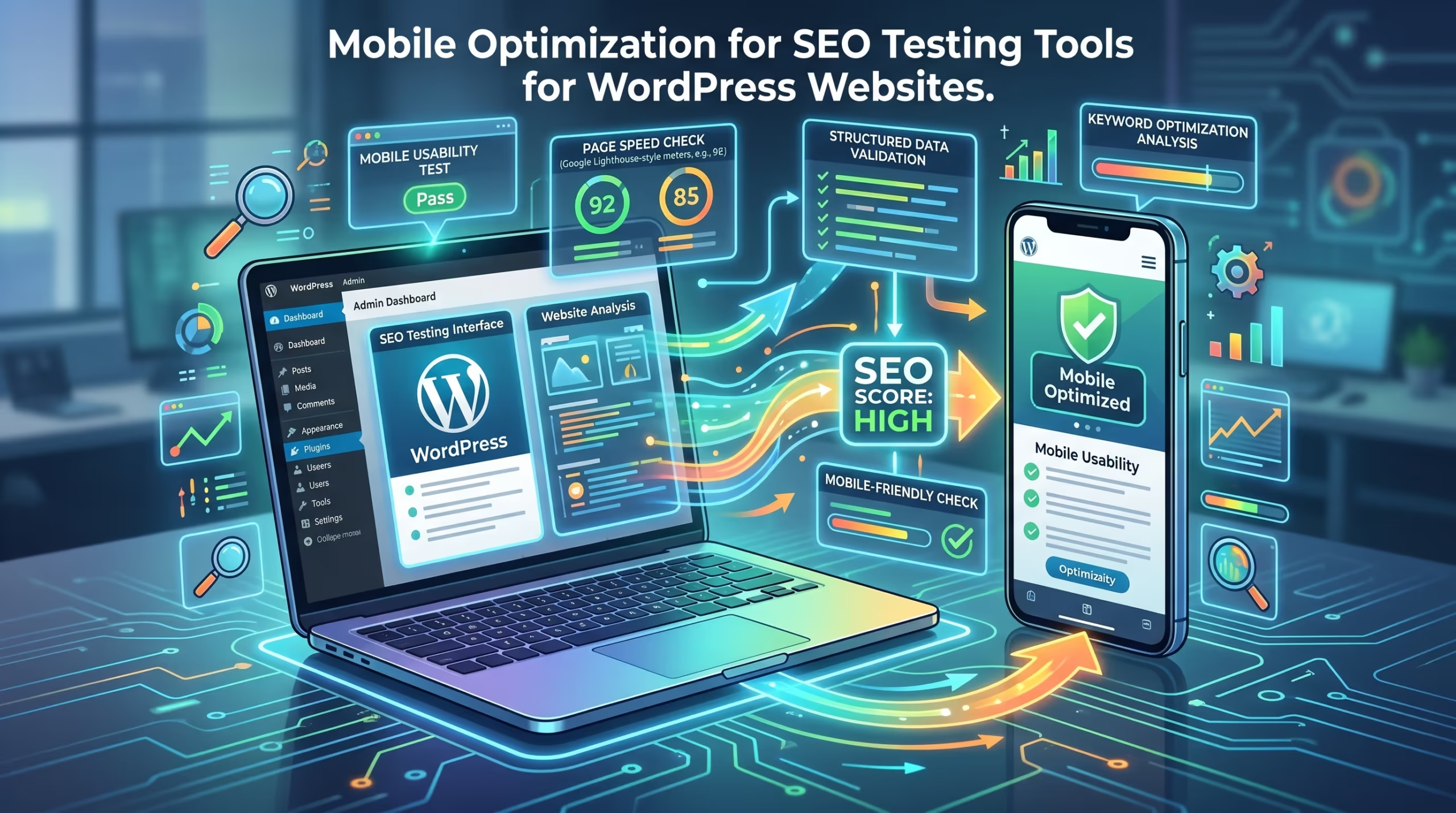
Testing is the only way to confirm your mobile optimization for SEO efforts are actually working. Here are the most important tools and methods for testing your WordPress website’s mobile performance.
Google Mobile-Friendly Test
Enter any URL to receive an instant assessment of whether Google considers your page mobile-friendly. It shows how Googlebot renders your page on mobile and highlights specific issues preventing a mobile-friendly rating.
Google Search Console — Mobile Usability Report
Provides a site-wide view of mobile usability issues across your entire WordPress website based on real Googlebot crawl data. Identifies specific pages with tap target issues, viewport configuration problems, and content wider than screen errors.
Google PageSpeed Insights — Mobile Tab
Run any URL through PageSpeed Insights and select the mobile tab to see your Core Web Vitals scores and performance metrics specifically for mobile devices. Always check the mobile tab separately from desktop as scores often differ significantly.
Chrome DevTools Device Emulation
Open Chrome DevTools and use the device toolbar to preview your website at various mobile screen sizes and resolutions. Useful for identifying layout issues, overflow problems, and navigation behavior on different device types.
Real Device Testing
No emulation tool fully replaces testing on actual mobile devices. Test your WordPress website on at minimum an iPhone and an Android smartphone across your most important pages — homepage, service pages, contact page, and any conversion-critical pages.
GTmetrix Mobile Analysis
GTmetrix allows you to run speed tests simulating mobile network conditions and device types, providing additional performance insights beyond what PageSpeed Insights shows.
Regular testing using these tools is an ongoing part of any mobile optimization for SEO strategy — not a one-time task. Our Monthly Website Management Plans include regular mobile performance monitoring as a standard part of the service.
Most WordPress website owners are surprised by how many mobile SEO issues their website has — because the problems are often invisible when browsing on desktop.
Our Website Speed Optimization, SEO & Growth Optimization, and Custom WordPress Website Development services include thorough mobile performance audits and fixes that directly improve your mobile optimization for SEO scores and search rankings.
Contact TecHippo today and let’s find and fix every mobile SEO issue on your WordPress website.
Mobile Optimization for SEO and Local Search
Mobile optimization for SEO has an especially strong connection to local search performance — and for good reason.
The majority of local searches happen on mobile devices. When someone searches for a service, restaurant, or business near them, they are almost always doing it on their smartphone. This means your local search visibility is directly tied to how well your WordPress website performs on mobile.
Key connections between mobile optimization for SEO and local search include:
- Near me searches are almost exclusively performed on mobile — a non-mobile-optimized website is virtually invisible for these high-intent queries
- Google Business Profile listings appear predominantly in mobile search results — and clicking through to a slow or non-responsive website immediately damages the user experience and your local ranking signals
- Click to call functionality is a mobile-specific feature that local businesses depend on — ensuring phone numbers are clickable on mobile is a basic but critical local SEO requirement
- Local page speed matters for local rankings — Google’s local pack results favor websites that deliver fast mobile experiences
- Location pages targeting specific service areas must be fully mobile optimized to rank in local search results for those areas
For local businesses using WordPress, mobile optimization for SEO is not just an SEO best practice — it is a direct driver of local visibility, foot traffic, and enquiries. Our SEO & Growth Optimization service includes local mobile SEO as part of every local search strategy we develop.
Common Mobile SEO Mistakes WordPress Websites Make
Even website owners who are aware of mobile optimization for SEO often make avoidable mistakes that hold their mobile performance back. Here are the most common ones seen on WordPress websites.
- Using a non-responsive theme or a theme that claims to be responsive but delivers a poor mobile experience in practice
- Not testing on real devices and relying solely on desktop browser emulation which does not always accurately represent real mobile behavior
- Blocking CSS and JavaScript in robots.txt preventing Google from rendering your mobile pages correctly
- Using interstitials and pop-ups on mobile that cover the main content and trigger Google’s intrusive interstitials penalty
- Ignoring Core Web Vitals on mobile while focusing only on desktop performance scores
- Not optimizing images for mobile and serving the same large desktop images to mobile devices with slower connections
- Hiding content on mobile using CSS display none which Google may not fully count for ranking purposes
- Using Flash or non-mobile-compatible media that does not render on modern mobile browsers
- Not enabling click to call on phone numbers leaving mobile visitors unable to contact the business directly
- Skipping mobile checkout testing and discovering broken payment flows only after mobile conversions start dropping
Avoiding these mistakes is essential for maintaining strong mobile optimization for SEO performance across your entire WordPress website.
Mobile Optimization for SEO and WooCommerce
WooCommerce stores face unique mobile optimization for SEO challenges because the mobile shopping experience is more complex and more conversion-critical than a standard website.
Mobile commerce is growing rapidly — a significant and increasing percentage of online purchases are now completed entirely on smartphones. A WooCommerce store that delivers a poor mobile experience is losing sales to competitors who have invested in proper mobile optimization.
Key mobile optimization for SEO considerations for WooCommerce stores include:
- Mobile product pages must load quickly, display images correctly, and make it easy to select product variations and add items to the cart with a single tap
- Mobile cart and checkout must be streamlined, with minimal required fields, mobile-friendly payment options, and clear error messaging
- Mobile search and filtering must work intuitively on touchscreens so customers can find products quickly without frustration
- Mobile product images must be compressed, properly sized, and displayed in a swipeable gallery format that works naturally on touchscreens
- Mobile page speed is especially critical for WooCommerce stores — every additional second of loading time on mobile directly increases cart abandonment rates
- Apple Pay and Google Pay integration provides a frictionless one-tap checkout experience for mobile shoppers that dramatically reduces cart abandonment
Our eCommerce Store Development and Website Speed Optimization services are specifically designed to help WooCommerce store owners achieve the mobile performance needed for strong mobile optimization for SEO and maximum mobile conversions.
Benefits of Mobile Optimization for SEO and Business Growth
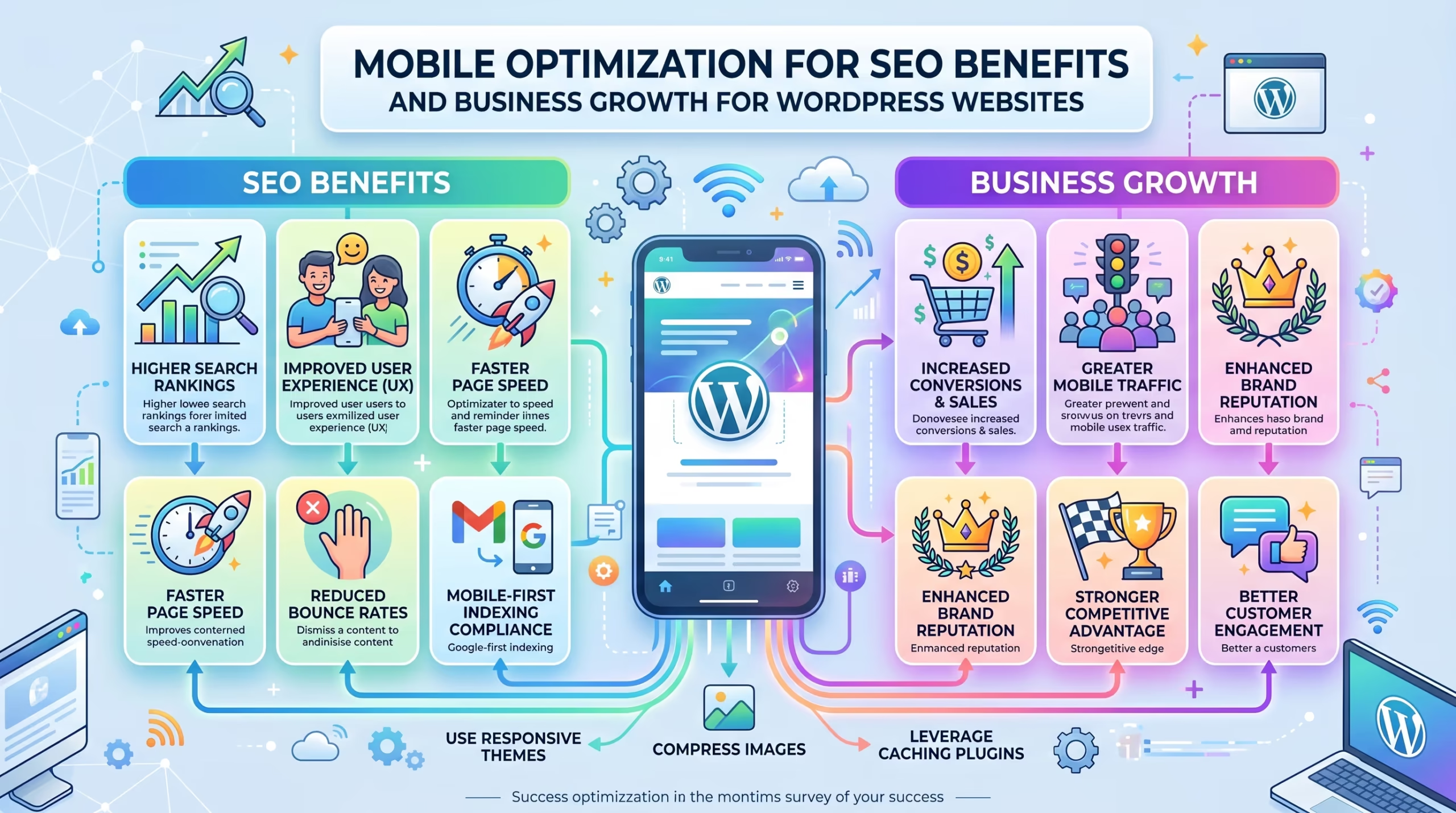
Investing in mobile optimization for SEO delivers benefits that extend across every aspect of your WordPress website’s performance and your business results.
- Higher search rankings as Google rewards mobile-optimized websites through mobile-first indexing and page experience signals
- More mobile traffic as better rankings in mobile search results bring more qualified visitors to your website
- Lower bounce rates as mobile visitors who encounter a fast and easy-to-use website stay longer and explore more pages
- Higher conversion rates as a smooth mobile experience removes friction from the path to purchase or enquiry
- Stronger local search visibility as mobile-optimized websites consistently outperform non-optimized competitors in local search results
- Better Core Web Vitals scores on mobile leading to improved page experience signals and stronger overall SEO performance
- Increased revenue for eCommerce stores where mobile shopping continues to grow as a share of total online sales
- Stronger brand credibility as a fast professional mobile experience signals reliability and quality to first-time visitors
- Future-proof website that performs well as mobile device usage continues to grow globally
Every investment in mobile optimization for SEO pays dividends across rankings, traffic, conversions, and long-term business growth.
In today’s mobile-first world every day your WordPress website is not fully optimized for mobile SEO is a day your competitors are ranking above you and converting the visitors that should be coming to you.
At TecHippo our SEO & Growth Optimization, Website Speed Optimization, Custom WordPress Website Development, and Monthly Website Management Plans are built to deliver comprehensive mobile optimization for SEO that improves your rankings, keeps mobile visitors engaged, and converts more traffic into real business results.
Book a free consultation with TecHippo today and let’s build a WordPress website that dominates mobile search rankings.
Conclusion
Mobile optimization for SEO is no longer optional for any WordPress website that wants to compete in today’s search landscape. With Google’s mobile-first indexing making your mobile experience the primary factor in how your website is ranked, the quality of your mobile performance directly determines the quality of your search visibility.
By investing in responsive design, mobile page speed, touch-friendly navigation, optimized images, and thorough mobile testing, you give your WordPress website the strongest possible foundation for ranking higher, attracting more mobile visitors, and converting them into leads and customers.
The businesses that treat mobile optimization for SEO as a core ongoing priority — not a one-time task — are the ones that consistently outrank and outperform their competitors in an increasingly mobile-first search world.



 Reach us on WhatsApp