
What Is a WordPress Website for Dropshipping?
A WordPress website for dropshipping is an online store built using WordPress and WooCommerce where you sell products without keeping inventory. Instead of stocking items yourself, you partner with third-party suppliers who handle storage, packaging, and shipping.
When a customer places an order on your site, the order details are sent to the supplier, and the product is shipped directly to the customer. You focus on branding, marketing, and customer experience—while logistics happen behind the scenes.
WordPress combined with WooCommerce is a popular foundation for this model because it’s flexible, cost-effective, and fully customizable. Unlike closed platforms, WordPress gives you full ownership of your website, data, and growth strategy, making it suitable for both beginners and long-term businesses.
How Dropshipping Works (Quick Overview)
Dropshipping follows a simple but efficient workflow. There’s no inventory management on your end, which lowers startup costs and risk.
Table: How Dropshipping Works
| Step | What Happens |
|---|---|
| Customer places an order | A visitor buys a product from your website |
| Store receives payment | You collect payment and confirm the order |
| Supplier is notified | Order details are sent to your supplier |
| Product is shipped | Supplier ships the product directly to the customer |
| You handle support | You manage branding, communication, and customer service |
This model allows you to test products quickly, scale faster, and operate globally without physical storage.
Pros and Cons of Using WordPress for Dropshipping
Before starting, it’s important to understand both the strengths and limitations. This helps set realistic expectations and avoids costly mistakes.
Advantages of a WordPress Website for Dropshipping
- Low startup cost compared to traditional eCommerce stores
- Full ownership and control over your website and data
- Access to thousands of plugins and integrations
- Highly customizable design and functionality
- No platform-imposed transaction fees
- Easy scalability as your business grows
This flexibility is why many serious store owners prefer WordPress over rigid hosted platforms.
Disadvantages to Be Aware Of
- Dependence on suppliers for product quality and delivery
- Lower profit margins compared to bulk inventory models
- Requires ongoing updates, backups, and security monitoring
- Technical issues can arise if the site isn’t properly maintained
These downsides are manageable, but they highlight why reliable setup and maintenance matter from day one.
What You Need to Build a WordPress Website for Dropshipping
Setting up a dropshipping store doesn’t require advanced technical skills, but a few core components are essential for stability and growth.
Domain Name and Hosting
Your domain is your brand’s online identity, while hosting determines speed, uptime, and security.
A good hosting setup should offer:
- Fast server performance
- SSL certificate for secure payments
- Scalability for traffic growth
- Strong security and backup features
Cheap hosting often leads to slow load times and downtime—both of which directly hurt conversions.
WordPress and WooCommerce Setup
WordPress acts as the foundation of your website, while WooCommerce powers the store functionality—products, cart, checkout, and payments.
WooCommerce is free, highly extensible, and integrates seamlessly with WordPress, making it ideal for dropshipping stores of any size.
That said, incorrect configuration, theme conflicts, or poor plugin choices can create problems early on. This is where professional WordPress website setup services help ensure your store is built correctly, optimized for performance, and ready to scale—without costly rework later.
Choosing the Right Design for Your Dropshipping Store
Design plays a much bigger role in dropshipping success than most beginners realize. A slow, cluttered, or confusing layout kills trust and conversions—no matter how good your products are.
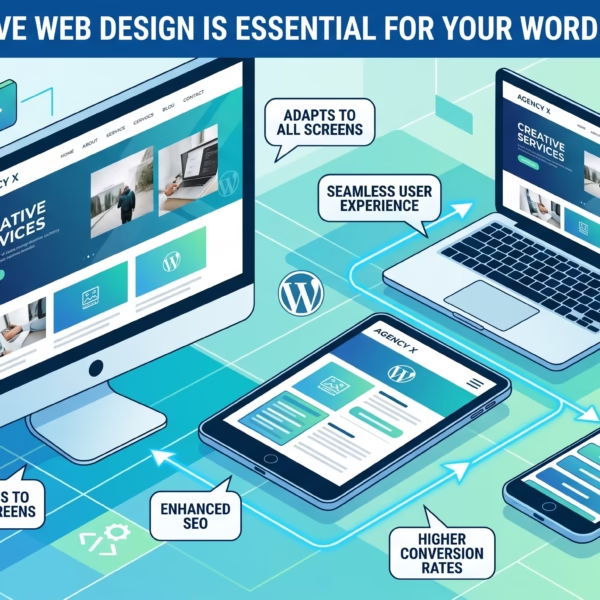
For a dropshipping store, design isn’t about looking fancy. It’s about speed, usability, and guiding users to checkout with minimal friction. The right theme improves page load time, highlights products effectively, and creates a smooth buying experience across devices.
What to Look for in a WooCommerce Theme
When selecting a theme for a WordPress website for dropshipping, focus on performance and conversion features rather than visual gimmicks.
Key elements to look for:
- Mobile responsiveness (most dropshipping traffic is mobile)
- Clean and fast-loading product pages
- Optimized checkout flow with fewer distractions
- Compatibility with WooCommerce and popular plugins
- Lightweight code and regular theme updates
A theme that looks good but loads slowly will cost you sales. Speed and clarity always beat animations and effects.
Custom vs Pre-Built Themes
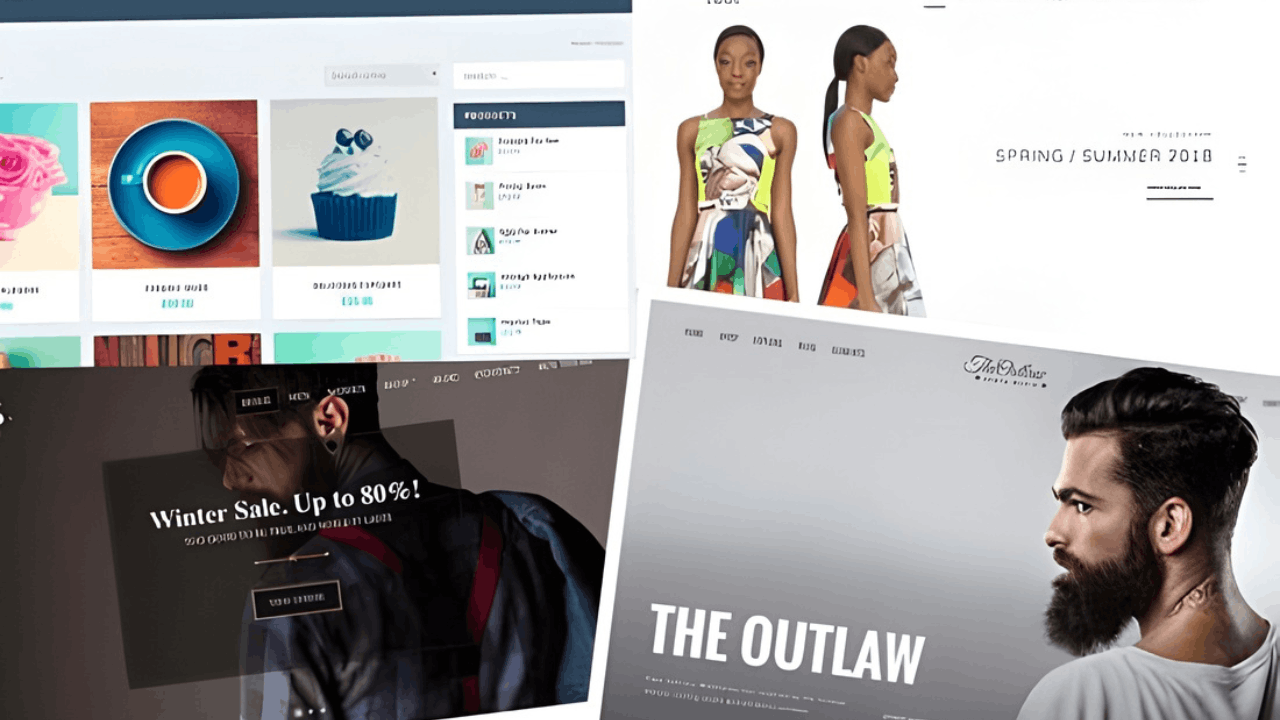
Pre-built WooCommerce themes are ideal for beginners. They’re faster to launch, easier to maintain, and usually optimized for common store layouts.
Custom themes make sense when:
- You already have steady traffic
- Your brand requires a unique layout
- You need advanced functionality
However, excessive customization often becomes a problem. Poorly coded changes can slow down the site, break updates, and increase maintenance costs. This is why many store owners eventually turn to professional WordPress website redesign services to clean up bloated themes, improve UX, and recover lost conversions.
Finding Profitable Products for Your Dropshipping Website
Product selection is the backbone of any successful dropshipping business. No amount of marketing can save a store selling products nobody wants.
Instead of guessing, focus on data-driven decisions—demand, competition, and pricing flexibility.
Choosing a Niche
Niche-focused stores consistently outperform general stores.
A narrow niche helps you:
- Target specific audiences more effectively
- Build trust and authority faster
- Reduce competition
- Create focused product collections
Rather than selling “everything,” it’s smarter to sell one category extremely well. This approach also simplifies branding and marketing.
Product Research Methods
Reliable product research combines multiple data sources:
- Amazon trends (best sellers, most wished-for items)
- Keyword research to identify real buyer intent
- Supplier sales data and order volume
- Customer reviews to spot gaps and improvements
Avoid products with razor-thin margins or constant supplier issues. Profitable dropshipping products balance demand, pricing flexibility, and reliability.
Where to Find Dropshipping Suppliers
Finding suppliers isn’t just about availability—it’s about consistency, communication, and fulfillment reliability. A bad supplier can damage your brand faster than anything else.
Below are common supplier sources, each with its own pros and risks.
AliExpress

AliExpress is the most widely used platform for dropshipping.
Pros:
- Massive product selection
- Easy WooCommerce integration
- Low entry barrier
Risks:
- Longer shipping times
- Quality inconsistencies
- Some unreliable vendors
Always check ratings, order volume, and recent reviews before committing.
SaleHoo

SaleHoo is a vetted supplier directory rather than an open marketplace.
Pros:
- Verified suppliers
- Better quality control
- Reduced scam risk
Cons:
- Paid membership
- Smaller product range compared to AliExpress
Doba
Doba acts as a middle layer between stores and suppliers.
Pros:
- Centralized supplier management
- Easier order handling
Cons:
- Monthly fees
- Less pricing flexibility
Etsy & Local Suppliers

Etsy and local manufacturers are great for unique or handmade products.
Pros:
- Higher perceived value
- Faster domestic shipping
- Less competition
Risks:
- Limited scalability
- Manual coordination required
Regardless of platform, always verify:
- Supplier communication speed
- Refund and return policies
- Shipping methods and tracking availability
Strong supplier relationships are essential for long-term success with a WordPress website for dropshipping.
How to Add Products to Your WordPress Dropshipping Store
Once your store is set up, the next step is adding products. With a WordPress website for dropshipping, you can either automate this process using plugins or manually control every product detail yourself. The right method depends on your store size, niche, and level of control you want.
Using Dropshipping Plugins
Dropshipping plugins automate product imports, pricing, and order forwarding to suppliers. This approach is ideal for beginners or stores managing large catalogs.
Key benefits include:
- One-click product imports from suppliers
- Automatic price updates and inventory sync
- Faster store setup and scaling
- Reduced manual workload
Plugins work best when you rely on major marketplaces and want speed over customization. However, automation still requires monitoring—especially for pricing errors, stock changes, and shipping updates.
Manually Adding Products in WooCommerce
Manual product entry gives you full control over titles, descriptions, images, and pricing. This method is better when:
- You sell a smaller number of curated products
- Branding and content quality matter
- You work with local or private suppliers
While it takes more time, manual setup often results in better SEO, stronger trust, and higher conversions for niche-focused dropshipping stores.
Managing Orders and Fulfillment in WooCommerce
Order management is where many dropshipping stores struggle.
When a customer places an order:
- WooCommerce records the payment
- Order details are sent to the supplier (automatically or manually)
- The supplier ships the product
- You update the order status and tracking
Delays, plugin errors, or checkout issues can quickly hurt customer trust. This is where professional WordPress bug fixing & support becomes valuable—especially for payment failures, order sync problems, or broken checkout flows that directly impact revenue.
Tools to Grow Your WordPress Dropshipping Business
Launching a store is only the beginning. Growth depends on visibility, conversions, and data-driven decisions.
SEO for Dropshipping Websites
Search engine traffic is one of the most sustainable growth channels.
Effective SEO for a WordPress website for dropshipping includes:
- Optimized product titles and descriptions
- Clean URLs and category structure
- Fast-loading pages
- Schema-ready product data
Without SEO, you’re forced to rely heavily on paid ads—which increases costs and lowers margins over time.
Conversion Optimization
Traffic alone doesn’t guarantee sales.
Conversion-focused improvements include:
- Clear value propositions
- Trust badges and secure checkout indicators
- Limited-time offers and discounts
- Simplified navigation and checkout flow
Small UX improvements often lead to significant revenue gains without increasing traffic.
Analytics and Tracking
You can’t grow what you don’t measure.
Analytics tools help you track:
- Best-performing products
- Drop-off points in checkout
- Traffic sources and user behavior
- Conversion rates and revenue trends
This data allows you to refine product selection, pricing strategies, and marketing campaigns with confidence.
Common Problems With WordPress Dropshipping Websites
Most dropshipping issues appear after launch—not before.
Slow Website Performance
Slow load times are usually caused by:
- Low-quality hosting
- Oversized images
- Too many plugins
- Poor theme optimization
Performance issues directly affect SEO and conversions. This is why many store owners invest in WordPress speed optimization to keep their dropshipping sites fast, stable, and competitive.
Plugin Conflicts or Errors
Dropshipping stores rely heavily on plugins, which increases the risk of conflicts.
Common issues include:
- Checkout errors
- Broken product imports
- Payment gateway failures
- White screen or 500 errors
Instead of wasting hours troubleshooting, monthly website management plans ensure updates, monitoring, backups, and fixes are handled proactively—before issues affect customers.
Frequently Asked Questions About WordPress Website for Dropshipping
These questions are based on real search intent and beginner concerns.
Can I build a WordPress dropshipping store without hiring a developer?
Yes, but expect a learning curve. While plugins simplify setup, mistakes in hosting, theme selection, or configuration can cause long-term issues.
What’s the biggest mistake beginners make with dropshipping on WordPress?
Rushing the setup. Poor hosting, bloated themes, and untested plugins often lead to performance and checkout problems later.
How long does it take to launch a WordPress dropshipping website?
A basic store can be launched in a few days. A properly optimized, conversion-focused store takes longer but performs significantly better.
Do I need ongoing maintenance for a dropshipping store?
Yes. Updates, security, performance tuning, and backups are essential for stability and long-term growth.
Can a WordPress dropshipping store handle high traffic?
Absolutely—if it’s built on the right hosting and optimized correctly. Scalability depends more on setup quality than platform limitations.
Final Thoughts: Is a WordPress Website for Dropshipping Right for You?
A WordPress website for dropshipping offers flexibility, ownership, and long-term growth potential—but it’s not “set and forget.”
You can build it yourself, and many people do. But mistakes are common, and they often show up when traffic or sales increase.
For serious businesses, professional WordPress dropshipping setup, migration, speed optimization, and ongoing maintenance services remove friction, reduce risk, and allow you to focus on growth instead of technical issues.

 Reach us on WhatsApp